
Migrating from cPanel to DirectAdmin: how to generate backups via CLI#
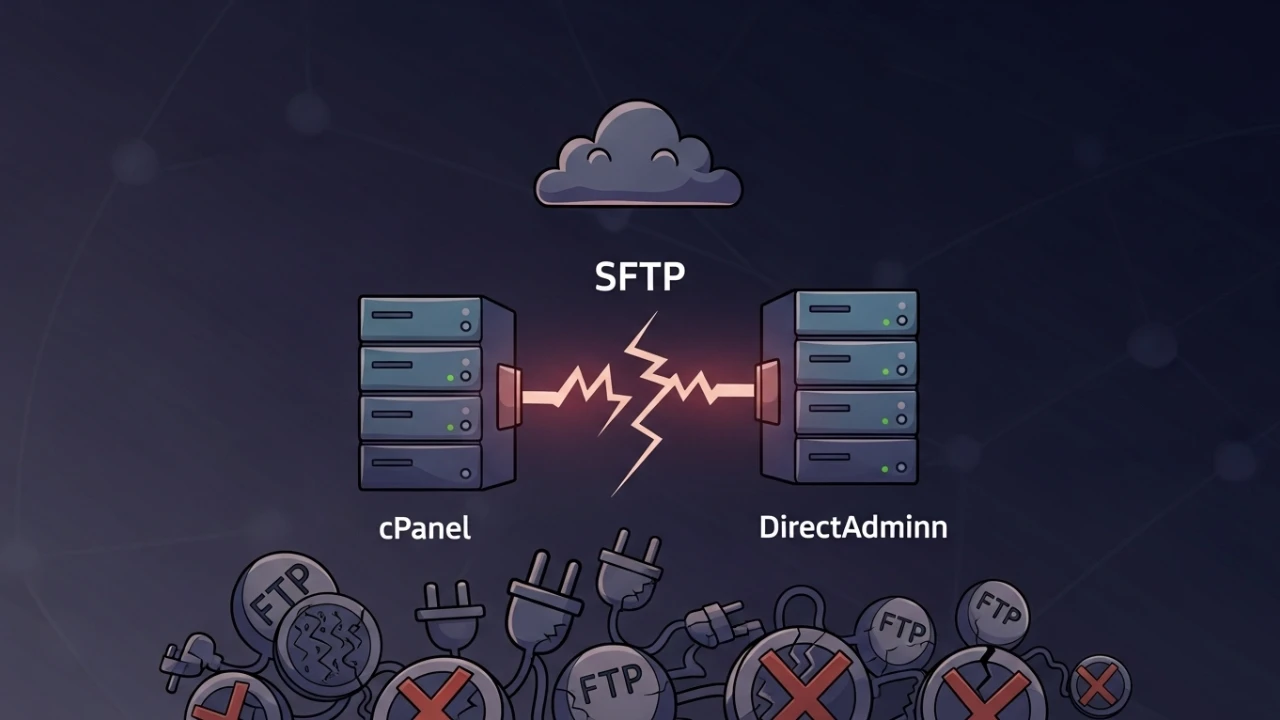
Those who work with infrastructure and N2 support know: when you've been used to a tool for over 10 years (in my case, cPanel), switching to another - like DirectAdmin - can be a real head-scratcher.
I was in the middle of a tough migration (moving instances from Proxmox to OVH) and needed to generate a full account backup via terminal. In cPanel, your fingers automatically go to /scripts/pkgacct, but what about DirectAdmin? Where is the equivalent?
Follow me, and I'll show you what I learned on the "battlefield," the errors I encountered, and how I solved them securely.
The cultural shock: pkgacct vs. task queue#
If you, like me, come from the school of PHP, Shell Script, and "root" Linux, you know that pkgacct is a lifestyle. You run the command, it locks the terminal, and shows you line-by-line what is happening.
In DirectAdmin, the approach is different. It works with a Task Queue. You request the backup, it says "okay" and returns the prompt to you, but it keeps processing everything in the background. At first, this is nerve-wracking because you think nothing is happening!
Initial system diagnostics and versions#
Before initiating any migration or massive account backups, it is vital to ensure that the DirectAdmin instance is operational, up to date, and that its core services are responding:
# Verify the installed DirectAdmin version
cat /usr/local/directadmin/version

# Check for pending panel updates
/usr/local/directadmin/directadmin update

# Validate global configuration directives
cat /usr/local/directadmin/conf/directadmin.conf | head -20
1. Validate local connectivity#
Verify that the default panel port (2222) is responding locally:
# Validate local API response
curl -k https://localhost:2222/

# Verify that the port is listening
ss -lntp | grep -E "2222|8080"
2. Check HTTP daemon status#
Ensure the web servers hosting the sites are running healthily before initiating backups:
systemctl status httpd 2>/dev/null || systemctl status nginxCritical prerequisites: disk space and permissions#
A common mistake is initiating backups without validating whether the target partition has free space, or if the backup process has permissions to write the file.
1. Disk space verification#
The golden rule is to have at least twice the size occupied by the user account to be migrated (once for the temporary dump files and once for the final compressed archive).
# Check the space occupied by the user home directory
du -sh /home/user_system/

# Check available space on the backup partition
df -h /home/admin/admin_backups/ 2>/dev/null || df -h /home/
Automated pre-backup verification script:
REQUIRED=$(du -sm /home/user_system/ | awk '{print $1}')
AVAILABLE=$(df -m /home/ | tail -1 | awk '{print $4}')

# Set a safe margin of 2x the size
SAFE_REQUIRED=$((REQUIRED * 2))

if [ "$AVAILABLE" -lt "$SAFE_REQUIRED" ]; then
    echo "ERROR: Insufficient disk space. Required: ${SAFE_REQUIRED}MB, Available: ${AVAILABLE}MB"
    exit 1
else
    echo "Sufficient disk space verified to proceed with backup."
fi
2. Directory permissions audit#
Check directory permissions at the standard backup location:
# View ownership and permissions of the directory
ls -la /home/admin/admin_backups/
stat /home/admin/admin_backups/

# Test if the admin user has write permissions
sudo -u admin touch /home/admin/admin_backups/test-write && rm /home/admin/admin_backups/test-write
Generating the preventive global backups#
1. Backing up server configurations#
Before performing migrations, manually back up the configuration files for the panel and active web/mail services:
# Back up the core DirectAdmin directory
tar czf /root/directadmin-backup-$(date +%Y%m%d).tar.gz /usr/local/directadmin/

# Back up Apache and Postfix configuration paths
cp -r /etc/httpd/ /root/httpd-backup-$(date +%Y%m%d)/ 2>/dev/null || cp -r /etc/nginx/ /root/nginx-backup-$(date +%Y%m%d)/
cp -r /etc/postfix/ /root/postfix-backup-$(date +%Y%m%d)/
2. Generating the account backup via CLI#
To generate the backup of a user (let's call it user_system) directly via terminal:
/usr/local/directadmin/directadmin admin-backup --destination=/home/admin/admin_backups --user=user_system3. Bulk backup loop for all accounts#
If you need to migrate all user accounts in batch:
# Sequentially back up all normal users
for user in $(ls /home/ | grep -v -E "admin|lost\+found"); do
    echo "Generating backup for user: $user"
    /usr/local/directadmin/directadmin admin-backup --destination=/home/admin/admin_backups --user=$user
done
Real-time progress monitoring#
Since the DirectAdmin command returns instantly to the shell, use tail on the task queue log to monitor generation:
tail -f /var/log/directadmin/errortaskq.logTo verify if the packaging processes are actively running, check using ps:
ps aux | grep -E "tar|zstd|gzip"The immediate execution command ("cPanel style")#
To force immediate execution and print output logs directly to your shell:
/usr/local/directadmin/dataskq d800The d800 is the debug level. It will print details about every database dump and packed directory.
Verifying backup file integrity#
Once complete, make sure the backup file was generated fully and is not corrupted:
1. Validate backup file format (tar.gz or tar.zst)#
DirectAdmin packages accounts in compressed archives. Check the exact compression format:
file /home/admin/admin_backups/user_system*.tar.*2. Audit size and integrity#
The file must have a consistent size relative to the user's data:
# View file size
ls -la /home/admin/admin_backups/user_system*.tar.*
du -sh /home/admin/admin_backups/user_system*.tar.*
3. Validate internal archive structure and critical contents#
Test the archive's internal integrity without extraction:
# For tar.gz archives
tar -tzf /home/admin/admin_backups/user_system.tar.gz | head -20

# For tar.zst (Zstandard) archives
tar --zstd -tf /home/admin/admin_backups/user_system.tar.zst | head -20
Verify that critical directories (web content, e-mails, and database dumps) exist inside:
tar -tzf /home/admin/admin_backups/user_system.tar.gz | grep -E "public_html|Maildir|backup/mysql"Count the total files packed to ensure consistency:
tar -tzf /home/admin/admin_backups/user_system.tar.gz | wc -lAccount restoration procedure#
After transferring the .tar.gz or .tar.zst file to the target server, restore it via command line:
# Run restoration on target server
/usr/local/directadmin/scripts/restore_admin.sh /home/admin/admin_backups/user_system.tar.gz
Note: If the backup is in Zstandard format, adjust the file path accordingly.
Forcing restoration processing#
Like generation, restoring accounts enters the task queue. Force active execution for logs:
/usr/local/directadmin/dataskq d800Validating the restored data#
Verify that the restored user folders and permissions match expectations:
ls -la /home/user_system/
ls -la /home/user_system/public_html/
Diagnosing failures and error logs#
If the backup fails or the task queue gets stuck, investigate the system logs:
# Check recent errors in the system log
tail -100 /var/log/directadmin/system.log | grep -i -E "error|fail"

# Filter for backup-specific or permission errors
grep -i "backup" /var/log/directadmin/system.log | tail -20
grep -i "permission\|denied" /var/log/directadmin/system.log | tail -20
Automated backups via cron configuration#
To avoid running commands manually, schedule backups using the admin user's crontab:
# View active cron schedules for admin
crontab -l -u admin

# Since the backup command requires root privileges, configure it via root cron or /etc/cron.d/
echo "0 2 * * * root /usr/local/directadmin/directadmin admin-backup --destination=/home/admin/admin_backups --user=user_system" | sudo tee /etc/cron.d/da-backup-user_system
Checklist: CLI backups on DirectAdmin#
1. Pré-backup & diagnostics#
- [ ] Check installed version:
cat /usr/local/directadmin/version - [ ] Validate disk space at destination (requires 2x account size).
- [ ] Validate permissions on
/home/admin/admin_backups/. - [ ] Create preventive config backups of
/usr/local/directadmin/and/etc/httpd/.
2. Generation & monitoring#
- [ ] Run backup via DirectAdmin CLI.
- [ ] Monitor real-time task queue errors at
/var/log/directadmin/errortaskq.log. - [ ] Optional: Run debug and force queues using
/usr/local/directadmin/dataskq d800.
3. Integrity check#
- [ ] Verify generated file size.
- [ ] Run
tar -tzfchecks to inspect vital directories (public_html,Maildir). - [ ] Confirm no error listings appear in
/var/log/directadmin/system.log.
4. Restoration & post-migration#
- [ ] Transfer backup files to the destination server.
- [ ] Trigger restoration via CLI.
- [ ] Validate restored user files and permissions inside
/home/user_system/.
Severity checklist and mapped issues#
| Identified Issue | Severity | Category | Description / Fix |
|---|---|---|---|
| Missing integrity checks | High | Validation | Risk of transferring corrupted archives, resulting in silent database or file loss. |
| Missing restoration guidelines | High | Recovery | Inability to quickly restore accounts on target systems during a live migration. |
| Lack of global config backups | Medium | Risk | Risk of losing customized Apache/Nginx or Postfix settings during migration. |
| Missing disk space checks | Medium | Prerequisite | Backup process fails midway, filling /home partitions and crashing other sites. |
| Invalid folder write permissions | Medium | Permissions | DirectAdmin failing to write the .tar.gz due to wrong ownership on output folders. |
| Version mismatch during restore | Low | Compatibility | Upgrading/restoring across vastly different DA versions causes schema errors. |
| Unmonitored error logs | Low | Debug | Troubleshooting blindly without checking /var/log/directadmin/system.log. |
| Local API connection failure | Low | Diagnostics | Port 2222 failures blocking CLI commands from communicating with the panel wrapper. |
CLI command quick reference: cPanel vs. DirectAdmin#
| Action | In cPanel (What I knew) | In DirectAdmin (What I learned) |
|---|---|---|
| Generate Backup | /scripts/pkgacct user | /usr/local/directadmin/directadmin admin-backup --destination=/home/admin/admin_backups --user=user |
| Backup Location | /home/cpmove-user.tar.gz | /home/admin/admin_backups/user.tar.gz |
| View Progress | Directly in terminal | tail -f /var/log/directadmin/errortaskq.log |
| Force Execution | Automatic | /usr/local/directadmin/dataskq d800 |
| Restore Account | /scripts/restorepkg user | /usr/local/directadmin/scripts/restore_admin.sh /path/to/user.tar.gz |
| Inspect Logs | /var/log/cpanel | /var/log/directadmin/system.log |
🏆 Full Control Panel Benchmark: Planning an infrastructure-wide migration? Check out the in-depth evaluation: Best Linux Hosting Control Panels: cPanel, DirectAdmin, CyberPanel, or CloudPanel? in the Technical Rankings & Benchmark Hub.
Was this article helpful?
Leave a quick reaction to help prioritize future technical guides:
See also


This post is licensed under CC BY-NC.
Comments
Join the discussion below.
0 comments