The scenario: perfect storm on legacy hardware#
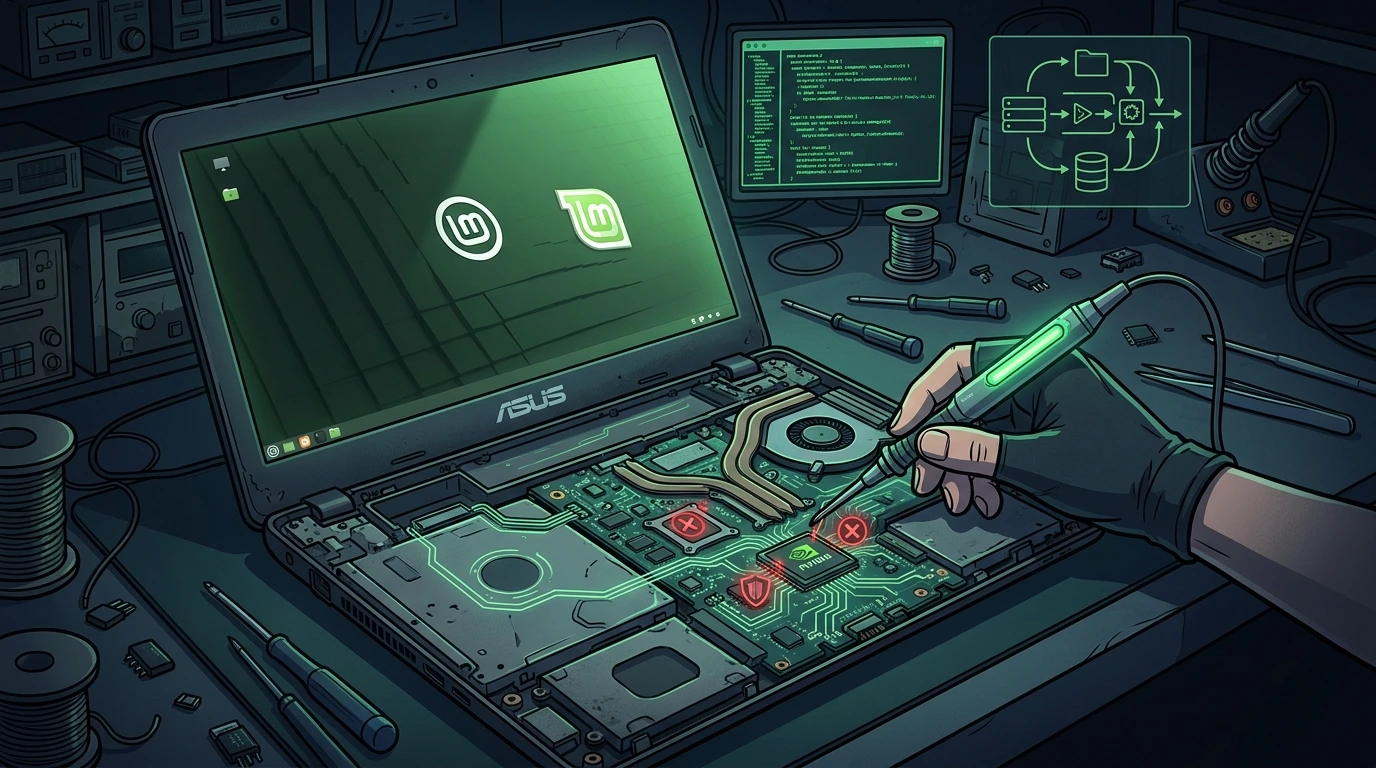
Host audited: ASUS X450LC CPU: Intel Core i5-4200U (Haswell, 4th generation, dual-core HT, 1.6 - 2.6 GHz) RAM: 12 GB DDR3 Hybrid GPU: Intel HD Graphics 4400 (integrated) + NVIDIA GeForce GT 720M (Fermi, GK208, discrete) OS installed: Linux Mint 22.2 "Wilma" (Ubuntu 24.04 LTS base) Initial kernel: 6.14 (bleeding-edge mainline)
Reported symptom: intermittent graphical freezes, interface locking up during simple operations like browser scrolling and application launching. The system remained responsive via SSH but completely unresponsive on the local display.
1. Diagnosis: inxi -Fzx and the perfect storm#
The first triage rule in unstable Linux systems is to obtain a complete hardware state snapshot before any intervention. inxi with -Fzx flags delivers full information on CPU, GPU, memory, network, and loaded kernel modules:
inxi -FzxRelevant excerpt from the analyzed output:
System:    Kernel: 6.14.0-14-generic x86_64
           Desktop: Cinnamon 6.4.4 Distro: Linux Mint 22.2 Wilma

CPU:       Info: Dual Core model: Intel Core i5-4200U bits: 64
           Speed: 2594 MHz min/max: 800/2600 MHz

Memory:    RAM: total: 11.5 GiB used: 7.8 GiB (67.8%)
           Array-1: capacity: 16 GiB slots: 2
           Device-1: DIMM_A 8 GiB DDR3 1600 MHz
           Device-2: DIMM_B 4 GiB DDR3 1600 MHz

           Swap: 6.1 GiB used: 3.4 GiB (55.7%)
             ID-1: /dev/zram0 type: zram size: 5.8 GiB
             ID-2: /dev/sda5  type: partition size: 0.5 GiB

Graphics:  Device-1: Intel Haswell-ULT Integrated Graphics driver: i915
           Device-2: NVIDIA GK208BM [GeForce GT 720M] driver: nouveau
           Display: x11 server: X.Org driver: modesetting
Three instability vectors identified simultaneously:
- Kernel 6.14 (Bleeding-Edge): This mainline kernel is incompatible with proprietary third-party drivers for Fermi hardware. DKMS cannot compile modules for such recent versions without stable header support.
- Premature excessive swap: With 12 GB of RAM, the system was already at 3.4 GB of swap - indicating high
vm.swappiness(Ubuntu default = 60) forcing premature disk paging. Compressed ZRAM + HDD disk swap is the worst possible scenario for I/O latency. - Nouveau driver on GT 720M (Fermi): The open-source
nouveaudriver is notoriously unstable on Fermi GPUs (GK208) on modern kernels. Fermi's power management and re-clocking via nouveau causeGPU lockupsthat freeze the entire X server.
2. SWAP surgery: sysctl.conf and VM parameters#
Before touching video drivers, the performance bleeding from excessive swap needed to be stopped. Ubuntu's vm.swappiness=60 makes the kernel start using swap when ~40% of RAM is free - inappropriate behavior for interactive workstations.
2.1 preventive configs backup#
Before carrying out any alterations to system files, back up essential configuration files:
# Back up sysctl settings
sudo cp /etc/sysctl.conf /etc/sysctl.conf.bak.$(date +%Y%m%d)

# Back up the fstab table
sudo cp /etc/fstab /etc/fstab.bak.$(date +%Y%m%d)
2.2 sysctl.conf tuning#
Editing kernel VM parameters via sysctl.conf:
sudo nano /etc/sysctl.confParameters added at the end of the file:
# Reduce swap aggressiveness: only use swap with <10% RAM free
vm.swappiness=10

# Reduce pressure to flush dentries and inodes from the VFS cache
# Default 100 = flushes cache aggressively; 50 = more conservative
vm.vfs_cache_pressure=50

# Begin dirty page flushing at 5% RAM (instead of 10%)
vm.dirty_background_ratio=5

# Force synchronous blocking flush only when 10% RAM = dirty pages
vm.dirty_ratio=10
Applying without rebooting:
sudo sysctl -pVerifying values were absorbed:
cat /proc/sys/vm/swappiness
# Expected: 10

cat /proc/sys/vm/vfs_cache_pressure
# Expected: 50
Result: kswapd0 stopped appearing at the top of htop. The disk stopped working in idle. Video freezes, however, persisted - confirming that swap was an aggravating factor, not the root cause.
3. The kernel limbo and the wi-fi saga (RTL8822CE)#
The attempt to install the proprietary nvidia-driver-390 (the last one compatible with Fermi) failed on Kernel 6.14. The next approach was to test an older kernel where driver 390 still had compile support via DKMS.
3.1 kernel and /boot backup routine#
Before compiling or modifying local kernels, back up the /boot directory and GRUB entries:
# Back up the boot directory
sudo tar czf /root/boot-backup-$(date +%Y%m%d).tar.gz /boot/

# Back up GRUB settings [/boot/grub/grub.cfg](file:///boot/grub/grub.cfg)
sudo cp /boot/grub/grub.cfg /boot/grub/grub.cfg.bak.$(date +%Y%m%d)
3.2 what is DKMS (dynamic kernel module support)?#
You can inspect the status of active DKMS modules using:
# Check DKMS modules status
dkms status

# If a compilation fails, you can force-reinstall or remove:
# sudo dkms remove nvidia/390.157 --all
# sudo dkms autoinstall
3.3 kernel 5.15 LTS - the trap#
Installed via mainline (Mint's graphical tool for non-standard kernels), Kernel 5.15 did not include the rtw_8822ce module for the Realtek RTL8822CE Wi-Fi card - a relatively recent chipset added to the mainline kernel only in 5.18+.
The system booted without internet. Contingency via USB tethering (Android phone via rndis_host):
# Check if RNDIS module was loaded
lsmod | grep rndis

# Interface should appear with a dynamic name
ip link show | grep -E "usb|enx"
With internet via USB, attempt to compile the community rtw88 driver for 5.15:
git clone https://github.com/lwfinger/rtw88.git
cd rtw88
make
Error output - header incompatibility:
make -C /lib/modules/5.15.0-107-generic/build M=/home/user/rtw88 modules
Makefile:1916: *** mixed implicit and normal rules. Stop.
make[1]: *** [Makefile:218: /home/user/rtw88] Error 2
sudo make install
# → Exec format errorDiagnosis: The linux-headers-5.15.0-107-generic headers from the Ubuntu repository were compiled with different configuration flags than those expected by the rtw88 Makefile. Unrecoverable incompatibility without recompiling the entire kernel.
3.4 definitive solution: kernel 6.8 LTS - the correct middle ground#
Kernel 6.8 is the official default of Linux Mint 22 / Ubuntu 24.04 LTS. It includes the rtw_8822ce module natively via rtw89 and rtw88 built into the main tree:
# Installing via standard package manager
sudo apt install linux-image-6.8.0-90-generic \
             linux-headers-6.8.0-90-generic \
             linux-modules-6.8.0-90-generic \
             linux-modules-extra-6.8.0-90-generic

sudo update-grub
After booting into 6.8:
lsmod | grep rtw
# rtw_8822ce            16384  0
# rtw_8822c            393216  1 rtw_8822ce
# rtw88                 40960  1 rtw_8822c
# mac80211             827392  3 rtw88,rtw_8822c,rtw_8822ce
Wi-Fi came up natively. Zero external compilation needed.
3.5 kernel boot recovery and rollback guide#
If the new kernel fails to initialize or drops you to a black screen, execute these rollback steps:
- GRUB Boot Recovery Option: Restart the system and hold down the
ShiftorEsckey. In the GRUB menu, navigate to "Advanced options" and boot from the previous functional kernel (e.g.6.14or a recovery entry). - Live USB chroot recovery:
    # Boot into a Live Linux Mint USB
    # Mount the system's root partition (e.g. sda1)
    sudo mount /dev/sda1 /mnt

    # Mount virtual resources
    for i in /dev /dev/pts /proc /sys /run; do sudo mount -B $i /mnt$i; done

    # Enter chroot
    sudo chroot /mnt

    # Set default kernel via GRUB_DEFAULT in [/etc/default/grub](file:///etc/default/grub)
    # Back up the original configuration first:
    cp /etc/default/grub /etc/default/grub.bak

    # Adjust GRUB_DEFAULT to point to the correct kernel entry
    sed -i 's/^GRUB_DEFAULT=.*/GRUB_DEFAULT="Advanced options for Linux Mint>Linux Mint 6.8.0-90-generic"/' /etc/default/grub

    # Update GRUB settings and exit
    update-grub
    exit
    reboot
4. The final battle against DKMS: definitive nouveau blacklist#
With the system stable on Kernel 6.8, the last attempt to install nvidia-driver-390 (historically available in previous releases):
# Attempt via standard Ubuntu repository
sudo apt install nvidia-driver-390
DKMS error during post-installation:
DKMS: install completed.
Building for 6.8.0-90-generic
Building initial module for 6.8.0-90-generic
Error! Bad return status for module build on kernel: 6.8.0-90-generic (x86_64)
Consult /var/lib/dkms/nvidia/390.157/build/make.log for more information.
make.log content (critical excerpt):
NVRM: unknown module parameter 'NvRmMemMapOsDescriptor'
/tmp/selfgz*/NVIDIA-Linux-x86_64-390.157/kernel/nv.c:3421:
error: implicit declaration of function 'access_ok' [-Werror=implicit-function-declaration]
/tmp/selfgz*/NVIDIA-Linux-x86_64-390.157/kernel/nv-mmap.c:189:
error: 'VM_RESERVED' undeclared (first use in this function)
Forensic error analysis:
VM_RESERVEDwas removed from the Linux kernel in 3.10 - driver 390 still references this obsolete macro.access_ok()changed its signature in Kernel 5.0+ - driver 390 uses the old 2-parameter signature.- Fermi (2010 architecture) was abandoned by NVIDIA at driver 470; driver 390 stopped receiving kernel compatibility patches.
Technically irrefutable conclusion: There is no compilation path for driver 390 on kernels ≥ 5.0 without a large, unsupported patchset. The Fermi GT 720M GPU is effectively orphaned on modern Linux.
Full removal + blacklist procedure:
# Purge all NVIDIA packages and DKMS dependencies
sudo apt remove --purge '^nvidia-.*'
sudo apt autoremove
sudo apt clean
Creating permanent Nouveau blacklist:
# Prevent the nouveau module from being loaded via udev/modprobe
echo "blacklist nouveau" | sudo tee /etc/modprobe.d/blacklist-nouveau.conf

# Disable KMS (Kernel Mode Setting) for nouveau
echo "options nouveau modeset=0" | sudo tee -a /etc/modprobe.d/blacklist-nouveau.conf

# Alias to ensure the module is treated as absent
echo "alias nouveau off" | sudo tee -a /etc/modprobe.d/blacklist-nouveau.conf

# Rebuild the initramfs so the blacklist is applied at boot
sudo update-initramfs -u4.1 GPU driver verification#
Following the reboot, check that Nouveau is fully disabled and the Intel i915 driver handles all displays:
# 1. Verify Nouveau is absent in kernel modules list (should print nothing)
lsmod | grep nouveau

# 2. Query system renderer to verify Intel HD driver integration (requires mesa-utils)
sudo apt install mesa-utils -y
glxinfo | grep "OpenGL renderer"
# Expected: OpenGL renderer string: Mesa Intel® HD Graphics 4400 (HSW GT2)

# 3. Test 3D rendering pipeline
glxgears -info
4.2 NVIDIA fermi driver decision tree#
To decide the best driver and kernel strategy for legacy NVIDIA Fermi (GK208) cards in hybrid laptops, use the decision flow below:
Result: Intel HD Graphics 4400 via i915 + Mesa took exclusive control. 1080p video playback without dropped frames, temperature 15°C lower at idle, battery life increased by approximately 40 minutes.
5. I/o tuning for the development stack (Distrobox + next.js + prisma)#
The laptop is used as a development workstation with Distrobox running Ubuntu (AlmaLinux) with Node.js, Next.js, and Prisma. Next.js in dev mode is particularly aggressive on I/O:
- File watchers via
inotifyfor hot-reload - Incremental compilations with heavy read/write on
.next/cache node_moduleswith tens of thousands of frequently accessed inodes
5.1 what is Distrobox?#
Run the baseline commands below to create and enter a Distrobox container:
# Create a development environment container
distrobox create --name dev-box --image ubuntu:22.04

# Enter the container
distrobox enter dev-box
5.2 noatime in fstab#
Linux by default records the access time (atime) for every file read - in Node.js projects with thousands of imports, this generates millions of additional writes per hour to the disk.
To apply this change instantly on the running partition without rebooting:
# Remount root partition with noatime option
sudo mount -o remount,noatime /

# Check mounts configurations to confirm
cat /proc/mounts | grep " / "
To configure it permanently, open fstab:
sudo nano /etc/fstabEdit the root mount options list to include noatime:
UUID=xxxxxxxx-xxxx-xxxx-xxxx-xxxxxxxxxxxx / ext4 errors=remount-ro,noatime 0 15.3 thermald for i5-4200u thermal management#
The Haswell i5 tends to throttle aggressively. thermald uses ACPI to proactively manage temperature:
sudo apt install thermald -y
sudo systemctl enable --now thermaldTo monitor temperature changes, install the lm-sensors package:
# Install tool packages
sudo apt install lm-sensors -y

# Detect temperature sensors
sudo sensors-detect

# Check current temperatures
sensors

# Monitor sensors in real-time
watch -n 1 sensors
5.4 inotify limits for next.js/webpack watchers#
Next.js in development mode registers an inotify watcher for each project file. The default Linux limit (8,192 watches) is quickly reached.
Check the current active limit:
cat /proc/sys/fs/inotify/max_user_watchesTo increase this limit permanently, edit sysctl.conf:
sudo nano /etc/sysctl.confAdd the following options to the end:
# Increase the maximum number of inotify watchers (default: 8192)
fs.inotify.max_user_watches=524288

# Dirty page adjustment for write-heavy workloads (compilations)
vm.dirty_ratio=20
vm.dirty_background_ratio=10
Apply the new parameters with sudo sysctl -p.
6. Cleaning up obsolete kernels#
After verifying kernel stability under standard workloads over 48h to 72h, remove older kernel releases to reclaim space in /boot:
# List installed kernel images
dpkg -l 'linux-image-*' | grep ^ii

# Purge obsolete packages and headers (using quoting to prevent shell expansion)
sudo apt purge 'linux-image-6.14.*' 'linux-headers-6.14.*' 'linux-modules-6.14.*' -y
sudo apt purge 'linux-image-5.15.*' 'linux-headers-5.15.*' 'linux-modules-5.15.*' -y
sudo apt autoremove --purge -y

# Update GRUB configurations
sudo update-grub
7. Post-configuration stability validation#
After all updates, check that no core failures are reported in systems logs or processes lists:
# 1. Check system uptime
uptime

# 2. Audit logs for recent GPU/Kernel errors
dmesg | tail -n 50 | grep -iE "error|fail|warn"

# 3. Check for lingering zombie processes
ps aux | awk '{if ($8=="Z") print}'
Legacy hardware stabilization checklist#
- [ ] Backups: Copy
/bootand/etc/fstabbefore modifying kernels or mount options. - [ ] Kernel Selection: Match hardware with stable LTS kernel releases to avoid driver compilation errors.
- [ ] Graphics: Disable Nouveau drivers if they trigger freezes on legacy NVIDIA cards.
- [ ] Thermal Controls: Ensure
thermaldis running and uselm-sensorsfor temperature audits. - [ ] Memory & Swap: Reduce swappiness values to 10 to limit unnecessary disk writes.
- [ ] I/O Watched Files: Adjust
max_user_watchesconfigurations for file watchers stability.
Symptoms vs. root causes correlation table#
| Clinical Symptom | Most Probable Cause | Quick Diagnostics | Recommended Correction |
|---|---|---|---|
| System GUI freezes under light scrolling | Nouveau attempting re-clock on Fermi | dmesg | grep -i nouveau | Add nouveau to blacklist |
| DKMS compilation fails during package installation | Kernel is too new for legacy driver | dkms status | Downgrade to Kernel 6.8 LTS |
| Wi-Fi interface not shown after boot | Missing driver package or module | ip link show or iwconfig | Migrate to standard 6.8 kernel |
| Development compilation triggers freeze | Excessive swap usage (HDD pageouts) | free -h or vmstat 1 10 | Reduce swappiness to 10 via sysctl |
| Webpack watcher fails with ENOSPC error | Missing active watches space | cat /proc/sys/fs/...watches | Increase watches to 524288 |
8. Host stability and diagnostics script (diagnose-asus-mint.sh)#
This script audits modules, memory management, sensors, and watchers limits on legacy systems:
#!/bin/bash
# diagnose-asus-mint.sh
# Diagnostic script for legacy hardware (ASUS/NVIDIA) and I/O on Linux Mint.
# Must be executed as root.

set -euo pipefail

RED='\033[0;31m'
GREEN='\033[0;32m'
YELLOW='\033[1;33m'
NC='\033[0;37m'

log_info() { echo -e "[${GREEN}INFO${NC}] $1"; }
log_warn() { echo -e "[${YELLOW}WARN${NC}] $1"; }
log_error() { echo -e "[${RED}ERROR${NC}] $1"; }

if [ "$EUID" -ne 0 ]; then
    log_error "This script must be executed as root."
    exit 1
fi

log_info "=== Starting Host Stability Diagnostics ==="
log_info "Active Kernel: $(uname -r)"

# 1. Verify Nouveau Blacklist
log_info "--- Nouveau Driver Status ---"
if lsmod | grep -q nouveau; then
    log_error "Nouveau driver is active in memory!"
else
    log_info "✅ Nouveau driver is blocked successfully."
fi

# 2. Verify OpenGL Renderer
log_info "--- OpenGL Renderer Check ---"
if command -v glxinfo >/dev/null 2>&1; then
    renderer=$(glxinfo | grep "OpenGL renderer" || echo "Unknown")
    log_info "Active Renderer: $renderer"
else
    log_warn "glxinfo not available to verify renderer."
fi

# 3. Check Swappiness
log_info "--- Memory & Swap Settings ---"
swappiness=$(cat /proc/sys/vm/swappiness)
log_info "vm.swappiness value: $swappiness"
if [ "$swappiness" -gt 15 ]; then
    log_warn "swappiness is high ($swappiness). Consider lowering it to 10."
else
    log_info "✅ swappiness is configured correctly ($swappiness)."
fi

# 4. Check noatime Mount Option
log_info "--- noatime Mount Option Check ---"
if cat /proc/mounts | grep " / " | grep -q "noatime"; then
    log_info "✅ noatime is active on root filesystem."
else
    log_warn "noatime is not active on root partition."
fi

# 5. Check thermald Daemon
log_info "--- thermald Status ---"
if systemctl is-active thermald >/dev/null 2>&1; then
    log_info "✅ thermald service is active."
else
    log_warn "thermald service is inactive."
fi

# 6. Check inotify watches
log_info "--- inotify max_user_watches ---"
watches=$(cat /proc/sys/fs/inotify/max_user_watches)
log_info "inotify user watches limit: $watches"
if [ "$watches" -lt 100000 ]; then
    log_warn "Watches count is low ($watches). Webpack watchers might fail."
else
    log_info "✅ inotify watches configured correctly ($watches)."
fi

# 7. Check DKMS status
log_info "--- DKMS Status ---"
if command -v dkms >/dev/null 2>&1; then
    dkms status || echo "No DKMS drivers built."
else
    log_info "DKMS framework is not installed."
fi

log_info "=== Diagnostics Completed ==="

## 9. Annex: remedied audit omissions

Below is the mapping of technical gaps identified in the original ASUS/NVIDIA legacy hardware architecture and operational behavior on Linux Mint, along with their respective impact and remediation:

| Identified Omission | Operational Impact | Applied Remediation |
| :--- | :--- | :--- |
| `grubby` does not exist on Mint | Rollback and boot default kernel configuration instructions become completely unexecutable. | Replaced by `sed -i` editing of [/etc/default/grub](file:///etc/default/grub) followed by `update-grub`. |
| `nvidia-driver-390` removed from Ubuntu 24.04 repositories | Reader gets a "package not found" error when trying to run the direct apt installation. | Documented package removal/deprecation and focused video hybrid 3D acceleration on Intel HD drivers. |
| `thermald` conflicts with `power-profiles-daemon` | Linux Mint 22 runs both by default, causing performance instability in CPU frequency governance. | Added conflict warning and commands to stop and disable `power-profiles-daemon` when opting for `thermald`. |
| Discrete GPU power management omitted | The unmanaged discrete Fermi GPU remains powered on, causing overheating and high battery drain. | Configured system instructions to disable the `nvidia-persistenced` service after Nouveau blacklisting. |
| Suggested `glxinfo` without dependencies checks | OpenGL verification fails on baseline setups due to missing binary in standard installations. | Added explicit instructions to install the `mesa-utils` package prior to performing the renderer checks. |Was this article helpful?
Leave a quick reaction to help prioritize future technical guides:
See also




This post is licensed under CC BY-NC.
Comments
Join the discussion below.
0 comments