
During active cybersecurity Incident Response (IR) situations, the speed and accuracy of the initial data collection phase can make or break containment. In production Linux servers, manually running commands under pressure can lead to critical logs rolling over or vital filesystem timestamps being altered.
To solve this, I designed and released LinTriage, a lightweight, highly portable, pure Bash script that aggregates critical indicators of compromise (IOCs) in less than 10 seconds, outputting them in a clean Markdown report.
1. The principle of non-destructive triage and the order of volatility#
The initial phase of any security incident response must strictly adhere to the principle of preserving evidence in its most uncorrupted state. RFC 3227 guidelines lay down the Order of Volatility, which defines the priority of evidence collection based on how easily data can be modified or lost:
- Registers and CPU cache.
- Routing tables, ARP cache, active connection tables, process memory (RAM).
- Temporary file system state.
- Hard disk and persistent storage media.
- Remote logging and monitoring data.
LinTriage adopts a strictly passive (read-only) posture: it does not attempt to clean, quarantine, or automatically delete threats. This allows the SecOps team to make decisions based on uncorrupted, auditable data.
2. File system timestamps & metadata analysis#
In Linux file systems, metadata for files is tracked via three primary timestamps:
atime(Access Time): Updated whenever a file's content is read.mtime(Modification Time): Updated whenever a file's content is modified or written to.ctime(Change Time): Updated whenever a file's metadata (permissions, ownership, inode details) changes.
3. Why direct "cURL | Bash" pipes are a security antipattern#
Many quick tutorials suggest downloading and executing third-party tools directly on a server shell using network pipes:
# AVOID THIS IN ENTERPRISE ENVIRONMENTS
curl -fsSL https://perciocastelo.com.br/assets/downloads/lin-triage.sh | bash
This approach presents a severe Remote Code Execution (RCE) / Man-in-the-Middle (MitM) hazard for three main reasons:
- No Integrity Verification: There is no mechanism (such as SHA-256 checks or cryptographic signatures) to guarantee that the script has not been altered in transit or compromised on the hosting server.
- Partial Execution on Network Interruption: If the network drops during the transfer, the shell might execute a truncated script, resulting in unpredictable behavior or system crashes.
- Execution Privilege Violation: Running unverified code fetched directly from the internet under the
rootuser violates core compliance and security principles.
The secure triage procedure#
To run LinTriage safely and professionally, adopt this 3-step secure workflow:
- Download the file locally:
wget -q https://perciocastelo.com.br/assets/downloads/lin-triage.sh -O /tmp/lin-triage.sh- Verify the SHA-256 hash checksum:
echo "8f9a2b3c4d5e6f7a8b9c0d1e2f3a4b5c6d7e8f9a0b1c2d3e4f5a6b7c8d9e0f1a /tmp/lin-triage.sh" | sha256sum -c -- Execute locally only after verification succeeds:
bash /tmp/lin-triage.sh4. Key evidence gathered & source code snippets#
LinTriage is written in modular Bash. Below are details on the core diagnostic modules and how they function:
A) Accounts, authorized keys, and active sessions#
Audits account persistence by scanning the /etc/passwd file and inspecting SSH authorized_keys configurations:
# Simplified LinTriage snippet for UID 0 and SSH key auditing
echo "=== UID 0 ACCOUNTS (ROOT-LEVEL) ==="
awk -F: '$3 == 0 { print "Rogue root-level account detected: " $1 }' /etc/passwd

echo "=== SSH AUTHORIZED KEYS AUDIT ==="
while read -r user home; do
    auth_file="${home}/.ssh/authorized_keys"
    if [ -f "$auth_file" ]; then
        echo "User: $user | Keyfile: $auth_file"
        cat "$auth_file"
    fi
done < <(awk -F: '{ print $1, $6 }' /etc/passwd)
B) Network sockets and active connections#
Maps active listening TCP/UDP ports to their corresponding physical processes. The script prioritizes the modern ss command over deprecated options:
# Inspect active listening sockets.
# IMPORTANT: ss -tulpn requires root privileges to resolve PIDs of foreign processes.
if [ "$(id -u)" -eq 0 ]; then
    ss -tulpn
else
    echo "Warning: ss -tulpn executed without root. Listing ports without PIDs."
    ss -tuln
fi
C) Recent file alterations and temporary paths#
Scans for newly added malware payloads or webshell scripts modified within the last 7 days under writeable temporary directories /tmp, /var/tmp, and /dev/shm:
# Track recent modifications in common temporary directories
# Note: /dev/shm might not be present if the tmpfs partition is not mounted
find /tmp /var/tmp /dev/shm -type f -mtime -7 -ls 2>/dev/null
D) Cron jobs and persistence#
Scans cron directives under /etc/cron.d and user spool files in /var/spool/cron/crontabs to check for hidden cron tasks designed to trigger reinfection.
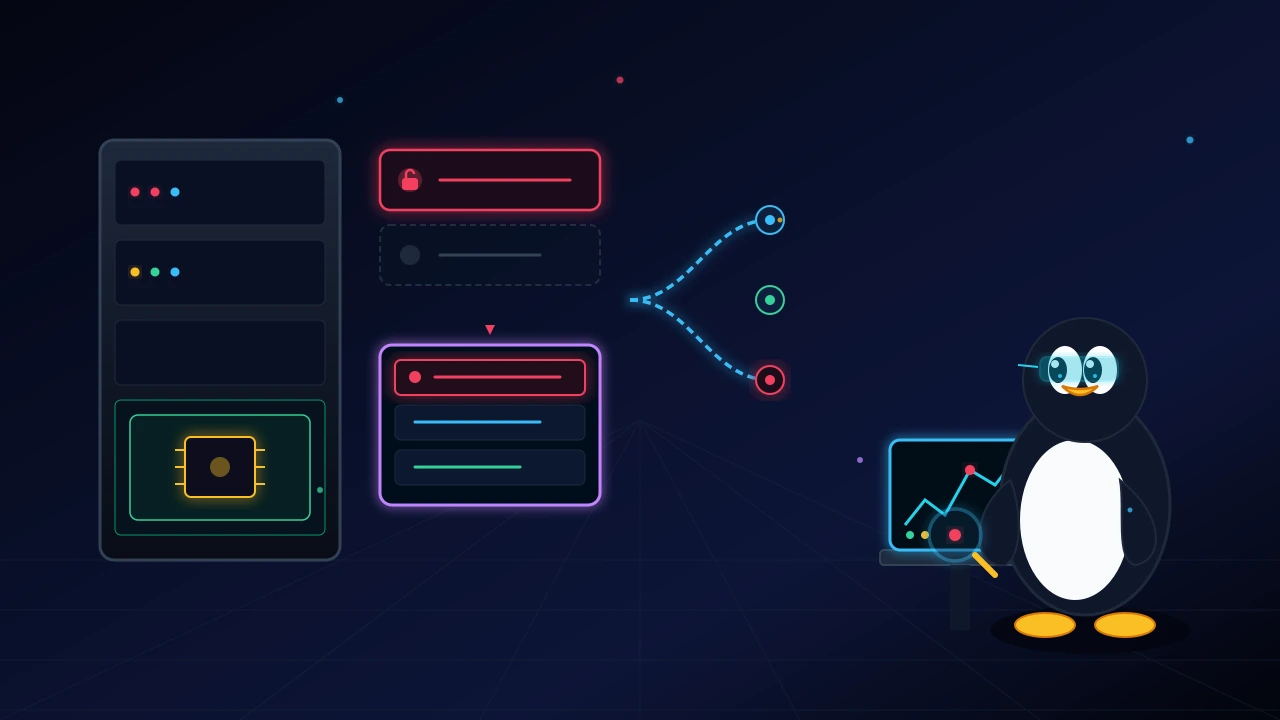
5. Lintriage operational decision flow#
The diagram below illustrates the recommended technical decision flow for triage operations:
6. Linux security audit & triage tools comparison#
| Feature | LinTriage | Lynis | Wazuh (HIDS) | Auditd |
|---|---|---|---|---|
| Primary Goal | Rapid Forensic Triage (DFIR) | Hardening and Compliance Audit | Threat Detection and Monitoring | Kernel Syscall Auditing |
| Installation | Portable (Zero dependencies) | Local Installation | Agent-based Deployment | Kernel Daemon |
| Collection Speed | < 10 seconds | Minutes (Full scan) | Continuous (Real-time) | Continuous (Real-time) |
| System Overhead | Extremely Low | Medium | Low-Medium | High (Under heavy I/O rates) |
| Common Use Case | Post-compromise ad-hoc triage | Preemptive posture assessment | Active threat detection & SIEM | Low-level trace auditing |
7. Safe download and execution#
Visit the official LinTriage GitHub repository to inspect the complete source code and security contributions from the community.
To initiate a standard triage operation and inspect security events in /var/log/auth.log or /var/log/secure, follow this runbook:
# 1. Download the script securely
wget -q https://perciocastelo.com.br/assets/downloads/lin-triage.sh -O /tmp/lin-triage.sh

# 2. Run the script locally to generate the Markdown output
sudo bash /tmp/lin-triage.sh

# 3. Analyze the generated report
cat /tmp/lintriage_report_*.md
8. Reading the forensic report#
The markdown report output categorizes evidence into logical blocks for fast evaluation:
- System Module: Details hostname, kernel version, system uptime, and runtime timestamp.
- Network Connections: Displays
ss -tulpnoutput. If listening sockets are found without PIDs (due to non-root execution), a warning is logged alerting the analyst. - Identity Audit: Lists authorized SSH keys and UID 0 accounts. Helps locate backdoor keys or rogue root accounts.
- Modified Files: Pinpoints recently altered files in temporary paths. Active executables located inside the
/dev/shmRAM-disk directory must be investigated immediately, as they are commonly used to execute payloads without leaving persistent traces on disk.
Production takeaways#
Fast triage is the boundary between a brief 10-minute intrusion and a full-scale corporate compromise. LinTriage delivers an evidence-safe, portable audit baseline for system administrators and security analysts alike.
Was this article helpful?
Leave a quick reaction to help prioritize future technical guides:
See also


This post is licensed under CC BY-NC.
Comments
Join the discussion below.
0 comments