When filesystem and daemon fall out of sync#
Recently, I handled a case that began with a simple DNS authentication reconfiguration and escalated into deep state corruption within the email subsystem. The ticket reported that messages were being received by the server but never reached the client's inbox.
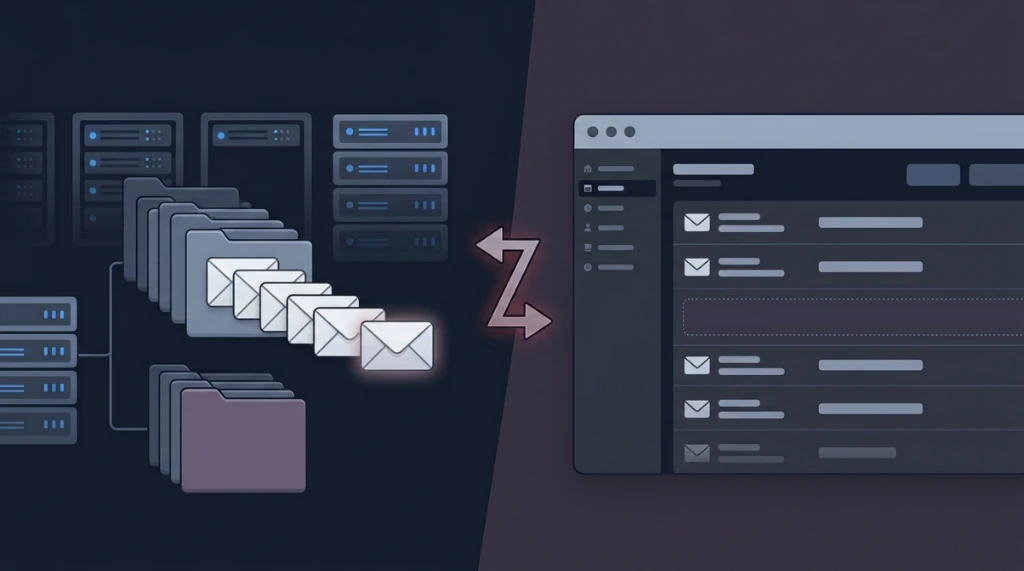
What seemed like a basic routing problem turned out to be a severe divergence between the storage layer (filesystem) and the state machine of the IMAP service. Below, I detail the autopsy of this incident.
The technical issue#
Initially, I worked on regularizing the authentication for the domain (domain.com). The cPanel environment was outdated in its old API calls (/scripts/email_auth), forcing me to directly invoke the UAPI and ZoneEdit via terminal to inject DKIM keys and the DMARC policy (v=DMARC1; p=none).
With DNS stabilized, the real problem manifested: a test email (ID 1vRXMv-00000001G0c-0CLv) was triggered, the server accepted the SMTP connection, but the client did not see the message via IMAP or Webmail. The email became a ghost.
Maildir structure in the filesystem#
To understand how desynchronization occurs, you need to visualize the standard anatomy of a Maildir directory. In Dovecot, each user mailbox has the following structure:
/home/user/mail/domain.com/user/
├── cur/                    # Messages already read and processed by the client
├── new/                    # Newly delivered messages waiting to be read
├── tmp/                    # Temporary files during delivery write operations
├── .Sent/                  # Subfolder: Sent Messages
│   ├── cur/
│   ├── new/
│   └── tmp/
├── .Drafts/                # Subfolder: Drafts
├── .Trash/                 # Subfolder: Trash
├── dovecot.index           # Fast binary cache of headers and flags
├── dovecot.index.log       # Transactional log of index updates
├── dovecot-uidlist         # Critical mapping of physical filenames ↔ IMAP UIDs
└── subscriptions           # Plain text file of folders subscribed to by the user
Tracking the inode#
The first step was to track the envelope in the MTA. The Exim log (/var/log/exim_mainlog) showed a flawless and detailed delivery flow:
2026-06-07 12:05:01 [email protected] R=virtual_user T=dovecot_virtual_delivery U=user C="250 2.0.0 <[email protected]> sNJzJ6b0MmkR7QMAgRW0Lg Saved" QT=1.234s DT=0.567sThe Saved status proved that Exim successfully handed off to Dovecot's LMTP process. The MTA was not dropping the packet or facing routing loops. The problem lay with the MDA (Mail Delivery Agent).
Upon inspecting the user's Maildir, a grep for the message ID failed silently. I checked the physical directory of the new/ queue using ls -latr. The file was there: the inode had been allocated at 12:05 under the name 1781476345.M965412P23485.server.domain.com,S=4035,W=4112.
Why did the grep fail if the file existed? Catting the file caused the terminal to vomit binary junk. The server was running Dovecot with the Zlib plugin enabled. Standard grep operates in plain text and hit the wall of compression. Using zcat, I was able to read the uncompressed buffer and see the intact SMTP headers. The file was perfect on disk, but the IMAP daemon was blind to it.
Code traceability: Dovecot's state machine#
The failure flow occurred at the interface between the VFS (Virtual File System) and the Dovecot indexer. When Dovecot's LMTP receives the stream from Exim, it invokes the Zlib library to compress the payload before triggering the write() syscall to disk.
After flushing to disk, Dovecot needs to update the dovecot-uidlist file, which maps the physical filename to a sequential IMAP standard UID, and the dovecot.index file. A race condition, an abrupt daemon crash, or an I/O lock corrupted this structure. The file was written, but the metadata transaction failed. The daemon refused to present any file in the new/ folder that was not strictly mapped in its uidlist.
Forensic diagnosis on the server#
To prove the desynchronization and trace the root cause, I executed the following technical auditing steps:
1. Audit mail_location and physical paths#
First, inspect where Dovecot is configured to read and write mail directories:
doveconf -n | grep mail_location
# Expected output: mail_location = maildir:/home/%d/%n/mail:LAYOUT=fs
Then, verify that the directory physically exists with the correct owner:
ls -la /home/user/mail/domain.com/user/2. Monitor Dovecot and LMTP logs#
Examine specific logs for mail delivery and index errors:
# Monitor general mail logs
tail -f /var/log/maillog | grep -E -i "dovecot|lmtp|uidlist|index"

# Or specific Dovecot log file (depending on OS config)
tail -f /var/log/dovecot.log | grep -i error
3. Audit zlib plugin status#
To verify if real-time compression is active:
# Check active plugins
doveconf -n | grep -A5 plugin

# Check Zlib settings
doveconf -n | grep -i zlib4. Audit disk space and quotas#
If the storage volume reaches 100% or the user logical quota gets exhausted during the LMTP write operation, Dovecot indexes will corrupt.
# Check overall disk space and the /home partition
df -h /home

# Check disk quota for the affected cPanel user
repquota -a | grep user

# Verify disk usage of the user's mail directory tree
du -sh /home/user/mail/

# Search for zero-byte files (a sign of write failures due to quota exhaustion)
find /home/user/mail/ -size 0 -type f
5. Verify Dovecot version and configurations#
Check active Dovecot package versions for known bugs or pending package upgrades:
# Get active Dovecot version
doveadm --version

# Check package manager for available Dovecot updates
yum check-update dovecot  # RHEL/CentOS/AlmaLinux
apt list --upgradable | grep dovecot  # Debian/Ubuntu

# View active non-default configurations
doveconf -n | head -50
6. Audit IMAP IDLE and active connections#
Stuck IMAP IDLE sessions can lock metadata index logs on disk, preventing new synchronizations.
# Check if IMAP IDLE is enabled in configurations
doveconf -n | grep -i "idle"

# List active connections and sessions in Dovecot
doveadm who

# List detailed session states in single-line format (useful for tracking hung sessions)
doveadm who -1
7. Verify tls/ssl config in Dovecot#
SSL handshake issues can cause sync delays that look like index desynchronizations.
# Review SSL/TLS settings
doveconf -n | grep -i "ssl"

# Verify presence and permissions of SSL certificates
ls -la /etc/dovecot/ssl/ 2>/dev/null

# Ensure SSL is globally enabled
doveconf -n | grep "ssl = yes"
8. Audit multiple accounts / blast radius scan#
Check if the index desynchronization is an isolated occurrence or an incident affecting other accounts on the node:
# Scan all user maildirs for dovecot-uidlist containing "error" keywords
find /home/*/mail -name "dovecot-uidlist" -exec grep -l "error" {} \; 2>/dev/null

# Find zero-byte dovecot.index files in other user accounts
find /home/*/mail -name "dovecot.index" -size 0 -type f 2>/dev/null

# Loop through all active users and query INBOX mailbox status
doveadm user "*" | while read -r user; do
    doveadm mailbox status -u "$user" INBOX 2>&1 | grep -i "error" && echo "Affected account: $user"
done
Discarded hypotheses#
Before moving to disk manipulation, I isolated variables:
- Local vs. Remote Routing: I checked
/etc/localdomains. The domain was correctly allocated locally; there was no bypass in Exim. - MUA Action / Aggressive POP3: I searched mail logs for POP3 sessions that might have downloaded and sent the
DELEcommand milliseconds after delivery. Negative. - mdbox vs. Maildir Format: I confirmed the directory structure (
cur,new,tmp). We were dealing with the classic Maildir format, not the binary blocks of mdbox. - Light Index Corruption: I tried renaming the file via
mvto invalidate size reading (,S=...) and force the daemon to treat it as a new I/O event. This did not work.
Escalated recovery options (from simple to nuclear)#
When troubleshooting index desynchronization, actions should follow a logical escalation hierarchy to avoid data loss.
Level 1: Simple resync and active session kick#
Before modifying files, kick active connections and force a logical synchronization of the Inbox:
# Disconnect active IMAP/POP3 sessions for the user
doveadm kick -u [email protected]

# Sychronize the primary Inbox
doveadm force-resync -u [email protected] INBOX
Level 2: Forced folder reindexing#
If the resync fails, force Dovecot to invalidate and reconstruct indexes across all folders:
# Force index reconstruction on Inbox
doveadm index -u [email protected] INBOX

# Resync all mail folders recursively
doveadm force-resync -u [email protected] "*"
Level 3: Native mailbox recovery#
Invoke Dovecot's internal mailbox repair command:
doveadm mailbox recover -u [email protected]Level 4: Manual index rebuilding (without deleting the account)#
If automatic tools fail to rebuild the UID mappings, you can manually delete metadata index files.
# 1. Kick active connections
doveadm kick -u [email protected]

# 2. MANDATORY: Perform a preventive backup of index and uidlist files before deletion
BACKUP_IDX="/root/dovecot-index-backup-$(date +%Y%m%d-%H%M%S)"
mkdir -p "$BACKUP_IDX"
cp -a /home/user/mail/domain.com/user/dovecot.index* "$BACKUP_IDX/"
cp -a /home/user/mail/domain.com/user/dovecot-uidlist "$BACKUP_IDX/" 2>/dev/null
echo "Index backup saved to: $BACKUP_IDX"

# 3. MANDATORY: Verify backup creation and size
ls -la "$BACKUP_IDX/"
du -sh "$BACKUP_IDX/"
# Confirm that cache metadata files were saved successfully with size > 0

# 4. Delete corrupted index and metadata files (NEVER touch cur/new/tmp folders!)
find /home/user/mail/domain.com/user/ -maxdepth 1 -name "dovecot.index*" -delete
rm -f /home/user/mail/domain.com/user/dovecot-uidlist

# 5. Force a full resync to rebuild the indexes and generate a clean uidlist
doveadm force-resync -u [email protected] "*"
Level 5: Controlled nuclear option (account recreation)#
If lower-level index re-creations fail due to database corruption within the control panel itself (cPanel), a full logic purge of the account is required:
# 1. BEFORE everything: Create a full backup of emails and logs
BACKUP_DIR="/root/mail-backup-$(date +%Y%m%d-%H%M%S)"
mkdir -p "$BACKUP_DIR"
cp -a /home/user/mail/domain.com/user/ "$BACKUP_DIR/"
cp /var/log/exim_mainlog "$BACKUP_DIR/"
cp /var/log/maillog "$BACKUP_DIR/"
echo "Emergency backup saved to: $BACKUP_DIR"

# 2. MANDATORY: Verify backup integrity
echo "=== Validating Backup Integrity ==="
ls -la "$BACKUP_DIR/user/"
du -sh "$BACKUP_DIR/user/"
# Check if all 6 critical mail folders are present
ls -d "$BACKUP_DIR/user"/{cur,new,tmp,.Sent,.Drafts,.Trash} 2>/dev/null | wc -l
# Must return 6. If less, the backup is incomplete!

# 3. Move the old mail directory out of the path of the daemon
mv /home/user/mail/domain.com/user /home/user/mail/domain.com/user_OLD_BKP

# 4. Logically delete the account via UAPI to clear database residuals
uapi Email delete_pop user=user domain=domain.com

# 5. Recreate the account clean via UAPI
uapi Email add_pop user=user domain=domain.com password='MySecurePasswordHere'

# 6. MANDATORY: Verify that the account was properly recreated in the panel and Dovecot
echo "=== Verifying Account Recreation ==="
ls -la /home/user/mail/domain.com/user/
uapi Email list_pop user=user domain=domain.com
doveadm user [email protected]

# 7. Graft emails back (only copying cur, new, tmp, and system folders)
# We ignore old dovecot.index and dovecot-uidlist files to prevent re-corruption
cp -r /home/user/mail/domain.com/user_OLD_BKP/{cur,new,tmp,.Sent,.Drafts,.Trash} /home/user/mail/domain.com/user/

# 8. Correct ownership and permissions (Critical for Dovecot read/write access)
chown -R user:user /home/user/mail/domain.com/user/
find /home/user/mail/domain.com/user/ -type d -exec chmod 751 {} \;
find /home/user/mail/domain.com/user/ -type f -exec chmod 640 {} \;

# 9. MANDATORY: Verify recursive file ownership and permissions
echo "=== Verifying Permissions Post-Chown ==="
# Confirm owner and group (must show user:user)
ls -la /home/user/mail/domain.com/user/
# Verify directory permissions show 751
find /home/user/mail/domain.com/user/ -type d -exec stat -c "%a %n" {} \; | head -n 10
# Verify file permissions show 640
find /home/user/mail/domain.com/user/ -type f -exec stat -c "%a %n" {} \; | head -n 10

# 10. Force a logical synchronization to map the restored files
doveadm force-resync -u [email protected] "*"
Significance of recommended permissions: Directories (751 -rwxr-x--x): Permits reading, writing, and execution to the owner (cPanel system user); reading and execution to the group (mail/dovecot); and execution-only to others to cross directory trees. Files (640 -rw-r-----): Permits reading and writing to the owner, read-only to the mail group, and denies access to everyone else.
Post-fix validation#
After applying the recovery procedure, verify that synchronization succeeded and new emails flow properly:
# 1. Search for emails via CLI inside the Inbox and check if the ghost email appears
doveadm search -u [email protected] INBOX ALL

# 2. Check the current mailbox status
doveadm mailbox status -u [email protected] INBOX

# 3. Send a test email and monitor log output in real time
tail -n 20 /var/log/maillog | grep -i "error\|fail"
Proactive prevention and monitoring#
To prevent similar indexing issues in the future, implement the following best practices:
- Monitor UID Mismatch Errors: Add a daily cron job to run checks and alert if metadata logs display errors:
doveadm mailbox status -u ALL USERS "uidlist" 2>&1 | grep -i error- Graceful Shutdown and UPS: Abrupt daemon terminations cause index writing corruptions. Ensure your UPS handles power failures clean by sending signals to shut down Dovecot gracefully.
- Disk Space and Quota Monitoring: Phantom emails frequently happen when the disk partition or mailbox quota hits 100% during LMTP write operations. Implement automated alert thresholds at 90%.
Recovery decision flow#
Recovery checklist#
Checklist: phantom email - Dovecot recovery#
1. Diagnosis and initial triage#
- [ ] Disk Space: Verify free storage using
df -hand user quotas withrepquota. - [ ] MTA Logs: Locate message ID in Exim logs:
grep "email@domain.com" /var/log/exim_mainlog. - [ ] MDA Logs: Investigate Dovecot logs for IMAP/LMTP errors:
tail -n 100 /var/log/maillog | grep dovecot. - [ ] Physical Validation: List files in
/home/user/mail/domain.com/user/new/and check for zero-byte files. - [ ] General Configuration: Validate Dovecot version (
doveadm --version), active settings (doveconf -n), TLS status, and IMAP IDLE connections. - [ ] Zlib: Check compression support and assess viability based on local vs. distributed storage.
- [ ] Blast Radius Scan: Scan other mailbox directories for uidlist or index file corruptions.
2. Level 1 to 3 (sync & logical repair)#
- [ ] Kick: Disconnect active IMAP/POP3 connections (
doveadm kick). - [ ] Resync: Force synchronization of the main folder (
doveadm force-resync -u user@domain INBOX). - [ ] Reindex: Force logic index reconstruction (
doveadm indexanddoveadm force-resync -u user@domain "*"). - [ ] Recover: Run internal mailbox repairs (
doveadm mailbox recover).
3. Level 4 (manual reindexing)#
- [ ] Kick: Disconnect active user sessions.
- [ ] Index Backup: Copy
dovecot.index*anddovecot-uidlistto/root/dovecot-index-backup-...dynamically. - [ ] Verify Index Backup: Check file existence and confirm size is larger than zero.
- [ ] Index Purge: Remove physical indexes and dovecot-uidlist files (leaving
cur,new,tmpintact). - [ ] Force-Resync: Run full synchronization to rebuild missing metadata.
4. Level 5 (nuclear account recreation)#
- [ ] Full Backup: Create a full backup of the mailbox (
/home/user/mail/domain.com/user/) and associated logs. - [ ] Verify Backup Integrity: Check presence of the 6 critical mail folders (
cur,new,tmp,.Sent,.Drafts,.Trash) and verify copy sizes. - [ ] Quarantine: Move the affected mail directory outside the active daemon search path.
- [ ] UAPI Purge: Logically delete the user mail account (
uapi Email delete_pop). - [ ] UAPI Recreate: Recreate the clean account (
uapi Email add_pop). - [ ] Verify Recreation: Validate cPanel databases updated and Dovecot identifies the user (
doveadm user). - [ ] Surgical Restore: Restore only the 6 core mail folders (
cur,new,tmp, etc.) into the recreated path (ignoring old index files). - [ ] Permissions: Assign ownership to
user:user, folders to751, and files to640. - [ ] Verify Permissions: Double-check the applied recursively properties and access permissions.
- [ ] Force-Resync: Run final mailbox synchronization and test email deliverability.
- [ ] Monitoring: Monitor the target mailbox status and Dovecot logs for 24 hours.
Was this article helpful?
Leave a quick reaction to help prioritize future technical guides:
See also




This post is licensed under CC BY-NC.
Comments
Join the discussion below.
0 comments