
Post-Migration Global Email Routing Failure Investigation (cPanel/WHM Bug)#
Anyone working in enterprise support and Linux system administration knows the drill: when a critical service breaks right after an overnight migration, management's first instinct is often finding someone on the technical team to blame.
In this Root Cause Analysis (RCA) case study, I document a real incident I handled through an escalated support ticket. Dozens of corporate accounts stopped receiving email after a batch server migration. Management blamed the infrastructure manager for an operational mistake, but an isolated lab investigation proved that the outage was caused by a native bug in cPanel/WHM.
To comply with data privacy standards and protect client confidentiality, all domains, IPs, and identifiers have been sanitized.
1. The migration and the email breakdown#
During a scheduled infrastructure refresh, the infrastructure manager moved dozens of business accounts from an aging server to a new cluster. The migration ran overnight (00:27 to 04:13) using WHM's standard Transfer Tool.
Most of these client accounts used an external cloud AntiSpam gateway. Under this topology, the hosting server never processes local inbox delivery directly; it routes mail through the cloud edge. In cPanel, this requires the routing policy to be configured as Remote Mail Exchanger, which stores the domain in Exim's /etc/remotedomains file.
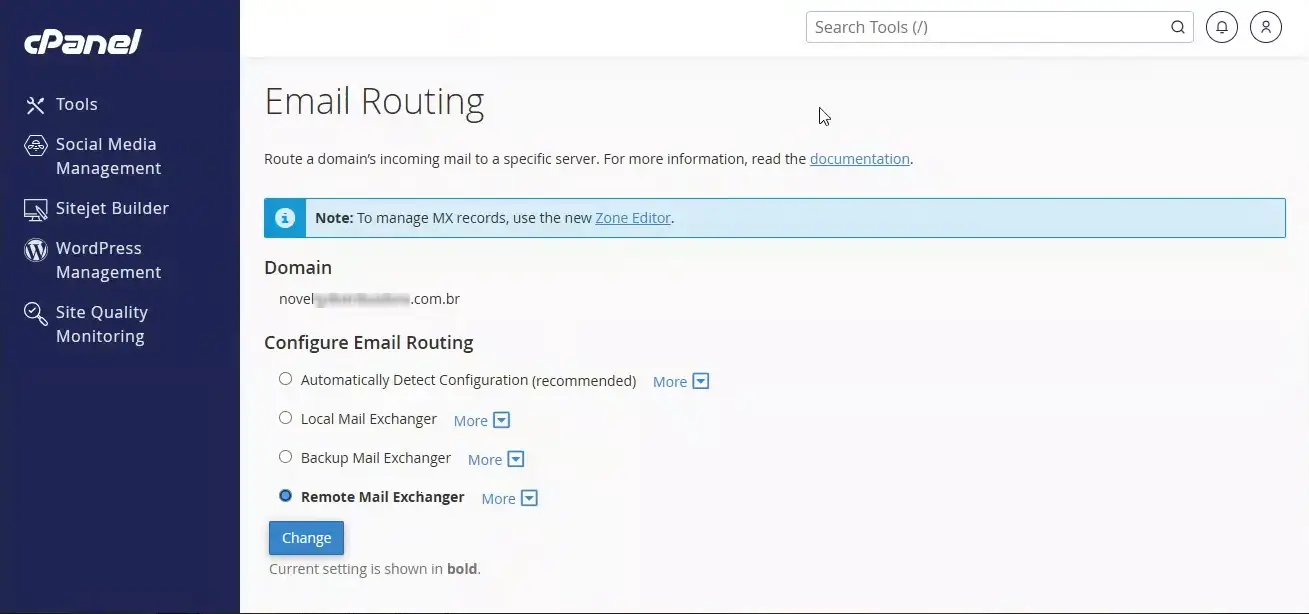 cPanel interface showing mail routing configured as Remote Mail Exchanger.
When business hours started the next morning, multiple clients filed urgent tickets reporting that no external emails were arriving. A quick inspection on the destination server revealed the symptom: transferred domains had flipped on their own from Remote to Local Mail Exchanger (/etc/localdomains).
The internal dispute#
With customer tickets piling up, leadership challenged the infrastructure manager, claiming he had misconfigured the migration or forgotten to check the accounts during the change window.
I was brought in on an emergency ticket to restore the mailboxes and run an independent investigation into what actually went wrong.
2. Evidence collection and log auditing#
Rather than relying on guesses, I went straight to the server logs.
2.1. What the migration logs recorded#
I checked the raw Transfer Tool restore logs in /usr/local/cpanel/logs/cpbackup/ and /var/cpanel/transfers/. I spotted warnings on the affected accounts:
The system could not restore the zone "client-domain-a.com" because it does not match any domain on this account.
The system disabled a CNAME record for "portal.client-domain-b.com." due to a conflict.
These notices showed that authoritative DNS zone imports had encountered conflicts during account creation on the destination server.
2.2. Checking production via SSH#
To verify whether someone had edited settings through the web panel in the morning, I ran checks over SSH:
# 1. Checking the current Exim routing table
grep client-domain.com /etc/localdomains

# 2. Testing mail host resolution
ping mail.client-domain.com

# 3. Checking access logs for visits to Zone Editor
grep cpanel_user /usr/local/cpanel/logs/access_log | grep zone_editor/index.html
The cPanel access logs confirmed that nobody had visited the Zone Editor or modified mail settings on those accounts after the migration. There was no human intervention.
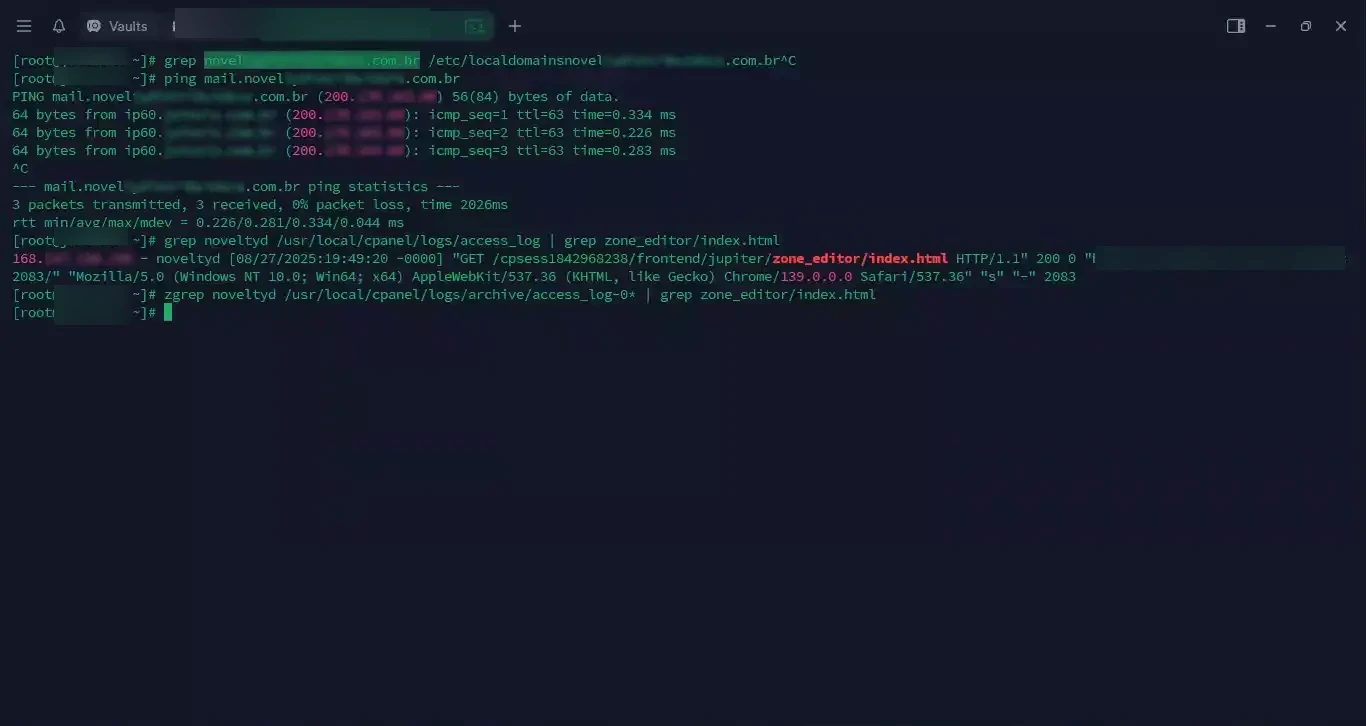 Inspecting Exim configuration files and checking access logs.
3. Lab reproduction (PoC)#
The logs proved that DNS zones had import anomalies and that no human had touched the accounts in the morning. But the core question remained: why did cPanel autonomously change the routing from Remote to Local?
To reproduce the behavior without touching production, I set up a test on an identical development server.
3.1. Setting up the baseline#
I created a test account in WHM and explicitly configured its mail routing to Remote Mail Exchanger, matching the clients' AntiSpam architecture.
I checked how Exim recorded the change:
cat /etc/localdomains | grep test-domain.com
cat /etc/remotedomains | grep test-domain.com
The domain appeared only in /etc/remotedomains, exactly as it should.
3.2. Simulating the post-migration state#
By default, cPanel uses "Automatically Detect Configuration", which continuously checks whether published MX records point to local or external IPs.
To mirror the incomplete DNS zone left by the transfer tool, I went into Zone Editor and deleted the test domain's MX and CNAME records.
3.3. Running the check script#
cPanel periodically executes a maintenance script in Perl via cron to verify mail routes across all accounts. I ran it manually:
/scripts/checkalldomainsmxs --yes3.4. What the script did#
The console output revealed what happened overnight:
Checking and setting dominio123.com.br ....LOCAL MAIL EXCHANGER: This server will serve as a primary mail exchanger for dominio123.com.br's mail.: This configuration has been automatically detected based on your mx entries.<br />....Done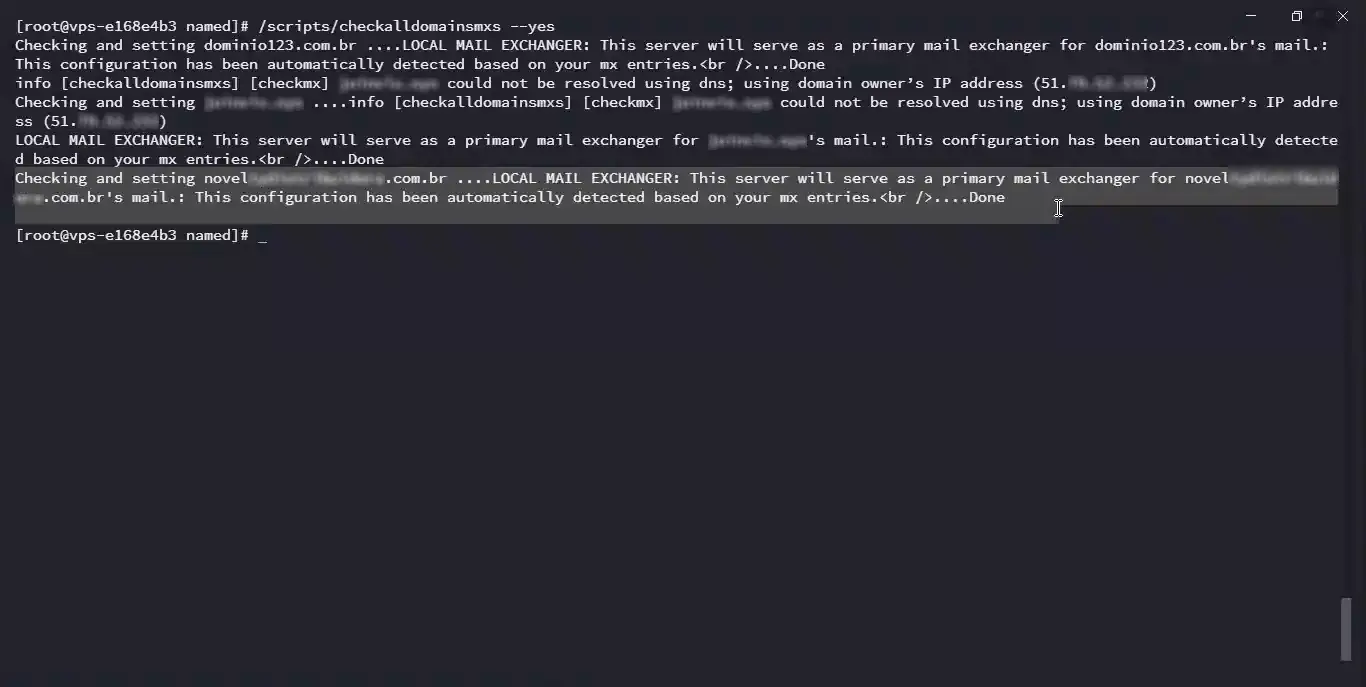 cPanel's maintenance script rewriting the route to LOCAL MAIL EXCHANGER.
I checked the Exim routing files on disk:
cat /etc/localdomainsThe domain was removed from /etc/remotedomains and written into /etc/localdomains. Nobody clicked a button in the GUI; this was an automatic fallback executed by the panel itself.
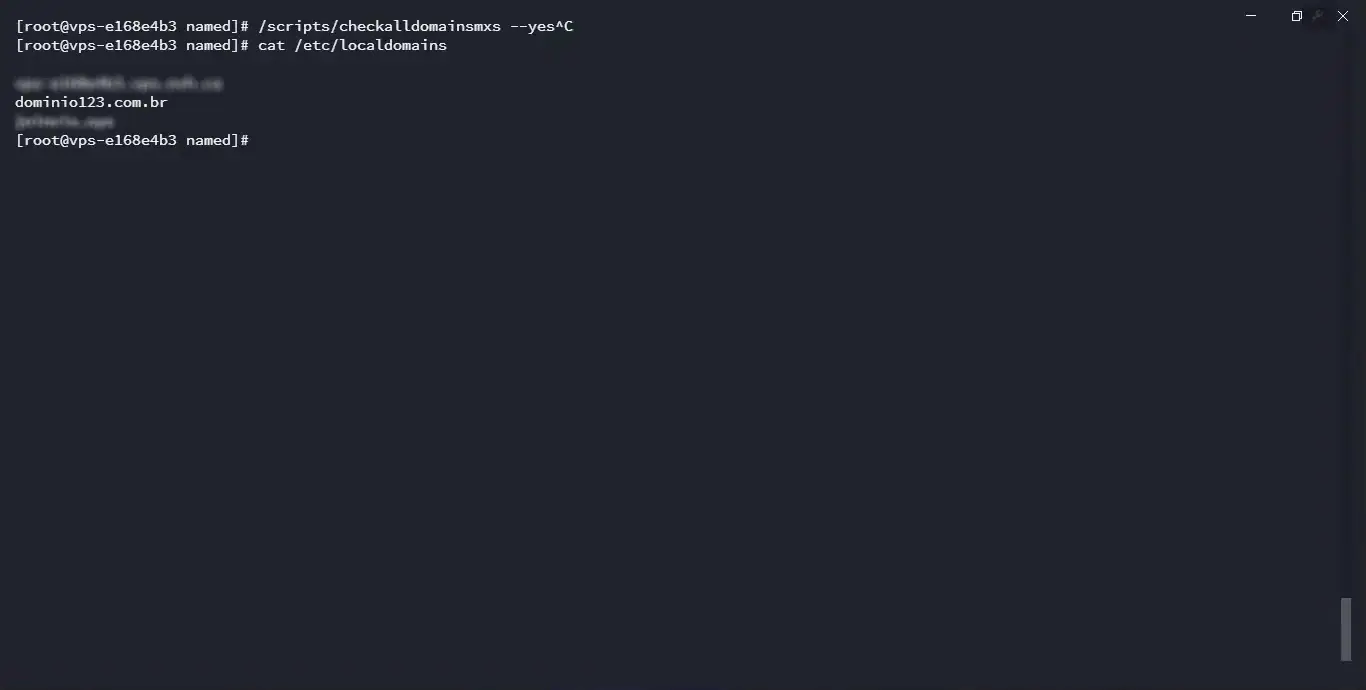 Disk state confirming the domain was moved into localdomains.
4. Root Cause Analysis (RCA)#
Combining the lab reproduction and migration log review, the failure chain became clear:
[ Maintenance Window ]
         │
         ▼
[ Transfer Tool executed with "Update DNS Zone" disabled to protect custom client records ]
         │
         ▼
[ Native cPanel Bug: Mail routing policy is dropped when transferring without DNS overwrite ]
         │
         ▼
[ Missing MX/CNAME records create a logical resolution vacuum ]
         │
         ▼
[ Script /scripts/checkalldomainsmxs triggers blind fallback ]
         │
         ▼
[ Domains forcefully moved from /etc/remotedomains into /etc/localdomains ]
         │
         ▼
[ Corporate mail delivery breaks completely ]- The infrastructure manager's decision: He acted with caution. Because the accounts had complex DNS records on the old server, he disabled automatic DNS zone overwrites in Transfer Tool to avoid wiping custom pointers.
- The cPanel bug: In that software release, Transfer Tool failed to carry over the mail routing policy whenever the DNS update option was unchecked.
- The aggressive fallback: Without local MX records to confirm external delivery, the maintenance script (
checkalldomainsmxs) assumed the local server should handle email, forcing the route to Local and breaking delivery.
5. Resolution and takeaway#
I posted the technical report and the terminal screen recording directly to the incident ticket, including official confirmation from cPanel support (Vendor ticket #95782358):
"Domains transferred with the Transfer Tool and the 'Update DNS Zone' option disabled do not have mail routing configured on the new server."
Workaround implemented#
To restore the accounts and protect the rest of the migration schedule, I standardized this CLI workflow:
# 1. Rebuild the DNS zone in BIND
/scripts/rebuilddnszone client-domain.com

# 2. Force Remote routing via WHM API, disabling automatic detection
whmapi1 set_manual_mx_redirects domain=client-domain.com mx=remote

# 3. Check for the domain in Exim's remotedomains file
grep -E '^client-domain.com$' /etc/remotedomains

# 4. Run the check script to verify stability
/scripts/checkalldomainsmxs --yes
Final thoughts#
This engagement produced two concrete results:
- Defending the team: The accusation against the infrastructure manager was disproved with reproducible technical evidence. Internal trust was restored.
- Engineering discipline: In Linux administration and enterprise hosting, never accept hasty conclusions of human error before thoroughly analyzing system logs. Vendor software bugs happen regularly; a senior engineer's job is to audit until the real facts are clear.
Was this article helpful?
Leave a quick reaction to help prioritize future technical guides:
See also




This post is licensed under CC BY-NC.
Comments
Join the discussion below.
0 comments