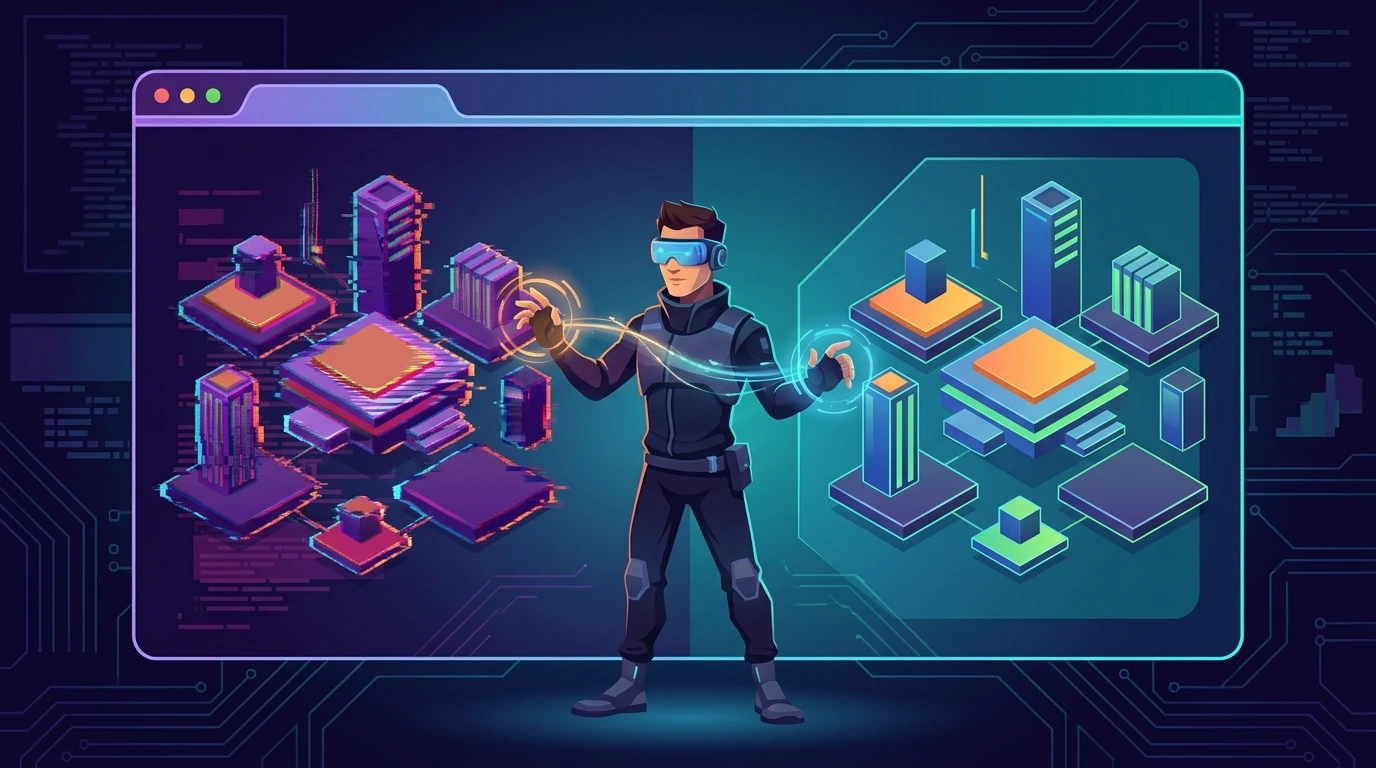
From sketch to space: solving bottlenecks in immersive 3D onboardings#
Recently, the platform's architecture faced an acid test of User Experience (UX): the conversion stage. Funneling incoming users into standard flat tables was degrading value perception. The chosen solution was an interactive three-dimensional notebook, running entirely in the browser, guided by a virtual mascot.
The challenge escalated quickly. Bypassing heavy frameworks (like WebGL or Three.js) in favor of pure CSS3 imposed direct performance costs on the rendering engines of Firefox and Chromium. In this technical report, I detail mathematical rasterization anomalies that caused severe visual bugs (Z-Fighting) and the functional bypasses created for smooth scene transitions on the client.
1. Geometric scope and the classic anomaly: z-fighting#
The initial proof of concept injected direct Skeuomorphism (a functional replica of a mechanical object). Creating a notebook required declaring dynamic vertices applying native CSS rules for Euclidean space via preserve-3d, combined with spatial rotateY() rotations indexed by keyframes.
However, under Gecko engines (Firefox/Linux) I encountered a catastrophic layering bug: Z-Fighting. Due to the floating-point collision on the Z-axis, the engine alternated rasterization sub-frames within nanoseconds, causing the graphics on the reverse face to bleed aggressively as ghost overlays on the obverse face.
- The Exclusivity Matrix (The 'Magic Pixel Trick'):
Rasterizers conflict when coplanarity is zero. To break the algorithmic ambiguity, I addressed the root cause by inserting a microscopic parametric gap. Using pseudo-styles, I forced the visible entity strictly to translateZ(1px). This structural Delta established a clear draw-call order, eliminating the ghost bleeding.
2. Abstracting aesthetics: transition to pseudo-glassmorphism#
The skeuomorphic design needed to feel modern. Literal books look out of place in clean interfaces. I replaced opaque HEX colors with modular optical layers:
- Diffused Glassmorphism Layer: I replaced absolute backgrounds with modular opacity gradients, utilizing
backdrop-filter: blur(20px). The underlying background is dynamically refracted on the screen. - Dynamic Contact Shadowing: 3D axes generate an uncomfortable floating perception due to a lack of ambient occlusion (AO). I bound a
filter: drop-shadowto the Master Container wrapper. Differentiating base shadows (box-shadow) from filter-based shadows allowed directional mapping based on spatial perspective, grounding the page cleanly on the viewport.
3. Geometric paradox: "stubborn edges" and anti-aliasing#
When CSS geometry renders opaque dark objects undergoing three-dimensional rotations against bright static backgrounds, the hardware's polygon anti-aliasing subsystem creates margin refractions, inserting 1px white lines around the dark panels.
The Mitigation Protocol:
- Uniform Face Coloring: I painted the rear panel (the reverse face of the CSS
.backelement) to match the dark color code of the front face, nullifying refraction shifts caused by blending inverted colors. - The Inset Patch Constraint: An artificial inset shadow was forced inside the primary shape. The rule
box-shadow: inset 0 0 0 2px var(--cover-dark)intentionally bleeds the dark color outward, hiding the broken edges and overriding the browser's erratic anti-aliasing.
4. Buffered transition system (ken burns engine)#
I mapped user progression to dynamic backgrounds based on the notebook's page index:
- Cover Start: Primary buffer evoking the library.
- Layer Delta 1 (Grounding): Green matrix stabilizing physical perception.
- Layer Delta 2 (Skyward): Abstract cyan indicating progressive scope.
- Layer Delta 3 (Deep-Space): A dark reward/focus contrast point for gamification (the medal badge).
To avoid costly abrupt redraws in the DOM, I structured independent background nodes (.bg-layer) loaded in idle states. By modulating opacity and binding it to the timeline, a cinematic Ken Burns effect was achieved-a slow zoom (scale(1) to scale(1.1)) executed asynchronously for 8 seconds on the client GPU, providing uninterrupted immersion.
5. Exit UX dynamics: breaking the axis#
The final page required a clear Call to Action (CTA). Centered elements project a static "end of the road" feel in conversion journeys.
The architecture ends the 3D stage by reversing the layout weights and transitioning back to a flat grid. I isolated the mascot guide (the owl) entirely on the left side within a neutral white container. Meanwhile, the CTA block was anchored on the lower right quadrant. This transition breaks the immersion, signaling sub-consciously to the user that real interaction has now begun.
Production takeaways#
Building a 3D onboarding flow using native browser rules goes far beyond stacking transform: rotateY rules. It requires bypassing rendering engine anomalies on the client, managing layer promotion carefully, and understanding your hardware limits inside out.
Core snippet (background engine):#
/* Asynchronous background engine with Ken Burns acceleration */
.bg-layer {
  position: absolute;
  top: 0; left: 0; width: 100%; height: 100%;
  background-size: cover;
  opacity: 0;
  /* Double Transition: 1.8s opacity swap + 8s GPU scale transform */
  transition: opacity 1.8s ease-in-out, transform 8s linear;
}
.bg-layer.active {
  opacity: 1;
  transform: scale(1.1);
}
6. Browser compatibility and feature queries#
Ensuring that 3D rendering doesn't break the user experience in legacy or limited browsers is mandatory. The table below summarizes support for the core CSS properties utilized in this implementation:
| CSS Feature | Chrome | Firefox | Safari | Edge |
|---|---|---|---|---|
transform-style: preserve-3d | 36+ | 16+ | 9+ | 12+ |
backdrop-filter | 76+ | 103+ | 9+ | 79+ |
transform: scale() | 36+ | 16+ | 9+ | 12+ |
transition | 26+ | 16+ | 9+ | 12+ |
To handle the absence of these properties gracefully, native CSS feature queries (@supports) are used to detect capabilities at runtime and apply flat or simplified 2D layouts.
CSS fallback snippets:#
/* Fallback for browsers without CSS 3D preserve-3d support */
@supports not (transform-style: preserve-3d) {
  .notebook {
    transform-style: flat;
    /* Falls back to a flat, vertical 2D layout */
    display: flex;
    flex-direction: column;
    align-items: center;
  }
  .page {
    position: relative;
    transform: none !important;
  }
}

/* Fallback for browsers without backdrop-filter support */
@supports not (backdrop-filter: blur(20px)) {
  .glass-layer {
    background-color: rgba(255, 255, 255, 0.85); /* Opacity only, no blur */
    box-shadow: 0 8px 32px 0 rgba(0, 0, 0, 0.1);
  }
}
7. Hardware acceleration: GPU management and the will-change lifecycle#
Smooth 3D animations require rendering to be delegated to the Graphics Processing Unit (GPU). Properties that affect document flow (such as top, left, margin, width, or height) force the browser to recalculate the page layout and repaint (Layout and Paint phases), creating CPU bottlenecks. Conversely, transforms and opacity only affect the Compositing phase, which runs directly on the GPU.
To force the creation of a new compositor layer, will-change or transform: translateZ(0) are used. However, keeping hardware acceleration active indefinitely on many elements consumes GPU VRAM, leading to memory bloat and sluggish UI interfaces.
Dynamic composite layer lifecycle management:#
The will-change hint is applied immediately before the transition starts and removed as soon as the transition is completed, releasing system resources.
/* Class applied dynamically via JS during transitions */
.bg-layer.animating {
  will-change: opacity, transform;
  transform: translateZ(0); /* Forces GPU layer promotion */
}
// Animation lifecycle management script
const bgLayer = document.querySelector('.bg-layer');
function triggerTransition() {
bgLayer.classList.add('animating');
// A tiny delay ensures the browser registers the hardware acceleration hint
requestAnimationFrame(() => {
bgLayer.classList.add('active');
});
}
// Listen for transition completion to release VRAM
bgLayer.addEventListener('transitionend', (event) => {
if (event.propertyName === 'opacity' || event.propertyName === 'transform') {
bgLayer.classList.remove('animating'); // Restores will-change to auto
}
});8. CSS 3D context invalidation rules (preserve-3d)#
The transform-style: preserve-3d property is highly sensitive. It dictates that child elements maintain their relative positions in 3D space. However, declaring certain CSS properties on the container element or its immediate parents will invalidate (force-flatten) this 3D behavior, causing child elements to behave as if transform-style: flat was set.
Common invalidation properties:#
overflow: Any value other thanvisible(such ashidden,scroll, orauto).filter: Filters likeblur(),drop-shadow(), orcontrast()applied to the parent container.opacity: An opacity value strictly less than1(e.g.,0.99or0.5).clip-path/mask/mask-image: Geometric clipping areas.mix-blend-mode/isolation: isolate: Blend modes or layout isolation.
Bypass strategies:#
To apply filters or opacity without invalidating the 3D space, move these properties to wrapper elements or sibling layers separate from the rotated 3D container.
<!-- Correct Structure: The 3D container is free of filters and overflows -->
<div class="scene-wrapper" style="filter: drop-shadow(0 20px 30px rgba(0,0,0,0.35));">
  <div class="notebook" style="transform-style: preserve-3d;">
    <!-- 3D Child elements here -->
    <div class="page front" style="transform: translateZ(1px); z-index: 2;">Obverse</div>
    <div class="page back" style="transform: rotateY(180deg) translateZ(1px); z-index: 1;">Reverse</div>
  </div>
</div>
Additionally, define explicit z-index values on non-coplanar elements alongside their Z-axis translations to prevent stack ordering anomalies. For dynamic multi-page containers, variable-based dynamic offsets are used to prevent page overlapping:
.page {
  position: absolute;
  /* Ensures a micro gap offset based on page index */
  transform: translateZ(calc(var(--page-index) * 1px));
}
9. Accessibility, reduced motion, and design fallbacks#
Users with vestibular disorders or cognitive sensitivities can experience nausea, dizziness, or eye strain when exposed to large-scale 3D animations or rapid transitions. It is essential to respect the user's system preferences and provide manual overrides.
Motion mitigation via media query:#
@media (prefers-reduced-motion: reduce) {
  .bg-layer {
    transition: opacity 0.3s ease-in-out !important;
    transform: none !important; /* Disables Ken Burns scaling */
  }

  [style*="preserve-3d"], .notebook {
    transform-style: flat !important; /* Disables 3D context */
    transform: none !important;
  }

  .page {
    transform: none !important;
    position: relative !important;
    display: block;
  }
}
Manual accessibility toggle implementation:#
<!-- Manual motion override control -->
<button id="toggle-motion-btn" onclick="toggleMotionAccessibility()" aria-label="Toggle motion animations">
  Animations: On
</button>
function toggleMotionAccessibility() {
const isReduced = document.body.classList.toggle('reduced-motion-override');
localStorage.setItem('reduced-motion', isReduced ? 'true' : 'false');
document.getElementById('toggle-motion-btn').innerText =
isReduced ? 'Animations: Off' : 'Animations: On';
}
// Initialize preference on page load
document.addEventListener('DOMContentLoaded', () => {
const savedPreference = localStorage.getItem('reduced-motion');
const prefersReduce = window.matchMedia('(prefers-reduced-motion: reduce)').matches;
if (savedPreference === 'true' || (savedPreference === null && prefersReduce)) {
document.body.classList.add('reduced-motion-override');
const btn = document.getElementById('toggle-motion-btn');
if (btn) btn.innerText = 'Animations: Off';
}
});/* CSS rules applied to body under manual reduced-motion override */
.reduced-motion-override .bg-layer {
transition: opacity 0.3s ease-in-out !important;
transform: none !important;
}
.reduced-motion-override .notebook {
transform-style: flat !important;
transform: none !important;
}10. Responsive adaptability & mobile battery optimization#
Processing 3D calculations on integrated smartphone GPUs leads to thermal throttling and accelerated battery drain. To maintain performance, 3D rotation is disabled on mobile viewports and animations are removed on touch screens where hover states are absent.
Viewport and pointer queries:#
/* Flatten 3D transforms below 768px */
@media (max-width: 768px) {
  .notebook {
    transform-style: flat !important;
    transform: none !important;
  }
  .bg-layer {
    transition: opacity 0.4s ease-in-out !important;
    transform: none !important; /* No zoom */
  }
}

/* Disable continuous animations on touchscreens with coarse input */
@media (hover: none) and (pointer: coarse) {
  .bg-layer {
    animation: none !important;
    transition: opacity 0.4s ease-in-out !important;
    transform: none !important;
  }
}
11. Visual debugging and performance telemetry (FPS counter)#
Debugging 3D issues like Z-fighting requires leveraging developer tools (DevTools) effectively.
Critical chrome devtools tabs:#
- Layers Tab: Offers a 3D visualization of GPU layers, detailing pixel dimensions and texture memory footprints.
- Paint Flashing: Highlights repainted areas in green in real-time, helping locate excessive rendering calls.
- Layer Borders: Displays outlines around GPU-rendered layer boundaries to trace overlaps.
Visual debug helper styles:#
/* Add outlines to debug rotation axes and bleeding face surfaces */
.notebook.debug-3d {
  outline: 2px solid #ef4444 !important;
}
.notebook.debug-3d * {
  outline: 1px dashed #3b82f6 !important;
  backface-visibility: visible !important; /* Makes reverse faces visible to trace leaks */
}
Telemetry FPS counter script:#
// Utility to track framerate (FPS) during page transitions
function monitorPerformanceFPS() {
  let frames = 0;
  let lastTime = performance.now();

  function loop() {
    frames++;
    const now = performance.now();
    const delta = now - lastTime;

    if (delta >= 1000) {
      const fps = Math.round((frames * 1000) / delta);
      console.log(`[Telemetry] Render Performance: ${fps} FPS`);
      if (fps < 50) {
        console.warn("[Warning] Frame drop detected. 3D rendering is taxing the CPU/GPU.");
      }
      frames = 0;
      lastTime = now;
    }
    requestAnimationFrame(loop);
  }
  requestAnimationFrame(loop);
}

// Initialize telemetry in development/QA environments
if (process.env.NODE_ENV === 'development') {
  monitorPerformanceFPS();
}
12. CSS 3D diagnostic checklist and severity matrix#
Checklist: immersive CSS 3D#
- [ ] Does the parent container have
transform-style: preserve-3dactive? - [ ] Is
perspective: 1000pxdeclared on the parent or ancestor element? - [ ] Do overlapping layers have a physical gap (e.g.,
translateZ(1px))? - [ ] Have you verified that the parent has no
overflow: hidden,filter, oropacity < 1breaking the 3D context? - [ ] Does the CSS include overrides for
@media (prefers-reduced-motion: reduce)? - [ ] Is hardware acceleration triggered via
will-changeortranslateZ(0)? - [ ] Is the lifecycle of
will-changeproperly cleaned up after animations end? - [ ] Do screens smaller than 768px fall back to flat 2D styles?
- [ ] Are continuous scaling animations disabled on devices without hover capabilities (
pointer: coarse)? - [ ] Has rendering been verified in Chromium (Chrome/Edge), WebKit (Safari), and Gecko (Firefox) engines?
Risk & severity matrix for CSS 3D#
| Identified Anomaly | Severity | Category | Impact | Mitigation Action |
|---|---|---|---|---|
| Z-Fighting | High | Visual / UX | Flickering pixels and face bleeding. | Apply a microscopic physical gap using translateZ(1px). |
| VRAM Squeeze | Medium | Performance | Lag, stuttering, and browser thread freezing. | Manage will-change dynamically through custom classes. |
| preserve-3d Invalidation | High | Layout | Visual flattening of nested 3D elements to 2D context. | Keep parent elements free of overflow, filter, or opacity < 1. |
| Vestibular Trigger | Critical | Accessibility | Nausea and cognitive fatigue for sensitive users. | Implement prefers-reduced-motion media queries and a manual toggle. |
| Mobile Battery Drain | Medium | Hardware | Rapid battery consumption and thermal throttling. | Disable continuous scaling animations on touch/coarse pointers. |
Was this article helpful?
Leave a quick reaction to help prioritize future technical guides:
See also



This post is licensed under CC BY-NC.
Comments
Join the discussion below.
0 comments