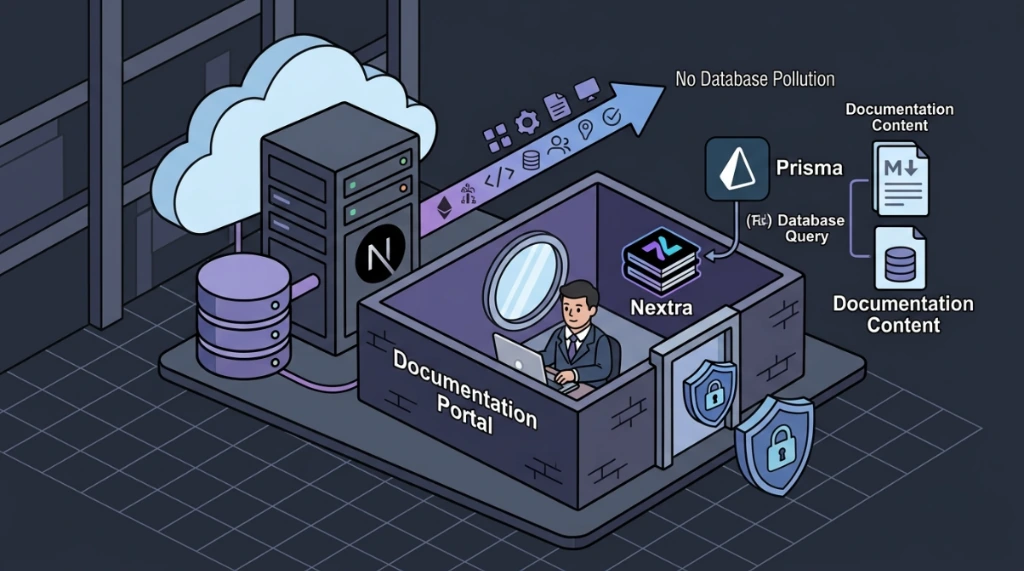
Architectural problem: fragmented technical documentation inside an active SaaS repository#
In mature production stacks, technical documentation tends to evolve in parallel with the product - isolated .md files accumulate in the repository without navigation structure, search capability, or access control. This was the exact scenario encountered: a SaaS built on Next.js + React + Node + Prisma + MongoDB with dozens of critical modules documented in loose Markdown - complete Prisma schemas, API payloads, ASCII art architecture diagrams, and state transition tables - but with no unified portal layer for the team to consume.
The operational question that needed answering before any implementation: how to consolidate this documentation into a professional portal without introducing dependencies that pollute the database, break the CI/CD pipeline, or publicly expose sensitive system internals?
1. Prerequisites and minimum required versions#
To ensure stability and prevent package bundling issues during the final application build, the following minimum version requirements are established:
| Technical Dependency | Minimum Required Version | Portal Role |
|---|---|---|
| Next.js | 14.0+ (App Router or Pages Router) | Application core framework |
| Nextra | 3.0+ | MDX documentation rendering engine |
| Node.js | 18.0+ (LTS) | Server execution runtime |
| Clerk / NextAuth.js | Latest stable configured | Auth and session provider |
| Prisma ORM | 5.0+ | Data mapping layer (unaffected by Nextra) |
| MongoDB | 6.0+ | Transactional database (unaffected by Nextra) |
2. Comparative tool audit#
Before committing any changes to the repository, a structural analysis of documentation portal alternatives was conducted:
Docusaurus (meta)#
The industry standard for developer-focused portals. Native MDX support, API versioning, i18n, and Algolia search bar out of the box. Architectural blocker: requires a completely separate React/Node project. This implies a second CI/CD pipeline, second build process, second environment variable configuration, and a maintenance overhead that did not justify the objective - internal documentation for a small team on an already consolidated stack.
Domain.com / mintlify and similar#
SaaS-based external tools are designed for public content extraction or manuals for end customers. Architectural blocker: hosting technical infrastructure documentation and internal data schemas on third-party clouds exposes code to unnecessary security risks, in addition to requiring constant syncing of keys and access control via external OAuth.
Nextra#
Documentation framework built on top of pure Next.js. The value proposition is direct: zero additional infrastructure overhead since it operates within the same existing next build process. Supports MDX natively, renders Markdown tables with full fidelity, preserves monospace spacing in ASCII diagrams, and applies automatic syntax highlighting for TypeScript, Shell, and Prisma code blocks. Zero new infrastructure dependency.
3. Forensic validation: does nextra touch mongodb/prisma?#
This was the critical validation question before implementation. The concern was legitimate: a module installed as a Next.js dependency could attempt to import the Prisma Client or open database connections during the server lifecycle.
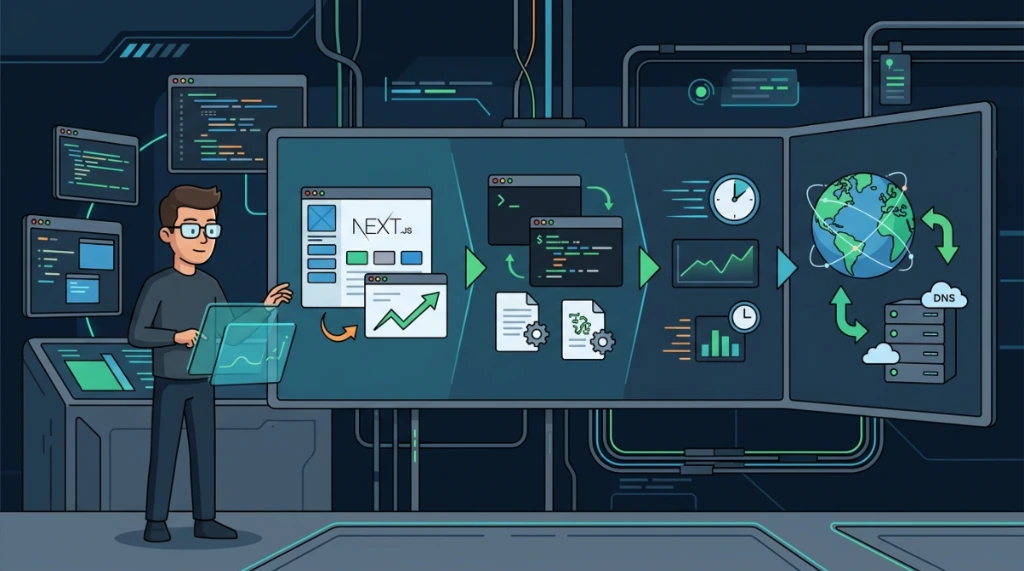
Analysis result: Nextra operates exclusively at the filesystem layer during the Next.js build process. Its transformation pipeline is as follows:
/docs/*.md (filesystem)
   ↓
  Nextra Parser (remark + rehype plugins)
   ↓
  Next.js getStaticProps / getStaticPaths
   ↓
  Static HTML generated at build time
   ↓
  Served via CDN / Next.js Static File Handler
Nextra does not:
- Initialize the Prisma Client
- Open connections to MongoDB
- Read database environment variables (
DATABASE_URL,MONGODB_URI) - Create collections, documents, or execute queries
- Impact the Prisma connection pool
It is strictly a Markdown → HTML transformer executed by the Next.js SSG engine (getStaticProps), operating in complete isolation from the ORM layer.
4. Detailed theme configuration (theme.config.jsx)#
Visual behavior, integrated search indexation, and UI preferences are managed centrally in the theme.config.jsx file at the root of the project.
// theme.config.jsx
import React from 'react'

export default {
  logo: <span>📘 Internal DocCenter</span>,
  project: {
    link: 'https://github.com/your-org/your-repo',
  },
  docsRepositoryBase: 'https://github.com/your-org/your-repo/tree/main/docs',
  head: (
    <>
      <meta name="viewport" content="width=device-width, initial-scale=1.0" />
      <meta name="description" content="Internal Technical Documentation Portal - SaaS" />
      <meta name="robots" content="noindex, nofollow" /> {/* Shield external SEO */}
    </>
  ),

  // Nextra includes built-in full-text search based on FlexSearch
  search: {
    placeholder: 'Search documentation...',
  },

  // Dark Mode and Design System settings
  darkMode: true, // Enable dark/light theme toggle
  nextThemes: {
    defaultTheme: 'dark', // Force dark theme by default
  },
  primaryHue: {
    dark: 210, // Blue tones for dark theme
    light: 200
  },
  primarySaturation: 100,

  footer: {
    text: () => (
      <span>
        © {new Date().getFullYear()} Internal DocCenter. Access restricted to authorized engineers.
      </span>
    )
  }
}
5. MDX and advanced nextra components#
With Nextra, you can render dynamic React components directly in the body of Markdown documentation. Below are examples of using the integrated utility components Callout and Steps.
Example of usage in MDX (badges.md)#
---
title: Badge System
description: Technical documentation for the gamification and achievement system.
---

import { Callout, Steps } from 'nextra/components'

# Badge System - Technical Documentation

## Data model (prisma schema)
model Badge { id String @id @default(auto()) @map("_id") @db.ObjectId name String @unique slug String @unique category BadgeCategory createdAt DateTime @default(now()) }
<Callout type="warning" emoji="⚠️">
  **Migration Warning**: Modifications to the `Badge` model require executing the bulk data sync script `npx prisma db push`. Make sure no active transactions remain pending.
</Callout>

## Webhook integration flow

<Steps>
### Configure webhook endpoint
Configure the receiving listener at URL `/api/webhooks/canny`.

### Validate canny signature
Verify the `X-Canny-Signature` header using the shared cryptographic secret.

### Process grant
If the event is `post.status_changed` and moves to `completed`, execute the Badge allocation routine in the database.
</Steps>
6. Security engineering: protecting the /docs route via middleware#
The documentation contains Prisma schemas with data types, webhook payloads with internal event structures, and detailed authentication flows. Public exposure is unacceptable. Protection was implemented by leveraging the existing Next.js Middleware already present in the application.
middleware.ts configuration with session handling#
The authentication middleware (using Clerk or NextAuth.js) intercepts calls on routes specified in the matcher and evaluates the session cookie lifetime.
// middleware.ts
import { authMiddleware } from "@clerk/nextjs"; // or equivalent NextAuth

export default authMiddleware({
  // Explicitly public routes - no active session required
  publicRoutes: [
    "/",
    "/login",
    "/signup",
    "/api/public",
    "/api/webhooks/(.*)"
  ],
  // Restricted routes and redirect flow
  // If the session expires (Session Timeout), it automatically redirects the user to the login page
});

export const config = {
  matcher: [
    // Capture all page and API routes, except static files
    "/((?!.*\\..*|_next).*)",
    "/",
    "/(api|trpc)(.*)",
    "/docs/:path*" // Documentation route explicitly captured
  ],
};
Authentication CLI test roadmap#
To validate the security of the /docs/badges route without using browsers, run the following requests with curl:
# 1. Test anonymous access (No authentication)
# Expected: Return HTTP 302 with Location header pointing to login
curl -I http://localhost:3000/docs/badges

# 2. Test access with Invalid or Expired Session Token
# Expected: Return HTTP 401 Unauthorized or security redirection
curl -I -H "Authorization: Bearer <INVALID_TOKEN>" http://localhost:3000/docs/badges

# 3. Test access with Valid Authenticated Token
# Expected: Return HTTP 200 OK with structured documentation content
curl -I -H "Authorization: Bearer <VALID_TOKEN>" http://localhost:3000/docs/badges
7. Versioning documentation via subdirectories#
Nextra supports static documentation versioning by organizing .md files in dedicated subfolders and configuring specific _meta.json files for each version:
/docs
  /v1
    _meta.json
    index.md
    badges.md
  /v2
    _meta.json
    index.md
    badges.md
Configuring _meta.json in the /docs/v2/ directory#
{
  "index": "Overview V2",
  "badges": "🏅 Advanced Badge System (V2)"
}
8. Production build validation#
To validate that the Next.js compiler successfully generated the static pages and mapped all Nextra paths without syntax errors:
# 1. Execute production static build
npm run build

# 2. Inspect logs for compilation warnings or errors
npm run build 2>&1 | grep -i "error"

# 3. Validate if static files were physically generated in the output directory
ls -la .next/server/app/docs/

# 4. Check the total size of frontend static chunks
ls -la .next/static/chunks/

# 5. Start the server in production mode
npm run start
Fire a local request against the generated route to validate the response header:
# Test if the documentation index page responds successfully after build
curl -I http://localhost:3000/docs/
9. Documentation deployment strategies#
Native deploy via vercel#
If your Next.js stack already uses Vercel, the deploy is automatically integrated into each push on the protected branch. To trigger manually in production mode:
# Execute production build and deploy on Vercel
vercel --prod
Containerized deploy via multi-stage Docker#
If your SaaS runs on clouds like AWS, GCP, or dedicated infrastructures, use the following optimized Dockerfile:
# Stage 1: Install and Build
FROM node:18-alpine AS builder
WORKDIR /app
COPY package*.json ./
RUN npm ci
COPY . .
RUN npm run build

# Stage 2: Production Runner
FROM node:18-alpine AS runner
WORKDIR /app
ENV NODE_ENV=production
COPY --from=builder /app/public ./public
COPY --from=builder /app/.next ./.next
COPY --from=builder /app/node_modules ./node_modules
COPY --from=builder /app/package.json ./package.json

EXPOSE 3000
USER node
CMD ["npm", "run", "start"]
Docker compose configuration (docker-compose.yml)#
version: "3.8"
services:
  saas-app:
    build:
      context: .
      dockerfile: Dockerfile
    ports:
      - "3000:3000"
    restart: always
    environment:
      - NODE_ENV=production
Checklist: nextra documentation in next.js SaaS#
1. Pre-implementation#
- [ ] Validate local version of Node.js ($\ge$ 18 LTS) and Next.js ($\ge$ 14.0).
- [ ] Confirm if Clerk or NextAuth.js is integrated and healthy.
- [ ] Confirm if MongoDB and Prisma are functioning in the application.
- [ ] Create the
/docsdirectory at the root or inside/appor/pages.
2. Build and layout settings#
- [ ] Install Nextra dependencies:
npm install nextra nextra-theme-docs. - [ ] Configure the Nextra plugin in the
next.config.jsfile. - [ ] Create and configure the general layout in
theme.config.jsx. - [ ] Ensure blocking of public search engines (SEO) in the theme configuration file.
- [ ] Enable and validate Dark Mode preferences in the layout.
3. Content migration and versioning#
- [ ] Rename old
.mdfiles to friendly URL slugs. - [ ] Add YAML frontmatter blocks containing
titleanddescriptionto each page. - [ ] Create the sidebar navigation file
_meta.jsonat the root of the docs. - [ ] Configure route versioning folders if there are multiple system releases.
- [ ] Test rendering of complex MDX blocks (
CalloutandSteps).
4. Security and middleware#
- [ ] Add the
/docs/:path*route to the mandatory check list inmiddleware.ts. - [ ] Verify that static and webhook routes remain public in the middleware.
- [ ] Test automatic redirect after session expiration.
- [ ] Run local Curl CLI requests simulating public, invalid, and authorized access.
5. Compiling, validation, and deploy#
- [ ] Run the static build command:
npm run build. - [ ] Analyze logs for MDX import errors or Nextra syntax failures.
- [ ] Physically inspect compiled files generated in the
.next/directory. - [ ] Start the local application in production mode:
npm run start. - [ ] Perform deployment in the corresponding environment (Vercel or Docker Compose).
Was this article helpful?
Leave a quick reaction to help prioritize future technical guides:
See also



This post is licensed under CC BY-NC.
Comments
Join the discussion below.
0 comments