I recently migrated my personal password management to a self-hosted Vaultwarden instance running on Docker. While the initial container setup seemed straightforward - the web interface loaded without issue - the mail delivery system remained completely silent despite having a seemingly correct configuration.
In this guide, I open the hood on how to solve common environment variable injection problems, handle special characters in SMTP passwords, configure advanced security parameters (hardening), and deploy safely with a reverse proxy.
Deployment architecture#
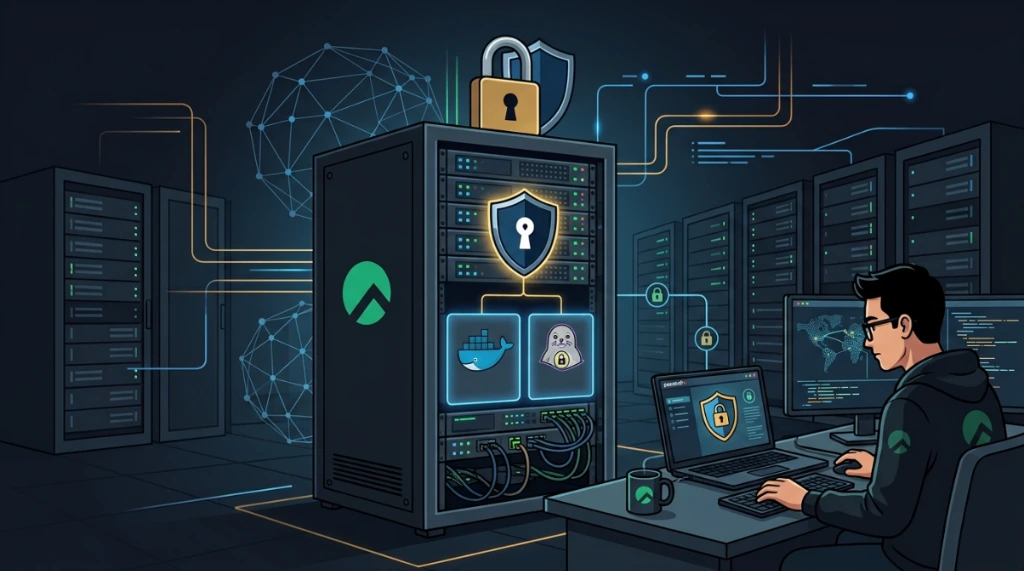
Before diving into the specific issues, here is a visual map of how the three components interconnect in a secure production deployment:
Initial diagnosis#
The first step was to verify if the Vaultwarden process was actually receiving the SMTP environment variables. I executed the following inspection:
docker exec -it vaultwarden env | grep SMTPThe command returned nothing. This provided immediate proof that the container was not inheriting the environment variables I had defined in my shell or local files.
1. Problem 1: Docker Compose does not inject .env into containers by default#
In Docker Compose, a .env file residing in the project directory is loaded exclusively for variable interpolation within the docker-compose.yml file itself (such as ${VERSION} and ${CONTAINER_NAME}). It is not automatically passed into the running container as process environment variables.
The definitive solution was to explicitly declare env_file: .env inside the services.vaultwarden block. With this directive in place, Docker Compose instructs the daemon to forward every key-value pair from the file directly into the container's runtime environment, ensuring Vaultwarden receives SMTP_HOST, SMTP_PASSWORD, and other required parameters.
2. Problem 2: SMTP passwords and special characters#
My SMTP provider generated a password containing shell-volatile characters such as (, £, and @. Without proper escaping, the Linux shell or the Docker-Compose parser might attempt variable expansion or incorrect string termination.
To ensure the credential reached the Vaultwarden service literally, I wrapped the value in single quotes within the .env:
SMTP_PASSWORD='your_smtp_password_here'In the context of .env files, double quotes often allow expansion, whereas single quotes preserve the literal string, which is critical for complex passwords in infrastructure-as-code environments.
3. Problem 3: insecure port exposure (0.0.0.0)#
A common port configuration like - '16210:80' binds to the 0.0.0.0 interface by default. This exposes the port directly to the public internet, bypassing the host's firewall rules in many environments.
Since Vaultwarden manages sensitive login credentials, exposing its port over plain HTTP is a critical risk. The correct mitigation is to force binding to localhost (127.0.0.1) and use a reverse proxy to handle all communication securely over HTTPS.
Hardening and production configuration#
1. Production .env file (/opt/vaultwarden/.env)#
Ensure your environment file is secured with strict permissions (chmod 600 .env):
# Identity and Image Management
VERSION=latest
CONTAINER_NAME=vaultwarden
DOMAIN=https://vault.mydomain.com

# Resource Governance (Deploy limits)
CPUS=0.5
MEMORY_LIMIT=512M

# Persistent Path
APP_PATH=/opt/vaultwarden

# SMTP Engine Configuration
SMTP_HOST=smtp.provider.com
[email protected]
SMTP_PORT=465
SMTP_SECURITY=force_tls # Implicit TLS required for Port 465
[email protected]
SMTP_PASSWORD='your_smtp_password_here'

# Secure ADMIN_TOKEN Generation (Generated via openssl rand -base64 48)
ADMIN_TOKEN=C8S2d3f4jK89FjK89FjK89FjK89FjK89FjK89FjK89FjK89...

# Hardening and Security Settings
SIGNUPS_ALLOWED=false         # Disable new registrations after creating your account
WEBSOCKET_ENABLED=true       # Enable real-time sync for extensions
EMERGENCY_ACCESS_ALLOWED=true # Enable emergency access features
2. Secure docker-compose.yml (Docker compose v2 syntax)#
Using the modern standard Docker Compose v2 syntax (omitting the deprecated version key):
services:
  vaultwarden:
    image: vaultwarden/server:${VERSION}
    container_name: ${CONTAINER_NAME}
    restart: unless-stopped
    env_file: .env
    deploy:
      resources:
        limits:
          cpus: '${CPUS}'
          memory: ${MEMORY_LIMIT}
    ports:
      - '127.0.0.1:16210:80' # Safe local host binding
    volumes:
      - '${APP_PATH}/data:/data'
    healthcheck:
      test: ["CMD", "wget", "--spider", "-q", "http://127.0.0.1:80/alive"]
      interval: 30s
      timeout: 10s
      retries: 3
      start_period: 30s
    logging:
      driver: "json-file"
      options:
        max-size: "10m"
        max-file: "3"
    networks:
      - vaultwarden_net

networks:
  vaultwarden_net:
driver: bridgeHTTPS and reverse proxy configuration (Nginx)#
Since the HTTP port is bound strictly to localhost, configure Nginx to manage SSL/TLS certificates (Let's Encrypt) and forward requests securely:
server {
    listen 443 ssl http2;
    server_name vault.mydomain.com;

    ssl_certificate /etc/letsencrypt/live/vault.mydomain.com/fullchain.pem;
    ssl_certificate_key /etc/letsencrypt/live/vault.mydomain.com/privkey.pem;

    location / {
        proxy_pass http://127.0.0.1:16210;
        proxy_set_header Host $host;
        proxy_set_header X-Real-IP $remote_addr;
        proxy_set_header X-Forwarded-For $proxy_add_x_forwarded_for;
        proxy_set_header X-Forwarded-Proto $scheme;
    }

    # WebSocket endpoint for real-time push sync (essential for mobile/extensions)
    location /notifications/hub {
        proxy_pass http://127.0.0.1:16210;
        proxy_http_version 1.1;
        proxy_set_header Upgrade $http_upgrade;
        proxy_set_header Connection "upgrade";
    }
}
Secure administrative token generation#
Never use weak or obvious keys for the ADMIN_TOKEN. Generate secure values using your terminal:
- Random Base64 Token (Recommended):
   # Run this command on the HOST machine, not inside a container.
   # The goal is to generate the secret in the environment that controls the .env file,
   # never inside a containerized process that may lack access to host-level entropy sources.
openssl rand -base64 48- Argon2 Hash (Extreme Hardening):
Generate the Argon2 hash using the Vaultwarden container image:
docker run --rm vaultwarden/server /vaultwarden/hash 'my-super-secure-password'Note: In stable production environments, if you do not use the admin panel, you can disable it by setting ADMIN_TOKEN=disabled or omitting the variable.
Data backup strategy#
Vaultwarden database credentials reside in SQLite format within the /data directory.
sqlite3 .backup vs tar - transactional consistency#
The tar command copies files directly from disk. If Vaultwarden is running with active transactions at the time of the backup, the resulting .tar.gz may contain a transactionally inconsistent database - valid as a file, but corrupted from SQLite's perspective upon restore.
The transactionally correct approach is to use sqlite3 .backup, which creates a WAL-safe snapshot via SQLite's native API:
# Transactional backup (safe even while Vaultwarden is running)
sqlite3 /opt/vaultwarden/data/db.sqlite3 ".backup '/opt/backups/vaultwarden-$(date +%Y%m%d).sqlite3'"

# Compress after backup (the database is now in a guaranteed consistent state)
gzip /opt/backups/vaultwarden-$(date +%Y%m%d).sqlite3
tar remains useful for backing up the full /data directory (including attachments and other non-database files), as long as the container is stopped at the time of execution:
# Manual/automated data directory backup (with container stopped)
tar czf /opt/backups/vaultwarden-$(date +%Y%m%d).tar.gz /opt/vaultwarden/data/

# Daily automation via Cron (runs at 02:00 AM)
# Edit cron entries with 'crontab -e' and add:
0 2 * * * tar czf /opt/backups/vaultwarden-$(date +\%Y\%m\%d).tar.gz /opt/vaultwarden/data/
Validation script (validate-vaultwarden.sh)#
To test dependencies and runtime environment variable injection in production, run this script:
#!/bin/bash
# validate-vaultwarden.sh - Container integrity validation script

set -euo pipefail

echo "=== Vaultwarden Integrity Validation ==="

# 1. Verify container execution status
if docker ps | grep -q "vaultwarden"; then
    echo "✅ [STATUS]: Container is currently running."
else
    echo "❌ [ERROR]: Container is not running." >&2
    exit 1
fi

# 2. Audit SMTP environment variables
SMTP_COUNT=$(docker exec vaultwarden env | grep -c "SMTP" || true)
if [ "$SMTP_COUNT" -gt 0 ]; then
    echo "✅ [SMTP]: $SMTP_COUNT mail variables successfully loaded."
else
    echo "❌ [ERROR]: No SMTP variables found in container environment." >&2
fi

# 3. Check local healthcheck endpoint
if docker exec vaultwarden wget --spider -q "http://127.0.0.1:80/alive" >/dev/null 2>&1; then
    echo "✅ [HEALTHCHECK]: Vaultwarden API is responding normally."
else
    echo "❌ [ERROR]: Local healthcheck communications failed." >&2
fi

# 4. Audit error logs
echo "[LOGS]: Last error/warning log entries:"
docker logs --tail 30 vaultwarden 2>&1 | grep -i "error\|warn\|fail" || echo "    No critical failures logged."

echo "=== Validation Completed ==="
Validation and acceptance testing#
I followed a strict verification cycle to confirm the fix:
- Environment Hard-Reset: Restarted the stack with:
   # Verify Compose version before any operation:
   # Requires Docker Compose v2.x (integrated into Docker CLI as 'docker compose').
   # Compose v1 (the standalone 'docker-compose' binary) was officially deprecated in July 2023.
   docker compose version

docker compose down && docker compose up -d- Injection Audit: Confirmed the values were now present in the process environment:
docker exec -it vaultwarden env | grep SMTP- Real-time Log Monitoring: Monitored the console while triggering a test email from the
/adminpanel:
docker logs -f vaultwardenImplicit vs. explicit TLS: the port 465 detail#
In Vaultwarden operations, Port 465 usually requires SMTP_SECURITY=force_tls (Implicit TLS). Using starttls on Port 465 is a common architectural error that results in connection timeouts. By forcing implicit TLS from the start, this removes the overhead of the cleartext-to-encrypted negotiation phase, which many modern mail providers prefer for security.
Production takeaways#
In Docker, don't treat the .env file as implicit magic. Be explicit in your docker-compose.yml and wrap passwords with special characters in single quotes. Furthermore, bind port exposures to localhost, enforce HTTPS via an Nginx reverse proxy, and apply strict hardening directives to shield authentication credentials.
Was this article helpful?
Leave a quick reaction to help prioritize future technical guides:
See also


This post is licensed under CC BY-NC.
Comments
Join the discussion below.
0 comments