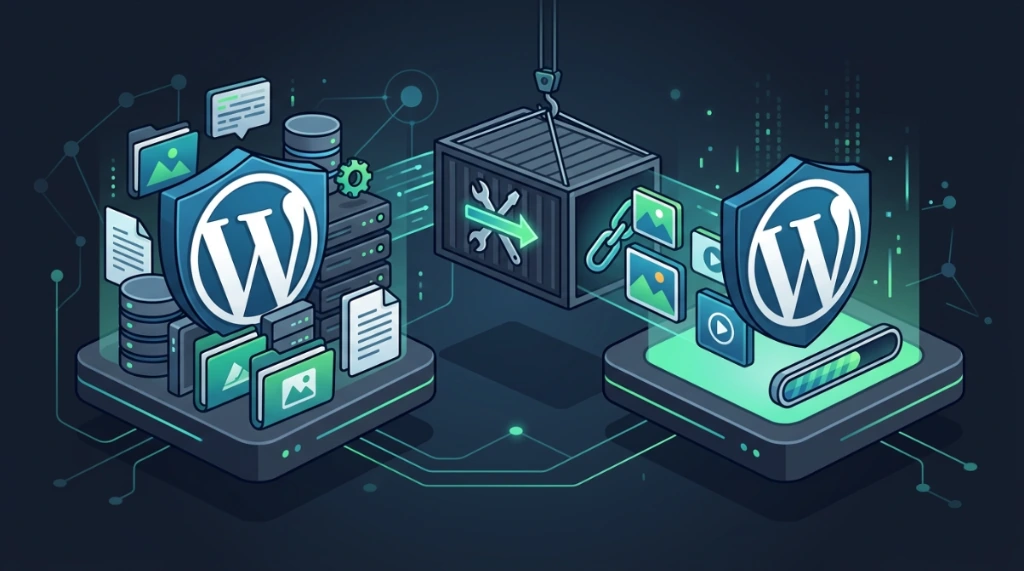
Migrating WordPress Sites with All-in-One WP Migration Without Breaking URLs or Media#
The All-in-One WP Migration plugin accelerates migrations, but when used without technical preparation, it frequently leads to upload failures, timeouts, broken media links, and login loops. This guide documents the exact operational workflow I implement to ensure predictability and zero downtime during high-stakes site migrations.
1. Prerequisites and compatibility auditing#
Before generating or importing migration archives, it is vital to audit both source and destination environments to prevent database serialization errors and PHP runtime crashes.
Verify WordPress core and database version#
The source and target hosts must reside on the same major WordPress release:
# Check the WordPress version on the target server
wp core version

# Check the version on the source path (if accessible)
wp core version --path=/var/www/source

# Verify the database schema version string
wp option get db_version

# Check for pending core updates
wp core check-update
2. Mandatory pre-import backup protocol#
Never initiate a .wpress import process on the target WordPress server without first creating local filesystem and database restore points. The import process completely overwrites the database and files.
1. Database (SQL) and file backups on the target#
# Export the target database before importing the new data
wp db export /root/target-pre-import-$(date +%Y%m%d).sql

# Archive the current target WordPress files
tar czf /root/wp-backup-$(date +%Y%m%d).tar.gz /var/www/html/
2. Hypervisor snapshots (if running on virtual machines)#
If the server is hosted on a dedicated virtualization environment:
# Proxmox VE (via CLI)
vmsnapshot 100 "Pre-migration-$(date +%Y%m%d)"

# VMware ESXi (via CLI vmsvc)
vmware-vim-cmd vmsvc/snapshot.create 100 "Pre-migration" "Snapshot before import"
3. The import engine: bypassing resource limits#
If the exported .wpress file is larger than the default server limits, configure your target php.ini or .user.ini:
upload_max_filesize = 2048M
post_max_size = 2048M
max_execution_time = 600
max_input_time = 600
memory_limit = 512M
After editing these values, reload the PHP-FPM service (systemctl reload php-fpm or equivalent) to apply the changes to the web pool.
4. URL and permalink post-migration validation#
A migration imports URLs and folder structures from the old host. If the domain has changed, or if upload paths differ, you must run wp search-replace via WP-CLI to update all references inside the database.
1. Check current base URLs#
# Query home and site URLs
wp option get siteurl
wp option get home

# Verify option settings directly from the database table
wp db query "SELECT option_value FROM wp_options WHERE option_name IN ('siteurl', 'home')"
2. Find old domain references#
Search post contents for remaining links pointing to the old URL:
wp db query "SELECT ID, post_title FROM wp_posts WHERE post_content LIKE '%old-url.com%'"3. Run the safe search-replace#
Always run with the --dry-run flag first to review proposed database changes:
# Dry run simulation (no changes written to database)
wp search-replace 'https://old-url.com' 'https://new-url.com' --all-tables --dry-run

# Run the live replacement across all database tables
wp search-replace 'https://old-url.com' 'https://new-url.com' --all-tables
After modifying the database URLs, flush the permalinks to rebuild .htaccess or Nginx rewrites:
# Flush permalinks via CLI
wp rewrite flush --hard
5. File and directory permissions auditing#
After deselecting and unpacking archives, file permissions and directory ownership settings can shift. Re-establish strict permission boundaries (hardening):
1. Auditing current permissions#
# Verify base directory permissions
find /var/www/html/ -maxdepth 1 -exec stat -c "%a %U:%G %n" {} \;

# Check ownership and permissions of wp-config.php (critical security boundary)
stat -c "%a %U:%G %n" /var/www/html/wp-config.php

# Check permissions within the uploads directory
find /var/www/html/wp-content/uploads -type d -exec stat -c "%a %n" {} \; | head -10
2. Enforcing hardened permissions#
Directories should be set to 755, standard files to 644, the sensitive wp-config.php restricted to 600 or 640, and ownership assigned to the web server user (e.g., www-data or nginx):
# Recursively assign ownership to the web server user
chown -R www-data:www-data /var/www/html/

# Enforce folder permissions
find /var/www/html/ -type d -exec chmod 755 {} \;

# Enforce file permissions
find /var/www/html/ -type f -exec chmod 644 {} \;

# Harden the configuration file
chmod 600 /var/www/html/wp-config.php
6. Ssl/tls configuration and validation#
A migration might point a site to HTTPS without checking if the destination host has a valid, fully chained certificate installed.
1. Auditing ssl/tls certificates via CLI#
Query the new server's active SSL certificate:
# Check target HTTPS headers
curl -I https://domain.com/

# Inspect certificate dates and domains
echo | openssl s_client -connect domain.com:443 2>/dev/null | openssl x509 -noout -subject -dates

# Check certificate depth counts to verify chain integrity
echo | openssl s_client -connect domain.com:443 -showcerts 2>/dev/null | grep -c "BEGIN CERTIFICATE"
Verify the local certificate file:
openssl verify /etc/letsencrypt/live/domain.com/fullchain.pem2. Configure a new let's encrypt certificate#
If using Certbot on Apache or Nginx:
# Generate and install the certificate automatically
certbot --nginx -d domain.com -d www.domain.com
7. DNS and propagation verification#
Verify TTL and DNS propagation to ensure a smooth cutover:
# Check Time To Live (TTL) on active DNS records
dig domain.com | grep -A1 "ANSWER SECTION"

# Verify if target IP propagation has reached major public resolvers
for dns in 8.8.8.8 1.1.1.1; do
    echo "DNS resolver $dns points to: $(dig @$dns +short domain.com)"
done

# Confirm the final IP resolved matches the new server
dig domain.com +short
8. CDN and edge cache purging#
If the domain sits behind CDN services like Cloudflare, purge the cache so that dynamic and updated contents are pulled from the new host.
# Validate CDN response headers (e.g. cf-ray)
curl -I https://domain.com/ | grep -i -E "cf-ray|server"

# Trigger a complete Cloudflare cache purge via API
curl -X DELETE "https://api.cloudflare.com/client/v4/zones/<ZONE_ID>/purge_cache" \
  -H "X-Auth-Email: <EMAIL>" \
  -H "X-Auth-Key: <KEY>" \
  -H "Content-Type: application/json" \
  --data '{"purge_everything":true}'
9. Cron jobs and email verification#
Many WordPress sites fail to trigger scheduled events or send emails post-migration due to configuration desyncs or disabled cron systems.
1. Cron job auditing and testing#
Verify if the WordPress event runner is active:
# List all active WordPress cron events
wp cron event list

# Check if DISABLE_WP_CRON is enabled in wp-config.php
wp config get DISABLE_WP_CRON

# Force run all pending events for verification
wp cron event run --all

# List system crontabs
crontab -l
crontab -l -u www-data
2. SMTP and mail delivery checks#
Ensure target mail pipelines work correctly:
# Query active SMTP configuration options
wp option get smtp_host
wp option get smtp_port

# Send a test email using WP-CLI
wp mail [email protected] "Post-Migration Mail Test" "This is a test message from your new server."

# Monitor local mail queues and logs (Postfix/Exim)
tail -50 /var/log/mail.log
WordPress migration checklist#
Phase 1: Pre-migration (source)#
- [ ] Update WordPress Core, active themes, and plugins.
- [ ] Clear site cache and remove deactivated plugins.
- [ ] Export the
.wpressarchive. - [ ] Reduce DNS TTL to 300 seconds 24 hours before cutover.
Phase 2: Target preparation#
- [ ] Install a clean WordPress site (matching major core versions).
- [ ] Configure
php.iniresource limits (upload_max_filesize = 2048M). - [ ] Back up target database (
wp db export) and files before import. - [ ] Capture a virtual machine snapshot (Proxmox/VMware).
Phase 3: Import and database alignment#
- [ ] Import the
.wpressarchive. - [ ] Run
wp search-replaceto update domains and folder paths. - [ ] Regenerate permanent link structures via
wp rewrite flush --hard. - [ ] Enforce security permissions (755 folders, 644 files, 600
wp-config.php). - [ ] Install and validate SSL/TLS certificates.
Phase 4: Cutover and validation#
- [ ] Validate logins at
/wp-adminand verify media assets. - [ ] Point DNS records to the new target IP.
- [ ] Update origin IPs in Cloudflare (CDN) and trigger a full cache purge.
- [ ] Verify cron jobs and SMTP mail dispatch pipelines.
- [ ] Monitor web server and PHP-FPM error logs for 60 minutes.
Severity matrix and troubleshooting guide#
| Mapped Issue | Severity | Category | Description / Fix |
|---|---|---|---|
| Lack of target backups before import | High | Risk | Overwriting existing target setups without recovery points leads to data loss. |
| Core version mismatch | Medium | Compatibility | Mismatched WP cores cause SQL serialization errors and parsing failures. |
| Insecure file permissions post-import | Medium | Security | Loose ownership or permissions on wp-config.php expose DB credentials. |
| Expired or invalid SSL/TLS setups | Medium | Security | Triggers SSL warnings, connection failures, or mixed content blocks. |
| Long DNS TTL during cutover | Medium | Migration | Cache-retained zones route users to different hosts intermittently. |
| Stale CDN or Cloudflare cache | Low | Cache | Visitors load outdated pages from the old host's cached assets. |
| Stuck or disabled WP-Cron | Medium | Functionality | Blocks scheduled posts and automated tasks (backups, security scans). |
| SMTP failure and broken mail flows | Low | Configuration | Contact forms and transactional alerts fail silently. |
| Remaining old URL paths in database | Medium | Integrity | Media library items fail to load, and menus link back to the old site. |
Rollback protocol#
Always keep the old source server active and unchanged for at least 72 hours after cutover. In the event of catastrophic failures at the destination, restore the DNS zone to point back to the source server's IP, restoring operations instantly.
Was this article helpful?
Leave a quick reaction to help prioritize future technical guides:
See also


This post is licensed under CC BY-NC.
Comments
Join the discussion below.
0 comments