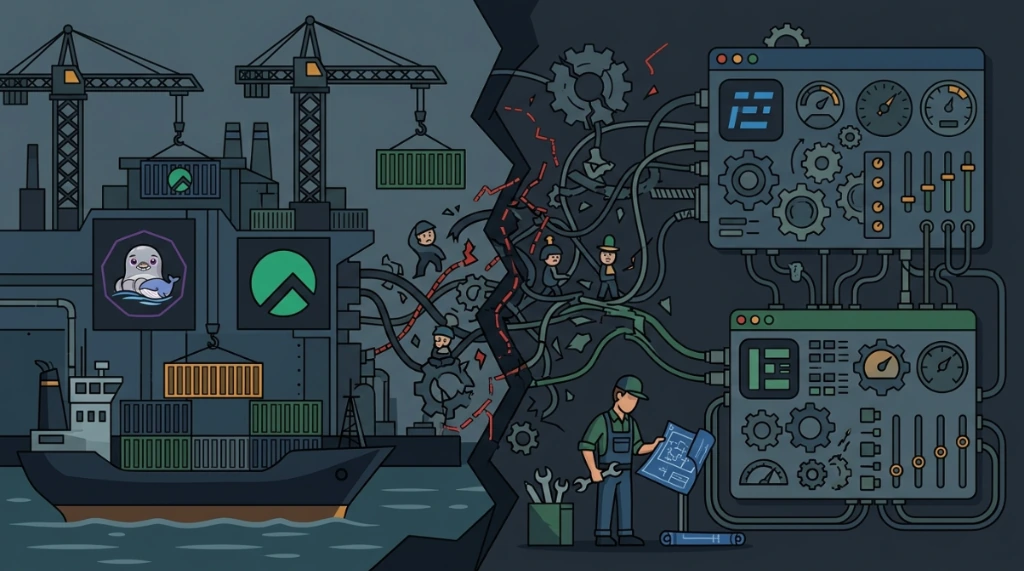
When adopting modern runtimes like Bun alongside traditional Node.js stacks, an architectural question frequently arises: if Bun and Node.js are already running, is there still a need for PM2 in production?
The answer depends directly on your infrastructure layer (bare VPS vs. containers) and how each runtime handles process concurrency and network sockets on Linux.
Here is an analysis of runtime execution differences, OS-level diagnostic patterns, and the decision matrix for production deployments.
1. Process managers vs. native runtime capabilities#
Understanding each tool's role requires looking at how Node.js and Bun manage process lifecycles:
Node.js and cluster scaling#
Standard Node.js executes JavaScript on a single thread (V8 Event Loop). To utilize all CPU cores on a host, Node.js depends on spawning multiple worker processes via its native cluster module.
PM2 manages this on standalone servers via cluster mode (-i max), spawning a master process that load-balances incoming connections using round-robin socket distribution with SO_REUSEPORT or IPC.
Bun and native i/o concurrency#
Bun, built with Zig on the JavaScriptCore (JSC) engine, includes an ultra-fast built-in HTTP server (Bun.serve).
However, Bun does not replicate Node's cluster module for PM2. To scale Bun across multiple cores natively without external managers, spawn multiple instances binding to the same socket using reusePort: true:
Bun.serve({
  port: 3000,
  reusePort: true,
  fetch(req) {
    return new Response("Bun Worker active");
  },
});
2. Why PM2 remains valuable on VPS and bare metal#
Outside containerized environments, standalone runtimes do not handle OS-level reliability requirements:
A. Watchdog supervision and auto-restart#
If a Node.js process crashes from an unhandled exception or Bun encounters a Segmentation Fault, the process exits. PM2 acts as a watchdog layer: it intercepts termination signals and restarts the application immediately without manual intervention.
B. Post-reboot persistence with systemd#
PM2 automates startup configuration across Linux distributions:
pm2 save
pm2 startup
This registers Systemd services automatically, so applications recover upon host reboots or kernel updates.
C. Automated log rotation#
Redirecting shell output (>> /var/log/app.log) risks disk space and inode exhaustion without logrotate policies. The pm2-logrotate module handles stdout and stderr rotation out of the box.
3. When PM2 becomes an anti-pattern#
- Docker and Kubernetes environments:
Inside containers, PM2 is counterproductive. Container runtimes expect the application to run as PID 1. PM2 masks application crashes, preventing Kubernetes from detecting unhealthy pods and restarting failed replicas.
- Local development environments:
Bun's native --watch and --hot flags offer faster reload speeds than pm2-dev.
4. Linux process diagnostics and system limits#
To inspect how Bun and Node.js interact with the host OS:
Tracing network calls and process forks with strace#
Verify whether processes encounter port binding collisions (EADDRINUSE):
strace -f -e trace=network,process -p <PID>Inspecting active listening sockets with lsof#
lsof -nP -p <PID> | grep LISTENFile descriptor limits (limits.conf)#
Because Bun processes significantly higher concurrent requests per second, the user's open file limit (nofile) can be reached rapidly. Adjust /etc/security/limits.conf:
user soft nofile 65535
user hard nofile 65535
Practical guidelines for stack selection#
| Deployment Target | Recommendation | Strategy |
|---|---|---|
| Node.js on VPS / Bare Metal | Use PM2 | Run in cluster mode: pm2 start app.js -i max |
| Bun on VPS / Bare Metal | Use PM2 | Run in Fork mode: pm2 start "bun run index.ts" --name "app-api" |
| Docker / Kubernetes (Node or Bun) | Do not use PM2 | Execute directly via container ENTRYPOINT / CMD |
| Local development | Do not use PM2 | Use bun --watch or bun --hot |
On dedicated or virtual servers without container orchestrators, PM2 remains an indispensable reliability layer for maintaining high availability and automatic service recovery.
Was this article helpful?
Leave a quick reaction to help prioritize future technical guides:
See also


This post is licensed under CC BY-NC.
Comments
Join the discussion below.
0 comments