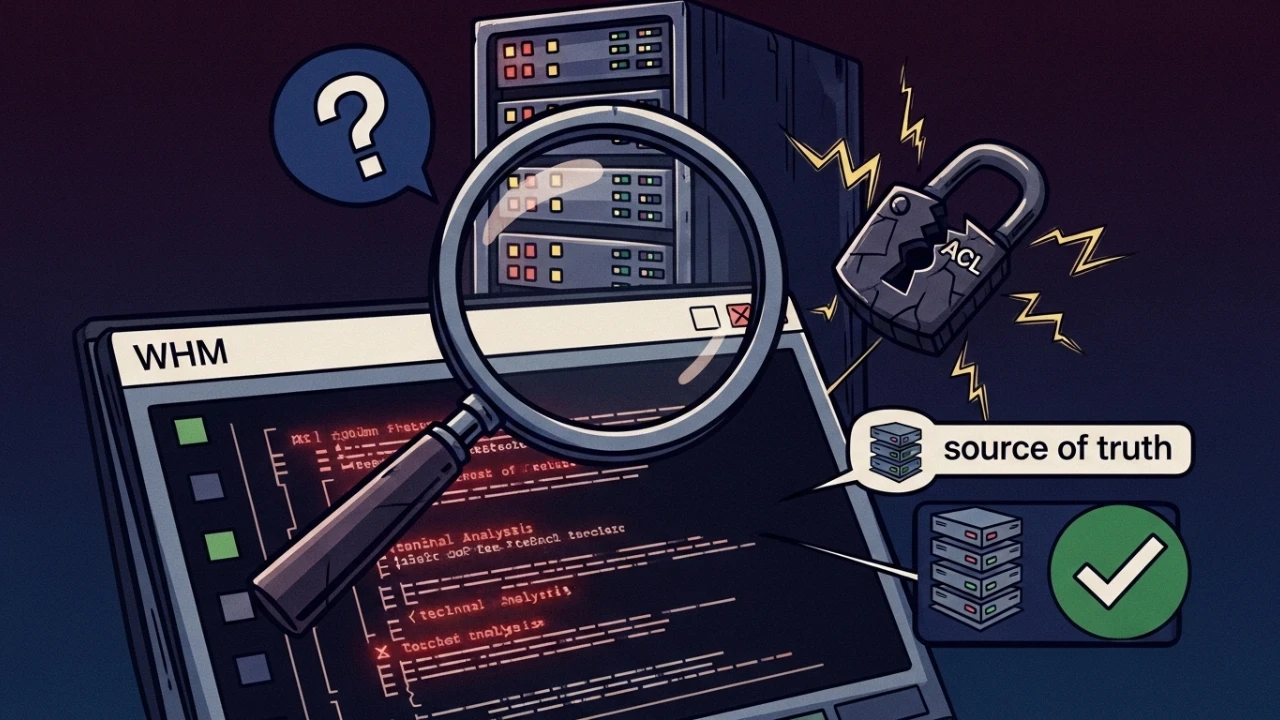
In cPanel/WHM operations, reseller privilege control is a security-critical layer. The issue is that the interface does not always reflect backend persistence immediately or consistently.
This article documents a real case where a named ACL created in the GUI did not persist, plus the exact diagnostic and hardening flow I used to stabilize ACL lifecycle management in production.
⚠️ Mandatory backup before any change#
# Backup the resellers file with timestamp
cp -p /var/cpanel/resellers /var/cpanel/resellers.$(date +%F-%H%M%S).bak

# Verify the backup was created with the same size
ls -lh /var/cpanel/resellers /var/cpanel/resellers.*.bak 2>/dev/null | tail -5

# Full cPanel directory backup (for critical maintenance windows)
tar czf /root/cpanel-backup-$(date +%Y%m%d-%H%M).tar.gz /var/cpanel/
echo "Backup created: $(ls -lh /root/cpanel-backup-*.tar.gz | tail -1)"
1) ACL model in WHM#
WHM works with two practical ACL modes:
- ad hoc ACLs attached directly to a reseller account;
- named ACL templates reused across multiple resellers.
Permissions cover operational actions such as account creation, DNS management, SSL actions, quotas, and related capabilities.
2) Source of truth on disk#
The central file for reseller ACL state is:
/var/cpanel/resellersDirect check:
cat /var/cpanel/resellersIf the expected ACL does not appear there, backend persistence is incomplete.
Complete file permission verification#
# Verbose permission listing
ls -la /var/cpanel/resellers

# Check owner, group, and octal mode (compact format)
stat -c "%U:%G %a %n" /var/cpanel/resellers
# Expected output: root:root 644 /var/cpanel/resellers

# Check WHM version before any operation
cat /usr/local/cpanel/version

# If permissions are incorrect, fix:
sudo chown root:root /var/cpanel/resellers
sudo chmod 644 /var/cpanel/resellers
# Verify fix:
stat -c "%U:%G %a %n" /var/cpanel/resellers
File syntax validation#
# Check for blank lines (should be none)
grep -c "^$" /var/cpanel/resellers
# Expected output: 0

# Check for unexpected special characters
cat -A /var/cpanel/resellers | grep -vE "^[a-zA-Z0-9,=:/_\.\-]+\$$"
# Expected output: no lines (clean file)

# Display first 20 lines for visual inspection
head -20 /var/cpanel/resellers
3) Observed failure pattern#
Real sequence:
- ACL was created in
Edit Reseller Nameservers and Privileges. - ACL template name was entered.
- UI showed partial success feedback.
- After refresh, ACL was missing for reuse.
Backend inspection confirmed the ACL template was not committed in /var/cpanel/resellers.
4) Most common operational root cause#
Incomplete GUI commit flow. Typical triggers:
- naming a new ACL but not finishing with the final global save action;
- interrupted page refresh/session timing issues;
- UI state saved partially while backend entry is not fully materialized.
Net effect: apparent success in UI, missing source-of-truth state.
5) Senior-level SSH checklist#
5.1 API state#
whmapi1 listacls --output=jsonprettyIf missing here, ACL is not reliably available.
5.2 check for ACL conflicts#
# List all named ACLs
whmapi1 listacls --output=jsonpretty | jq -r '.data.acllists[].acllist'

# Detect duplicate ACLs (should not exist)
whmapi1 listacls --output=jsonpretty | jq -r '.data.acllists[].acllist' | sort | uniq -d
# Expected output: empty (no duplicates)

# Inspect the content of a specific ACL (e.g., jvx_n1)
whmapi1 listacls --output=jsonpretty | jq '.data.acllists[] | select(.acllist=="jvx_n1")'

# Check if a specific permission is enabled in the ACL
whmapi1 listacls --output=jsonpretty | \
  jq '.data.acllists[] | select(.acllist=="jvx_n1") | {"acl-list-accts": .["acl-list-accts"], "acl-ssl": .["acl-ssl"]}'
5.3 raw lookup under cPanel paths#
grep -R "acl_name_here" /var/cpanel/Useful for identifying partial writes or stale references.
5.4 file integrity and ownership#
ls -l /var/cpanel/resellers
stat /var/cpanel/resellers
Confirm root ownership and expected permission mode for your baseline.
5.5 WHM version check#
# Installed cPanel/WHM version
cat /usr/local/cpanel/version

# Check for available updates
/usr/local/cpanel/scripts/upcp --status

# Specific cpanel version file
cat /usr/local/cpanel/cpanel.version 2>/dev/null || echo "Version file not found"
5.6 WHM logs for diagnostics#
# Recent WHM errors
tail -100 /usr/local/cpanel/logs/error_log

# API and UI access log
tail -100 /usr/local/cpanel/logs/access_log

# Main cPanel log
tail -100 /usr/local/cpanel/logs/cpanel.log

# Filter only errors and failures
grep -iE "error|fail|denied" /usr/local/cpanel/logs/error_log | tail -20
5.7 WHM API connectivity check#
# Basic API test (should return WHM version)
whmapi1 version

# Verify WHM port is listening
ss -lntp | grep -E "2083|2087"
# Expected: 0.0.0.0:2087 and/or 0.0.0.0:2083 with LISTEN state

# Test via curl (using accesshash)
curl -sk "https://localhost:2087/execute/version" \
  -H "Authorization: whm root:$(cat /root/.accesshash 2>/dev/null | tr -d '\n')" \
  | python3 -m json.tool 2>/dev/null | grep version
6) Safe GUI flow (if GUI is required)#
Reliable sequence:
- Select all intended ACL permissions.
- Enter new ACL template name.
- Click Save All Settings at the end of the page.
- Wait for full refresh.
- Revalidate with API + file checks.
Without post-save validation, you are trusting UI state only.
7) Production-recommended method: WHM API 1#
For deterministic behavior, I standardized ACL creation with API:
whmapi1 saveacllist \
  acllist=jvx_n1 \
  acl-list-accts=1 \
  acl-park-dns=1 \
  acl-ssl=1 \
  acl-wp-toolkit=1
Apply template to reseller:
whmapi1 setacls reseller=example_reseller acllist=jvx_n1This avoids GUI sync edge cases and improves repeatability.
8) Reseller verification and impact analysis#
Before modifying ACLs, validate the change scope:
# List all registered resellers
whmapi1 listresellers --output=jsonpretty | jq -r '.data.resellers[].reseller'

# Check if a specific reseller exists
whmapi1 listresellers --output=jsonpretty | \
  jq '.data.resellers[] | select(.reseller=="example_reseller")'
# Empty output = reseller does not exist

# Verify reseller details (applied ACL, quotas)
whmapi1 listresellers user=example_reseller --output=jsonpretty

# Impact analysis: which resellers use the ACL about to be changed?
whmapi1 listresellers --output=jsonpretty | \
  jq -r '.data.resellers[] | select(.acllist=="jvx_n1") | .reseller'
# List ALL affected resellers BEFORE modifying the named ACL

# Detect resellers without any ACL applied (default permission risk)
whmapi1 listresellers --output=jsonpretty | \
  jq '.data.resellers[] | select(.acllist=="" or .acllist==null) | .reseller'
9) Mandatory post-change validation#
whmapi1 listacls --output=jsonpretty
whmapi1 listresellers --output=jsonpretty
grep -R "jvx_n1" /var/cpanel/resellers
Then validate effective behavior in reseller session:
- restricted menus are not exposed;
- allowed operations execute successfully.
10) Security and operational best practices#
10.1 backup before changes#
cp -p /var/cpanel/resellers /var/cpanel/resellers.$(date +%F-%H%M%S).bak10.2 avoid manual direct edits#
Manual edits can break syntax or introduce collateral permission issues across reseller entries.
10.3 treat ACLs as operational code#
- keep named ACL catalog documented;
- version API commands (
saveacllist) in internal repo; - enforce post-change verification runbook.
10.4 keep audit trail#
Track who changed ACLs, when, and why. This materially reduces MTTR during permission-related incidents.
11) Fast incident runbook for "ghost ACL"#
# 1) check ACL existence via API
whmapi1 listacls --output=jsonpretty | grep -i "jvx_n1"

# 2) confirm source-of-truth file state
grep -R "jvx_n1" /var/cpanel/resellers

# 3) recreate ACL template by API
whmapi1 saveacllist acllist=jvx_n1 acl-list-accts=1 acl-park-dns=1 acl-ssl=1 acl-wp-toolkit=1

# 4) reapply to reseller
whmapi1 setacls reseller=example_reseller acllist=jvx_n1

# 5) validate again
whmapi1 listacls --output=jsonpretty | grep -i "jvx_n1"
12) Consolidated ACL management checklist#
Phase 1 - pre-change#
- [ ] Backup: `cp -p /var/cpanel/resellers /var/cpanel/resellers.$(date +%F-%H%M%S).bak`
- [ ] Check WHM version: `cat /usr/local/cpanel/version`
- [ ] Check file permissions: `stat -c "%U:%G %a %n" /var/cpanel/resellers`
- [ ] Test API connectivity: `whmapi1 version`
- [ ] List existing ACLs: `whmapi1 listacls --output=jsonpretty`
- [ ] Confirm reseller exists: `whmapi1 listresellers user=USERNAME`
- [ ] Impact analysis: which resellers use the target ACL?
Phase 2 - create ACL#
- [ ] Create via API: `whmapi1 saveacllist acllist=NAME acl-list-accts=1 ...`
- [ ] Verify creation: `whmapi1 listacls | jq '.data.acllists[] | select(.acllist=="NAME")'`
- [ ] Confirm on disk: `grep NAME /var/cpanel/resellers`
- [ ] Check for duplicates: `whmapi1 listacls | jq -r '.data.acllists[].acllist' | sort | uniq -d`
Phase 3 - apply ACL#
- [ ] Apply to reseller: `whmapi1 setacls reseller=USER acllist=NAME`
- [ ] Verify application: `whmapi1 listresellers user=USER --output=jsonpretty`
Phase 4 - validation#
- [ ] Check ACL permissions via jq
- [ ] Test reseller login
- [ ] Confirm menus/options (restricted absent, allowed functional)
- [ ] Check logs for errors: `grep -iE "error|fail" /usr/local/cpanel/logs/error_log | tail -20`
Phase 5 - post-change#
- [ ] Document change (who, what, when, why)
- [ ] Notify team if multiple resellers are impacted
- [ ] Monitor logs for 24h after critical changes
Technical conclusion#
When an ACL "disappears" in WHM, the most common issue is incomplete GUI persistence, not missing backend capability.
Treat /var/cpanel/resellers as source of truth and standardize on saveacllist/setacls via WHM API for production-grade reliability, auditability, and controlled access governance. A mandatory backup before every operation and a thorough reseller impact analysis complete the runbook of a senior SRE.
Was this article helpful?
Leave a quick reaction to help prioritize future technical guides:
See also




This post is licensed under CC BY-NC.
Comments
Join the discussion below.
0 comments