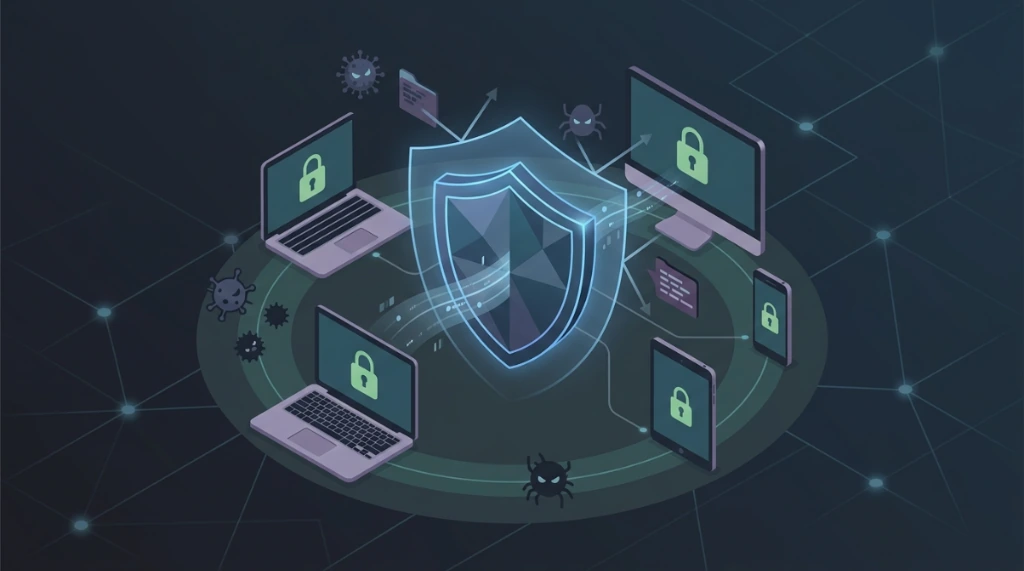
EPP (Endpoint Protection Platform) is far more than just rebranded antivirus. In a modern cybersecurity operation, it serves as the frontline stabilization layer that standardizes prevention, initial detection, and localized response. Its primary value is offering EPP protection to reduce the "Time to Containment" before an incident can escalate to the SOC level. An effective EPP security solution's worth is measured by its ability to integrate into a broader defense-in-depth architecture.
Why EPP matters: real breach data#
Before discussing architecture, the numbers justify the urgency:
| Case | Year | Impact | Root Cause |
|---|---|---|---|
| Equifax | 2017 | 147M records exposed, $575M in fines | Critical patch unapplied for 2 months |
| SolarWinds | 2020 | 18,000 organizations compromised | Supply chain - detection delayed ~9 months |
| Colonial Pipeline | 2021 | $4.4M ransomware + fuel shortage | VPN without MFA + insufficient EPP |
| Kaseya VSA | 2021 | 1,500+ companies hit via MSP | Supply chain attack - EPP failed to detect backdoor |
In every case, an EPP with behavioral detection and functional SIEM integration would have dramatically reduced the blast radius - or detected the threat before critical damage occurred.
What is an EPP (endpoint protection platform) solution?#
For a platform to provide enterprise-grade EPP protection, I look for these minimum architectural components:
- Multi-Dimensional Prevention Engine: Combining static signatures, behavioral heuristics (AI/ML), and EPP antivirus engines.
- Granular Process and Network Control (EPP Network): The ability to enforce policies on removable media, network processes, and local firewall settings.
- Continuous Telemetry Feed: A persistent stream of security metadata provided to external correlation engines (SIEM/XDR).
- Local Containment Mechanisms: Native ability to perform workstation isolation, process killing, or script blocking at the endpoint.
- Bi-Directional API Integration: Direct connectivity with SOAR and SIEM platforms for automated playbooks.
Without these foundational blocks, a tool acts as an isolated island, failing to stop modern multi-stage attacks.
EPP vs EDR vs XDR: comparison table#
| Characteristic | EPP | EDR | XDR |
|---|---|---|---|
| Focus | Prevention | Detection and Response | Unified multi-layer visibility |
| Scope | Individual endpoint | Endpoint + forensic analysis | Endpoint + network + cloud + identity |
| Detection | Signatures + ML | Behavior + Forensics | Multi-source correlation |
| Response | Automatic blocking | Manual investigation + automation | Advanced automation + playbooks |
| Telemetry | Local | Local + SIEM forwarding | Centralized and enriched |
| Relative Cost | $$ | $$$ | $$$$ |
| Operational Complexity | Low | Medium | High |
| When to use | Mandatory baseline | SOC teams with forensic capability | Mature environments with cross-layer correlation |
Recommended defense-in-depth strategy: EPP + EDR as the mandatory baseline for any corporate environment. XDR only when there is operational maturity and a dedicated SOC team for alert correlation.
- EPP Solution: Focused on early-stage prevention, blocking, and mitigation at the endpoint. It's about stopping the attack from executing or spreading.
- EDR Solution: Focused on forensic investigation, uncovering the full attack chain (root cause analysis), and handling post-detection response.
A defensive strategy relying only on EPP protection lacks investigative depth; a strategy relying only on EDR may detect breaches too late to prevent damage.
EPP tools in the market#
Enterprise#
| Solution | Key Differentiator | Best For |
|---|---|---|
| CrowdStrike Falcon | Cloud-native EPP/EDR, advanced ML, Threat Graph | Corporations needing global threat intelligence |
| SentinelOne | Autonomous response (ransomware rollback), signature-less | Environments requiring maximum response automation |
| Microsoft Defender for Endpoint | Native M365/Azure AD integration, Conditional Access | 100% Microsoft environments |
| Carbon Black (VMware) | Deep behavioral analysis, streaming events | SOC teams with advanced forensic capability |
SMB / mid-market#
| Solution | Key Differentiator |
|---|---|
| Bitdefender GravityZone | Centralized console, granular policies, strong cost/benefit ratio |
| Kaspersky Endpoint Security | EPP with integrated encryption, DLP module |
| Sophos Intercept X | Deep learning without signatures, CryptoGuard anti-ransomware |
Open source#
| Solution | EPP Component | Limitation |
|---|---|---|
| Wazuh | HIDS + XDR with FIM, vulnerability detection, SIEM integration | Requires own infrastructure (indexer + dashboard) |
| OSSEC | HIDS with integrity monitoring and log analysis | No modern UI, requires advanced configuration knowledge |
| ClamAV | Signature-based AV, good for scheduled scans | No behavioral detection, does not replace a full EPP |
Technical implementation: Wazuh agent (open source)#
Wazuh is the most complete open source reference for EPP in Linux infrastructures. Here's how to install and validate it:
Agent installation (ubuntu/debian)#
# 1. Download the Wazuh agent package
curl -sO https://packages.wazuh.com/4.x/apt/pool/main/w/wazuh-agent/wazuh-agent_4.7.3-1_amd64.deb

# 2. Install
sudo dpkg -i wazuh-agent_4.7.3-1_amd64.deb

# 3. Configure the Wazuh Manager address
sudo sed -i 's/<address>MANAGER_IP<\/address>/<address>192.168.1.100<\/address>/' \
  /var/ossec/etc/ossec.conf

# 4. Start and enable the agent
sudo systemctl start wazuh-agent
sudo systemctl enable wazuh-agent

# 5. Verify agent status
sudo systemctl status wazuh-agent
sudo /var/ossec/bin/wazuh-control status
Installation on Rocky Linux / CentOS#
# Add RPM repository
sudo rpm --import https://packages.wazuh.com/key/GPG-KEY-WAZUH
sudo bash -c 'cat > /etc/yum.repos.d/wazuh.repo << EOF
[wazuh]
gpgcheck=1
gpgkey=https://packages.wazuh.com/key/GPG-KEY-WAZUH
enabled=1
name=EL-\$releasever - Wazuh
baseurl=https://packages.wazuh.com/4.x/yum/
protect=1
EOF'

# Install and configure
sudo yum install wazuh-agent -y
sudo sed -i 's/MANAGER_IP/192.168.1.100/' /var/ossec/etc/ossec.conf
sudo systemctl start wazuh-agent && sudo systemctl enable wazuh-agent
Detection test with EICAR test file#
# The EICAR test file is the standard string to validate AV detection
# It is harmless but will trigger alerts in any functional EPP
echo 'X5O!P%@AP[4\PZX54(P^)7CC)7}$EICAR-STANDARD-ANTIVIRUS-TEST-FILE!$H+H*' \
  > /tmp/eicar-test.txt

# Verify that Wazuh generated alerts
sudo tail -f /var/ossec/logs/alerts/alerts.log | grep -i eicar

# Clean up after the test
rm /tmp/eicar-test.txt
SIEM and SOAR integration#
EPP telemetry in isolation is not enough. Integration with SIEM for correlation and SOAR for automated response is what differentiates a reactive operation from a proactive one.
Wazuh → elasticsearch/opensearch (native SIEM)#
<!-- /var/ossec/etc/ossec.conf on Manager: syslog alert forwarding -->
<remote>
  <connection>syslog</connection>
  <port>514</port>
  <protocol>udp</protocol>
  <allowed-ips>192.168.1.0/24</allowed-ips>
</remote>

<!-- Output to Elasticsearch via Filebeat -->
<integration>
  <name>elastic</name>
  <hook_url>https://elasticsearch:9200</hook_url>
  <alert_format>json</alert_format>
</integration>
Wazuh → splunk (via HTTP event collector)#
# Test HEC connectivity
curl -k -H "Authorization: Splunk YOUR-HEC-TOKEN" \
  -d '{"event":"test"}' \
  https://splunk:8088/services/collector
Automated response: shuffle SOAR#
# Basic endpoint isolation playbook via Shuffle SOAR
# Trigger: Wazuh alert level >= 12 (critical)
workflow:
  name: "EPP Alert - Isolate Endpoint"
  trigger:
    type: webhook
    source: wazuh
    condition: "alert.level >= 12"
  actions:
    - name: "Isolate endpoint"
      app: Wazuh
      action: active_response
      args:
        agent_id: "{{alert.agent.id}}"
        command: "firewall-drop"
        timeout: 3600
    - name: "Notify SOC"
      app: Slack
      action: send_message
      args:
        channel: "#soc-alerts"
        message: "🚨 Endpoint isolated: {{alert.agent.name}} | {{alert.rule.description}}"
Operational metrics: MTTD and MTTR#
Calculating MTTD and MTTR via SQL#
-- MTTD: Average time between incident creation and EPP detection
SELECT
  AVG(TIMESTAMPDIFF(HOUR, created_at, detected_at)) AS MTTD_hours,
  MIN(TIMESTAMPDIFF(HOUR, created_at, detected_at)) AS MTTD_min,
  MAX(TIMESTAMPDIFF(HOUR, created_at, detected_at)) AS MTTD_max
FROM security_incidents
WHERE detected_at IS NOT NULL
  AND created_at >= DATE_SUB(NOW(), INTERVAL 30 DAY);

-- MTTR: Average time between detection and containment/resolution
SELECT
  AVG(TIMESTAMPDIFF(HOUR, detected_at, resolved_at)) AS MTTR_hours,
  COUNT(*) AS total_incidents
FROM security_incidents
WHERE resolved_at IS NOT NULL
  AND detected_at >= DATE_SUB(NOW(), INTERVAL 30 DAY);

-- Agent coverage: active vs expected total
SELECT
  COUNT(CASE WHEN last_keepalive > DATE_SUB(NOW(), INTERVAL 5 MINUTE) THEN 1 END) AS active_agents,
  COUNT(*) AS total_agents,
  ROUND(
    COUNT(CASE WHEN last_keepalive > DATE_SUB(NOW(), INTERVAL 5 MINUTE) THEN 1 END) * 100.0 / COUNT(*),
    2
  ) AS coverage_pct
FROM wazuh_agents;
Maturity-level targets#
| Maturity Level | MTTD | MTTR | Agent Coverage |
|---|---|---|---|
| Basic | < 24h | < 72h | > 80% |
| Mature | < 4h | < 24h | > 95% |
| Advanced | < 1h | < 4h | > 99% |
| World-Class | < 15min | < 1h | 100% |
Incident response checklist#
Detection phase (0–15 min)#
- [ ] Review alert in EPP/SIEM console (level, type, affected endpoint)
- [ ] Identify compromised endpoint: hostname, IP, logged-in user
- [ ] Verify if automatic isolation was triggered by the EPP
- [ ] Collect initial telemetry: parent process, file hash, active connections
- [ ] Log timestamp and incident ID in the ticketing system
Containment phase (15–60 min)#
# Isolate endpoint via Wazuh active response (if not automatic)
sudo /var/ossec/bin/agent_control -b 192.168.1.50 -f firewall-drop0 -u 001

# Block suspicious IP at the server firewall
sudo firewall-cmd --add-rich-rule='rule family="ipv4" source address="203.0.113.10" drop' --permanent
sudo firewall-cmd --reload

# Preserve evidence before any cleanup
sudo ss -tulpn > /tmp/connections-$(date +%Y%m%d).txt
sudo journalctl -u wazuh-agent --since "2 hours ago" > /tmp/wazuh-$(date +%Y%m%d).log
Eradication phase (1–24 hours)#
- [ ] Identify root cause (CVE exploited, entry vector, affected user)
- [ ] Remove malware/artifacts (files, cron jobs, persistence mechanisms)
- [ ] Patch exploited vulnerability (patch, config fix, credential rotation)
- [ ] Update EPP signatures with incident indicators (hash, IP, domain)
- [ ] Check if other endpoints were affected with the same IOCs
Recovery phase (24–72 hours)#
- [ ] Restore endpoint from a clean, verified backup (not the compromised snapshot)
- [ ] Verify system integrity post-restoration (FIM check via Wazuh)
- [ ] Monitor endpoint behavior for 48h post-recovery
- [ ] Document complete incident timeline and lessons learned
- [ ] Regulatory notification if personal data was exposed (GDPR: 72h to supervisory authority)
Choosing the right EPP software and technology#
When evaluating an EPP software or technology for high-stakes environments, SOC and SRE teams should apply these criteria:
1. Localized containment speed (EPP protection)#
Does the platform support hardware-level or network-level isolation without requiring manual, multi-step intervention from a remote analyst?
2. Forensic quality of EPP telemetry#
SOC teams need useful events (Process IDs, parent hashes, network destinations), not just generic "Threat Blocked" alerts. Visibility is the currency of security.
3. Operational false-positive overhead#
A hyper-aggressive EPP tool with high false-positive rates creates "alert fatigue" and results in legitimate business processes being blocked, eroding trust in the security program.
4. Cross-platform parity#
A mature solution must provide consistent visibility and EPP software policies across Windows, Linux (various kernels), and macOS.
EPP agent performance impact#
A frequently overlooked aspect in POCs is the overhead the EPP agent adds to the system. Use the table below as a baseline reference:
| Resource | At Idle | During Full Scan | Notes |
|---|---|---|---|
| CPU | 1–3% | 20–50% | Schedule scans during low-usage hours |
| RAM | 100–300 MB | 500 MB - 1 GB | Critical on servers with <4 GB RAM |
| Disk (logs) | 100–500 MB/day | - | Log rotation is essential |
| Disk (signatures) | 500 MB - 1 GB | - | Reserve disk space accordingly |
| Network (telemetry) | 1–5 MB/day | - | Negligible on corporate links |
| Network (updates) | 10–50 MB/week | - | Plan maintenance windows |
# Monitor EPP agent overhead in real time
top -p $(pgrep wazuh-agentd) -b -n 3 | tail -5

# Disk usage of Wazuh logs:
du -sh /var/ossec/logs/

# I/O during scan:
iotop -p $(pgrep wazuh-agentd) -b -n 5
Common deployment challenges#
1. Conflicts with existing software#
# Check for existing antivirus before installing EPP
rpm -qa | grep -iE "av|antivirus|clam|sophos|symantec|mcafee"
dpkg -l | grep -iE "av|antivirus|clam|sophos|symantec|mcafee"
# Never run two EPP agents simultaneously - kernel driver conflicts can cause panics
2. Performance on legacy hardware#
# Check AVX2 support (required for ML features in some EPPs)
grep -m1 avx2 /proc/cpuinfo && echo "AVX2 supported" || echo "AVX2 NOT supported - check compatibility"

# Check available RAM
free -h | awk '/Mem:/{print "Available RAM: " $7}'
3. Container and VM compatibility#
# Detect virtualization type (some EPPs don't support Xen paravirt)
systemd-detect-virt
4. Update management#
# Check latest Wazuh release before updating fleet
curl -s https://api.github.com/repos/wazuh/wazuh/releases/latest | python3 -c \
  "import sys,json; r=json.load(sys.stdin); print(f'Latest version: {r[\"tag_name\"]}')"

# Agent rollback (Wazuh)
sudo yum downgrade wazuh-agent-4.7.2   # RPM
sudo dpkg -i wazuh-agent_4.7.2-1_amd64.deb  # Debian
Regulatory compliance#
| Framework | Relevant Control | Practical EPP Obligation |
|---|---|---|
| PCI-DSS v4.0 | Control 5 (anti-malware) + Control 10 (audit) | EPP on all systems processing or storing cardholder data; logs retained for 12 months |
| HIPAA (US) | §164.312(a)(1) - Access control + §164.312(c)(1) - Integrity | Anti-malware on PHI systems; File Integrity Monitoring (FIM) mandatory |
| SOX (US) | Section 404 - Internal controls over financial reporting | Immutable audit trail; access monitoring for financial systems |
| LGPD (Brazil) | Art. 46 - Technical and administrative security measures | Protection against unauthorized access; ANPD notification within 72h of incident |
| ISO 27001:2022 | Control 8.7 (malware protection) + 8.16 (monitoring) | Documented anti-malware policy; periodic review of alerts and agent coverage |
Implementation best practices: the "baseline first" model#
A common failure mode is mass deployment without a policy baseline. This inevitably breaks legacy applications and breeds organizational resistance. My preferred rollout model includes:
- Pilot Group Selection: Representing varied technical use cases.
- Observation Policy: Running the agent in "log-only" mode to monitor impact.
- Justified Exclusions: Documenting technical exceptions before enforcement.
- Gradual Enforcement: Phased rollout by business unit.
# Wazuh: configure passive mode (log only, no active response)
# In Manager /var/ossec/etc/ossec.conf:
# <active-response>
#   <disabled>yes</disabled>  <!-- Enable only after pilot validation -->
# </active-response>
Critical endpoint security metrics#
To move beyond "security theater," the following KPIs are tracked to evaluate an EPP solution:
- MTTD (Mean Time to Detection) at the endpoint.
- MTTR (Mean Time to Response) specifically for initial containment actions.
- False-Positive Rate categorized by policy type.
- Agent Health Percentage: Real-time coverage of the installed EPP software base.
- Agent Version Drift: Monitoring how long it takes to upgrade the entire fleet.
Final takeaway#
Effective EPP security is an operational engineering discipline, not a one-time license purchase. The right EPP platform is the one that minimizes containment time, integrates natively with your response workflows, and sustains a low operational cost for the frontline security team - and can be continuously measured, audited, and improved with the metrics, runbooks, and compliance frameworks presented in this guide.
Was this article helpful?
Leave a quick reaction to help prioritize future technical guides:
See also

This post is licensed under CC BY-NC.
Comments
Join the discussion below.
0 comments