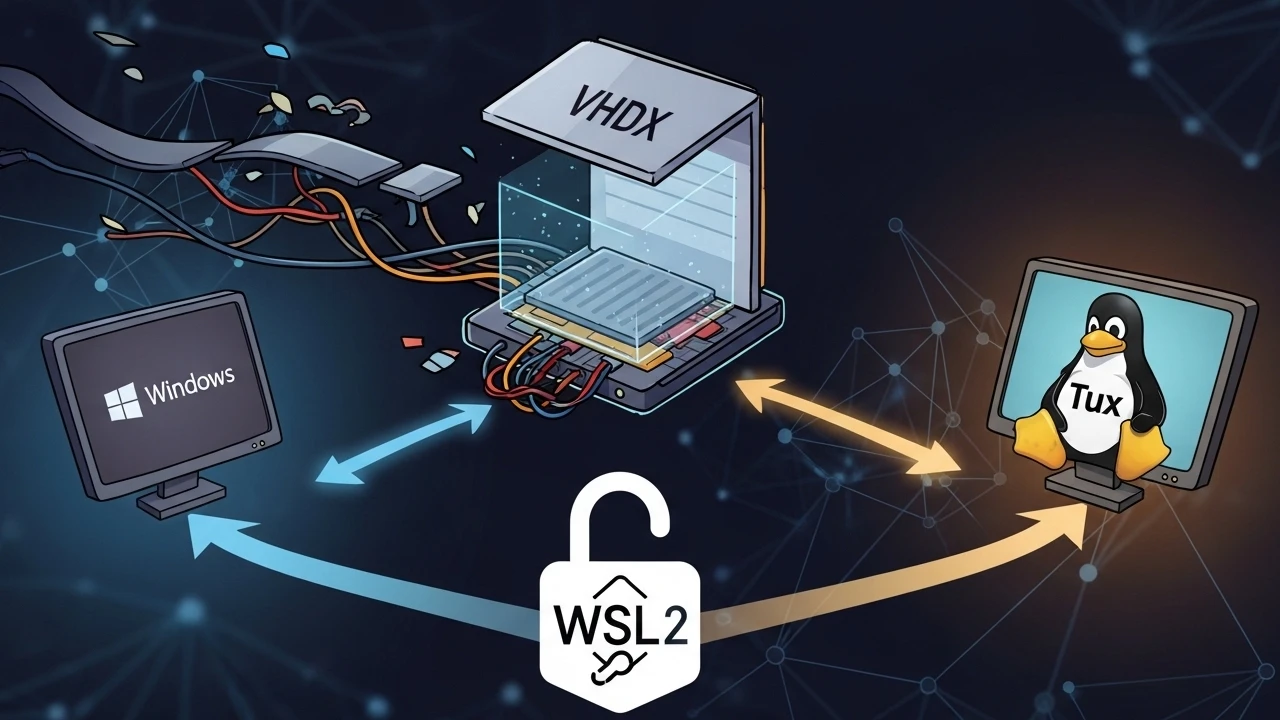
In a dual-boot environment, maintaining two entirely separate WSL 2 distributions consistently leads to massive data duplication, diverging development libraries, and exhausting setup rework. To eliminate this fragmentation, I implemented a strategy to share the exact same ext4.vhdx virtual disk across both Windows installations.
The objective was simple: whether I boot into Windows A or Windows B, I have access to the identical Linux filesystem - the same /home, the same project tree, and the exact same dependencies.
1) Adopted architecture#
- A singular shared disk file:
ext4.vhdx - The disk is stored on a dedicated data partition shared between the two Windows OS instances.
- Each Windows instance registers the distribution locally, pointing specifically to the shared VHDX using the
--vhdflag. - A rigid shutdown protocol is enforced to decisively prevent concurrent write corruption.
Example of the physical layout utilized:
D:\WSL\Ubuntu-Shared\ext4.vhdx2) Mandatory prerequisites prior to import#
2.1 ensure WSL version supports --vhd#
On both Windows installations, execute:
wsl --version
wsl --status
wsl --update
Without a compatible modern version, the wsl --import ... --vhd command will categorically fail to function correctly.
2.2 genuine system shutdown (no hibernation)#
Never attempt to mount the same VHDX with the alternative Windows installation in a Fast Startup or Hibernation state.
On the active Windows side, before rebooting:
wsl --shutdownAnd within the OS settings, aggressively disable Fast Startup:
- Control Panel -> Power Options -> Choose what the power buttons do
- Uncheck:
Turn on fast startup (recommended)
Alternatively, via the command line (this disables hibernation entirely):
powercfg /h off2.3 data partition permissions and integrity#
Thoroughly validate the health of the drive where the VHDX is physically stored:
chkdsk D: /scanIn corporate environments utilizing BitLocker, ensure the target partition is configured to unlock automatically upon boot for both systems.
3) Import procedure on the second Windows instance#
On Windows B (using PowerShell as Administrator):
wsl --import Ubuntu-Shared D:\WSL\Ubuntu-Shared D:\WSL\Ubuntu-Shared\ext4.vhdx --vhdDetailed Parameter Breakdown:
Ubuntu-Shared: The designated name for the distribution registered on this Windows instance.D:\WSL\Ubuntu-Shared: The local registration directory....\ext4.vhdx: The path to the pre-existing shared VHDX.--vhd: The explicit instruction to reuse an existing virtual disk.
Operational Validation:
wsl -l -v
wsl -d Ubuntu-Shared -- uname -a
If the distribution boots with the correct kernel version and filesystem structure, the VHDX reuse is officially successful.
4) The classic error and how i handled it#
A common error when attempting to import into a pre-occupied or misconfigured state:
A distro with that name already existsOr a directory conflict. The safe cleanup runbook is:
wsl --unregister Ubuntu-SharedFollowed by repeating the --import ... --vhd command with corrected paths.
Important Note: The unregister command exclusively removes the distribution record on that specific Windows instance; it does not automatically delete the shared VHDX when pointing to a controlled external path. Regardless, always double-check your paths before execution.
5) Uid/gid alignment: avoiding Permission denied between boots#
Even while utilizing the same VHDX, differences in user ID mapping between the two host installations can cause inconsistent behavior within the /home directory.
Inside the Linux distribution, validate IDs:
id
getent passwd | head
ls -ln /home
My applied stability strategy:
- Maintain the identical primary username across both workflows.
- Ensure UID/GID remain strictly consistent (standardly
1000).
When an adjustment is necessary:
sudo usermod -u 1000 myuser
sudo groupmod -g 1000 myuser
sudo find /home/myuser -uid OLD_UID -exec chown -h 1000 {} \;
sudo find /home/myuser -gid OLD_GID -exec chgrp -h 1000 {} \;
This step was foundational for stabilizing permissions across Node/Python toolchains and local caches.
6) Kernel and runtime parity between Windows a and b#
I actively prevented operational drift by keeping both sides synchronized:
wsl --update
wsl --version
Additional checklist within the Linux distro:
uname -r
cat /etc/os-release
The goal was to prevent diverging behaviors triggered by an outdated kernel on one of the systems.
7) Technical operational protocol to prevent ext4.vhdx corruption#
I standardized the system swap procedure as follows:
- Close all active terminal instances and Linux processes.
- Explicitly execute
wsl --shutdown. - Power down or restart Windows with hibernation strictly disabled.
- Boot the alternative Windows installation.
- Launch the shared distribution and perform a rapid health check.
Quick post-boot validation:
wsl -d Ubuntu-Shared -- bash -lc "pwd && df -h && ls /home"This protocol effectively eliminated the risk of residual locks on the VHDX disk file.
8) Robust backup and rollback strategy#
Since I am sharing a single point of data between two separate systems, periodic backups are a non-negotiable requirement.
Recurrent export routine:
wsl --export Ubuntu-Shared D:\Backups\ubuntu-shared-$(Get-Date -Format yyyyMMdd).tarEmergency Restoration (if required):
wsl --import Ubuntu-Restore D:\WSL\Ubuntu-Restore D:\Backups\ubuntu-shared-YYYYMMDD.tarThis ensures I can perform a rapid rollback without depending solely on manual VHDX snapshots.
9) Final operational outcome#
With this model successfully deployed:
- I eliminated environment duplication across the dual-boot setup.
- Reduced overall setup and re-installation time.
- Standardized dependency behavior and dotfile management.
- Maintained high-security governance with shutdown and backup disciplines.
10) Technical conclusion#
Sharing the exact same ext4.vhdx in a WSL 2 dual-boot configuration is highly viable and stable when treated as a formal infrastructure operation, rather than a mere "shortcut."
The critical points that guaranteed reliability were:
- Correct importation utilizing the
--vhdflag. - Keeping Fast Startup and Hibernation strictly disabled.
- Maintaining consistent UID/GID mapping.
- Enforcing a shutdown protocol before switching between Operating Systems.
- Establishing recurrent backups with
wsl --export.
This standard has effectively transformed two potentially diverging environments into a single, perfectly consistent Linux workspace across both boot targets.
Was this article helpful?
Leave a quick reaction to help prioritize future technical guides:
See also




This post is licensed under CC BY-NC.
Comments
Join the discussion below.
0 comments