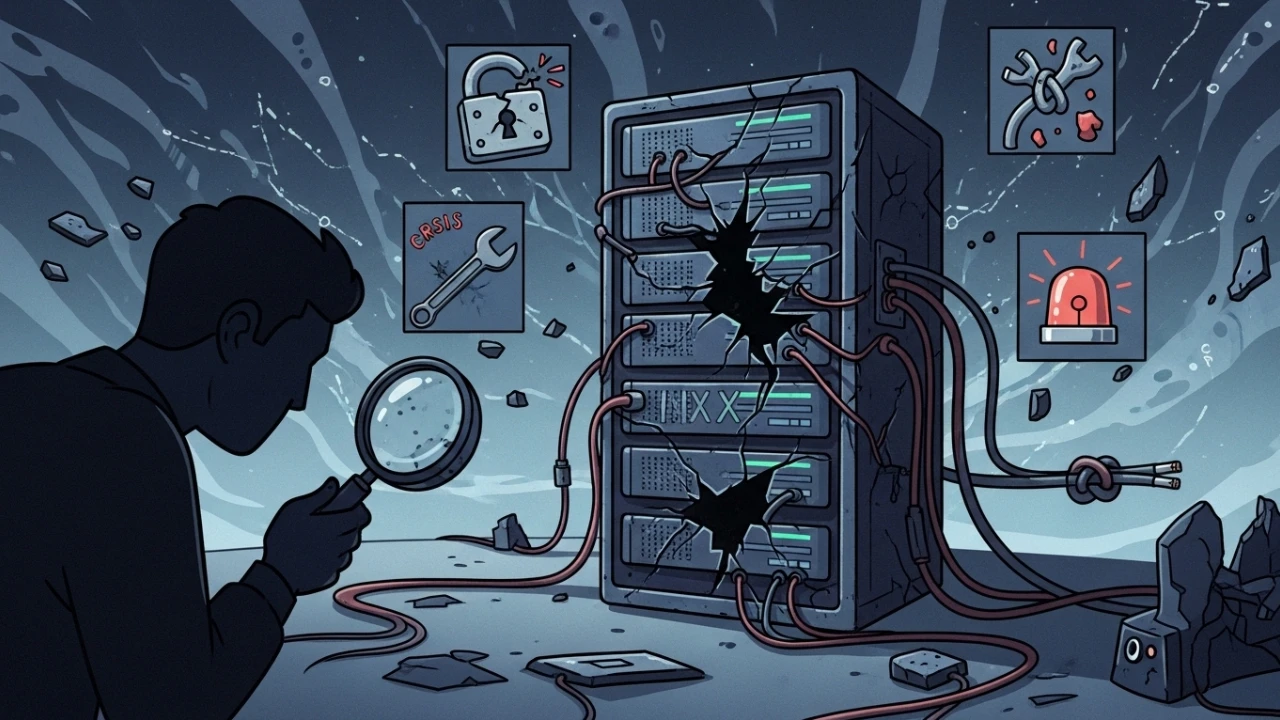
During an operational audit of a development environment, I identified behavior consistent with RCE exploration in a legacy dependency (React2Shell). The incident did not stop at the application layer: there were signs of persistence in shell startup and recurring execution attempts in tmp, with a typical dropper pattern for later escalation.
This article documents exactly what I executed, in chronological order, including commands, decision criteria, and output validations. The goal was to restore availability with technical traceability and reduce residual risk to an acceptable production level.
1) Initial detection, triage, and protocol activation#
The first alert didn't come from a fancy dashboard; it came from anomalous behavior in diagnostic processes and unusual noise in a shell session.
Signs observed during initial triage:
- Intermittent interruptions while inspecting with
psandtop. - Hidden executable artifacts in
tmp. - Suspicious entries in shell initialization files in
profile. - Outbound connections unrelated to the application's normal flow.
Commands executed during "hot" triage:
ps auxf
ps -eo pid,ppid,user,cmd --sort=-%cpu | head -n 40
top -b -n 1 | head -n 60
ss -lntup
ss -plant
journalctl -xe --no-pager | tail -n 200
last -a | head -n 30
Based on these indicators, I activated incident response in containment mode.
1.1) Systemic scan for other compromises#
Once initial indicators were observed, it was necessary to expand the technical triage to encompass other system areas and map the extent of the compromise:
- Suspicious Processes: Filter active anomalies and background processes associated with web users (such as
nginxorwww-data) running without associated terminals:
ps auxf | grep -v "\[" | awk '{print $11}' | sort | uniq -c | sort -rn | head -20- Active Outbound Connections: List sockets that do not bind on local interfaces and point outwards to the Internet:
ss -plant | grep -v "127.0.0.1"- Recently Modified Files: Investigate files created or modified in the last 24 hours across the entire filesystem (limiting count to prevent I/O load):
find / -mtime -1 -type f 2>/dev/null | head -50- Cron Scheduled Tasks: Audit user crontabs and system-wide scheduling directories in
cron.d:
   crontab -l
   ls -la /etc/cron.d/
   ls -la /etc/cron.daily/
   cat /var/log/cron | tail -n 100
2) Immediate containment (impact window)#
The containment had three goals: stop propagation, preserve evidence, and prevent availability loss in adjacent systems.
Actions taken:
- Freeze changes (deployment and CI/CD automation of the affected project).
- Block non-essential external traffic on the compromised host.
- Isolate operational credentials used on that host.
- Preserve artifacts for later analysis.
Emergency block applied to the host:
# Temporary restrictive policy
iptables -P INPUT DROP
iptables -P FORWARD DROP
iptables -P OUTPUT DROP

# Minimum exceptions for secure administration during response
iptables -A INPUT -p tcp --dport 22 -s <YOUR_ADMIN_IP>/32 -j ACCEPT
iptables -A OUTPUT -p tcp --sport 22 -d <YOUR_ADMIN_IP>/32 -j ACCEPT
iptables -A INPUT -i lo -j ACCEPT
iptables -A OUTPUT -o lo -j ACCEPT
Operational Note: In incident response, I prioritize isolation first, cleanup later. Without isolation, any correction becomes a race against an active attacker process.
2.1) Analysis of lateral movement and data exfiltration#
With containment in place, the next objective is to verify whether the threat actor attempted to compromise adjacent hosts on the local subnet or exfiltrate sensitive files:
- Lateral SSH Logins: Query successful login entries from internal subnet IPs in
auth.logorsecure:
   grep "Accepted" /var/log/auth.log | awk '{print $11}' | sort | uniq -c
   # On Rocky Linux / RedHat systems:
grep "Accepted" /var/log/secure | awk '{print $11}' | sort | uniq -c- Suspicious Network Connections: Inspect the active connection table looking for traffic targeting corporate subnets:
ss -plant | grep -v "127.0.0.1" | awk '{print $5}' | cut -d: -f1 | sort | uniq -c- Data Exfiltration Telemetry: Audit outbound bandwidth usage and look for anomalous file size transfers:
   # Quick view of active established connection targets
   ss -plant state established | awk '{print $5}' | sort | uniq -c
   # Monitor real-time traffic statistics on the interface
   iftop -i eth0 -t -s 10
   # Search temporary paths for unexpectedly large archives
   du -sh /tmp/
   find /tmp -size +10M -type f 2>/dev/null
3) Minimum viable forensic collection#
Before removing any files, I collected evidence to maintain a chronology of events and support later technical analysis under ir-evidence.
Items collected:
- Execution trees (
ps,top,pstree). - Sockets and connections (
ss -plant,ss -lntup). - Critical logs (
journalctl, auth logs, application logs). - Hashes of suspicious files in
tmpand startup scripts.
Collection commands:
mkdir -p /root/ir-evidence/{logs,proc,net,fs}
date -u > /root/ir-evidence/timestamp_utc.txt

ps auxf > /root/ir-evidence/proc/ps_auxf.txt
ss -plant > /root/ir-evidence/net/ss_plant.txt
ss -lntup > /root/ir-evidence/net/ss_lntup.txt
journalctl -b --no-pager > /root/ir-evidence/logs/journal_current_boot.log

find /tmp -maxdepth 2 -type f -printf "%TY-%Tm-%Td %TT %p\n" \
  > /root/ir-evidence/fs/tmp_file_timeline.txt
find /etc/profile* -maxdepth 1 -type f -exec sha256sum {} \; \
  > /root/ir-evidence/fs/profile_hashes.txt
I compressed the evidence for offline retention:
tar -czf /root/ir-evidence-$(date +%F-%H%M).tar.gz /root/ir-evidence
sha256sum /root/ir-evidence-*.tar.gz > /root/ir-evidence.sha256
4) Forensic recovery in rescue mode#
To eliminate any interference from the contaminated environment, I migrated the host to Rescue Mode and worked with passive mounting.
Workflow:
- Reboot into rescue mode via the provider's panel.
- Identify partitions and mount as read-only.
- Perform selective extraction of trusted data.
- Review SSH persistence and shell startup outside the compromised runtime.
Base sequence:
lsblk
blkid
mount /dev/vda2 /mnt/sysroot
mount -o remount,ro /mnt/sysroot
4.1) Surgical backup (trusted content only)#
I copied only what was necessary for business continuity: source code, database dumps, and essential configuration files. I explicitly excluded node_modules, caches, and transient binaries.
rsync -aHAX --numeric-ids \
  --exclude='node_modules' \
  --exclude='.cache' \
  --exclude='tmp' \
  /mnt/sysroot/home/domain_user/app/ /mnt/backup/app/
4.2) Key and persistence audit#
I sanitized all persistent access points:
cat /mnt/sysroot/root/.ssh/authorized_keys
cat /mnt/sysroot/home/*/.ssh/authorized_keys
grep -R "ssh-rsa\|ssh-ed25519" /mnt/sysroot/home -n
find /mnt/sysroot/etc -type f -name "*profile*" -o -name "*rc" | sort
Unrecognized entries were removed, logged, and mapped to incident timeline events.
5) Technical decision: full rebuild (clean slate)#
Detection of persistence attempts and an escalation vector led to the decision for a complete host rebuild. Discarding "partial cleaning" was based on:
- Compromised trust in library and binary integrity.
- High cost of validating 100% of a potentially tampered system.
- Inacceptable residual risk for returning to production load.
Conclusion: formatting the drives and reinstalling the OS is the only legally defensible and operationally safe recovery method.
6) Post-reinstallation hardening (Rocky Linux baseline)#
After reinstalling Rocky Linux, I applied a practical layered hardening baseline.
6.1) Preventive backups prior to hardening#
Before altering any system files during the post-install setup, it is mandatory to create copy records of vanilla configuration assets:
- Backup SSH configuration at
sshd_config:
cp /etc/ssh/sshd_config /root/sshd_config.bak.$(date +%Y%m%d)- Backup kernel properties file at
sysctl.conf:
cp /etc/sysctl.conf /root/sysctl.conf.bak.$(date +%Y%m%d)- Backup active firewall rules:
iptables-save > /root/iptables-backup-$(date +%Y%m%d).rules6.2) Privilege segregation and non-root runtime#
Created a dedicated system user in domain_user for application execution without an admin shell.
sudo adduser --system --group --home /home/domain_user domain_user
id domain_user
Adjusted ownership and write permissions accordingly.
6.3) Temporary filesystem hardening#
Configured tmp with noexec,nosuid,nodev in fstab.
echo "tmpfs /tmp tmpfs defaults,noexec,nosuid,nodev 0 0" >> /etc/fstab
mount -o remount /tmp
findmnt /tmp
6.4) SSH hardening#
Applied to sshd_config:
PasswordAuthentication noPermitRootLogin no- Custom administrative port
- Allowlist of authorized users
Validation:
sshd -t
systemctl restart sshd
systemctl status sshd --no-pager
6.5) Perimeter with firewalld (deny by default)#
firewall-cmd --permanent --set-default-zone=drop
firewall-cmd --permanent --add-service=ssh
firewall-cmd --permanent --add-port=80/tcp
firewall-cmd --permanent --add-port=443/tcp
firewall-cmd --reload
firewall-cmd --list-all
6.6) Logical data isolation#
Isolated runtime directories in domain_user to restrict damage scope:
mkdir -p /home/www
ln -s /home/www /www
ls -la /
6.7) Kernel rules and basic hygiene#
Applied network security baselines to sysctl.conf:
cat >/etc/sysctl.d/99-hardening.conf <<'SYSCTL'
net.ipv4.conf.all.rp_filter = 1
net.ipv4.conf.default.rp_filter = 1
net.ipv4.conf.all.accept_redirects = 0
net.ipv4.conf.default.accept_redirects = 0
net.ipv4.conf.all.send_redirects = 0
net.ipv4.tcp_syncookies = 1
SYSCTL

sysctl --system
6.8) Post-hardening validation#
Once hardening steps were complete, I verified policy applications at the host level:
- Verify SSH Syntax and Operational Status:
   sshd -t
systemctl status sshd- Verify Firewall Boundaries:
firewall-cmd --list-all- Verify Active Sysctl State:
   sysctl net.ipv4.conf.all.rp_filter
sysctl net.ipv4.tcp_syncookies- Verify
tmpMount Properties:
   mount | grep tmp
findmnt /tmp- Verify Runtime User and Privileges:
id domain_user7) Application restoration and controlled deployment#
With the host hardened, I executed a restoration focused on predictability:
- Restoring clean code and audited configuration.
- Reinstalling dependencies from the lockfile.
- Supervision with PM2 and systemd boundaries.
Operational stack:
- Bun for building and execution.
- PM2 for service runtime and process tracing.
Validation commands:
pm2 status
pm2 logs --lines 100
ss -lntup | grep -E ':80|:443|:3000'
systemctl status sshd firewalld --no-pager
Exit criteria:
- Stable service over a continuous audit window without anomalies.
- Clean filesystems and logs.
7.1) Integrity monitoring post-rebuild#
To guarantee the clean state of the rebuilt environment remains intact, continuous monitoring must be implemented:
- Monitor New Active Processes:
ps auxf | head -30- Trace Incoming and Outgoing Socket Handshakes:
ss -plant | head -20- Check Logs for Active Violations:
journalctl --since "1 hour ago" | grep -iE "error|fail|deny|block"- Setup Alerts: Configure threshold dashboards (using tools like Prometheus and Grafana) to alert on connection spikes.
7.2) Complete backup post-rebuild#
After restoring services and completing configuration, save clean baseline logs and configuration snapshots:
- Backup Clean Rebuilt Configuration Files:
   tar czf /root/system-backup-$(date +%Y%m%d).tar.gz \
     /etc/ssh/sshd_config \
     /etc/sysctl.conf \
     /etc/sysctl.d/99-hardening.conf \
/etc/firewalld/- Backup Audited Application Source Code:
tar czf /root/app-backup-$(date +%Y%m%d).tar.gz /home/domain_user/app/- Write System Config Baselines:
   iptables-save > /root/iptables-$(date +%Y%m%d).rules
   sysctl -a > /root/sysctl-$(date +%Y%m%d).conf
8) Communication plan and stakeholder notification#
Handling security incidents successfully requires clear organizational alignments to comply with laws and client SLAs.
Timeline and notification checklist#
Immediate phase (0–1 hour window)#
- [ ] Notify Security Operations (SecOps) and the corporate Data Protection Officer (DPO).
- [ ] Alert CTO, engineering leadership, and management stakeholders.
- [ ] Open the incident ticket and initiate the master timeline logging.
Short-term phase (1–24 hours window)#
- [ ] Publish the initial triage report outlining current mitigation steps.
- [ ] Report status regarding token rotations and firewall blocks.
- [ ] Outline post-rebuild and validation expectations.
Medium-term phase (1–7 days window)#
- [ ] Deliver the Post-Incident Review (PIR) to engineering.
- [ ] Finalize post-incident reviews, patching requirements, and client updates.
- [ ] Verify that all regulatory guidelines are met.
9) Post-incident review (PIR) and lessons learned#
Incident audits must conclude with a formal post-mortem review outlining events:
# Post-Incident Review (PIR) Report

## What happened?
- **Incident Timeline:** Incident timelines in UTC covering discovery, containment, and system restore.
- **Attack Vector:** Exploitation of legacy RCE dependency `React2Shell`.
- **Business Impact:** Interruption of test environment and pipeline deployments.

## What actions were taken?
- **Containment Strategy:** Network locks via iptables and credential revocation.
- **Evidentiary Collection:** Log archives saved under `/root/ir-evidence` with SHA-256 validation.
- **Recovery Method:** Full clean slate rebuild of Rocky Linux.

## Areas of improvement
- **Missing Controls:** Continuous SCA dependencies checks in pipelines were absent.
- **Process Enhancements:** Pre-hardening policies must be deployed during provisioning.
- **Training Needs:** Train engineering on active network connection reviews.

## Next steps
- Implement automated static analysis checks.
- Audit centralized log systems.
10) Compliance and regulatory governance (lgpd/gdpr/pci-dss)#
All incident response methods must verify alignment with safety standards and reporting timelines:
Regulatory mapping table#
| Framework / Regulation | Reporting Timeline | Remediation Requirements |
|---|---|---|
| LGPD (Art. 48) | Reasonable timeframe (recommended within 72h) if personal data is affected. | Document impact details, security actions, and mitigation steps. |
| GDPR (Art. 33) | Inform supervisory authorities within 72 hours of discovery. | File official breach notices detailing access scopes and technical logs. |
| PCI-DSS (v4.0) | Prompt notice of breach; write logs securely. | Maintain tamper-proof log history and audit trails. |
| ISO 27001 (A.12.6) | Technical vulnerability management and logging. | Document changes in risk registry and playbooks. |
11) Operational incident response checklist and risk matrix#
Incident response checklist#
- [ ] Phase 1: Detection & Triage
- [ ] Execute telemetry checks (
ps,ss,journalctl). - [ ] Identify Indicators of Compromise (IOCs).
- [ ] Declare incident ticket and timeline logs.
- [ ] Phase 2: Immediate Containment
- [ ] Apply restrictive iptables rules.
- [ ] Freeze code deploy pipelines.
- [ ] Invalidate operational access credentials.
- [ ] Phase 3: Forensic Preservation
- [ ] Create evidentiary directory and compute hashes.
- [ ] Extract system logs and timelines.
- [ ] Compress evidence for offline custody.
- [ ] Phase 4: Rescue Recovery
- [ ] Boot host in rescue mode.
- [ ] Mount active block devices under read-only (
ro). - [ ] Selectively copy files using strict rsync exclusions.
- [ ] Phase 5: Rebuild & Hardening
- [ ] Format and deploy clean Rocky Linux.
- [ ] Deploy baseline SSH, firewall, tmpfs, and sysctl updates.
- [ ] Validate syntax and operational status of all controls.
- [ ] Phase 6: Closure & Compliance
- [ ] Setup network telemetry alerting.
- [ ] File regulatory reports (LGPD/GDPR) if applicable.
- [ ] Finalize PIR document.
Incident risk matrix#
| Risk Scenario | Severity | Operational Impact | Mitigation Plan |
|---|---|---|---|
| Arbitrary Code Execution (RCE) | Critical | Complete compromise of host integrity. | Re-installation from scratch (clean slate) and package updates. |
| SSH Key Backdoors | High | Attacker retains connection persistence. | Rescue mode authorized_keys sanitization and audit. |
| Lateral Subnet Probing | High | Downstream host compromise. | Perimeter firewall blocks (deny by default policy). |
| Data Exfiltration | High | Personal data leak. | Active socket audits and outbound traffic limits. |
| Service Downtime | Medium | Business interruption. | PM2 monitoring and recovery checks. |
The main operational lesson was clear: in an escalation scenario, speed without method increases risk. The protocol that worked was sequential and disciplined: detect, contain, preserve evidence, rebuild, harden, and only then restore the load. This type of response is about technical execution oriented towards continuity, auditing, and real attack surface reduction in a Linux environment.
Was this article helpful?
Leave a quick reaction to help prioritize future technical guides:
See also



This post is licensed under CC BY-NC.
Comments
Join the discussion below.
0 comments