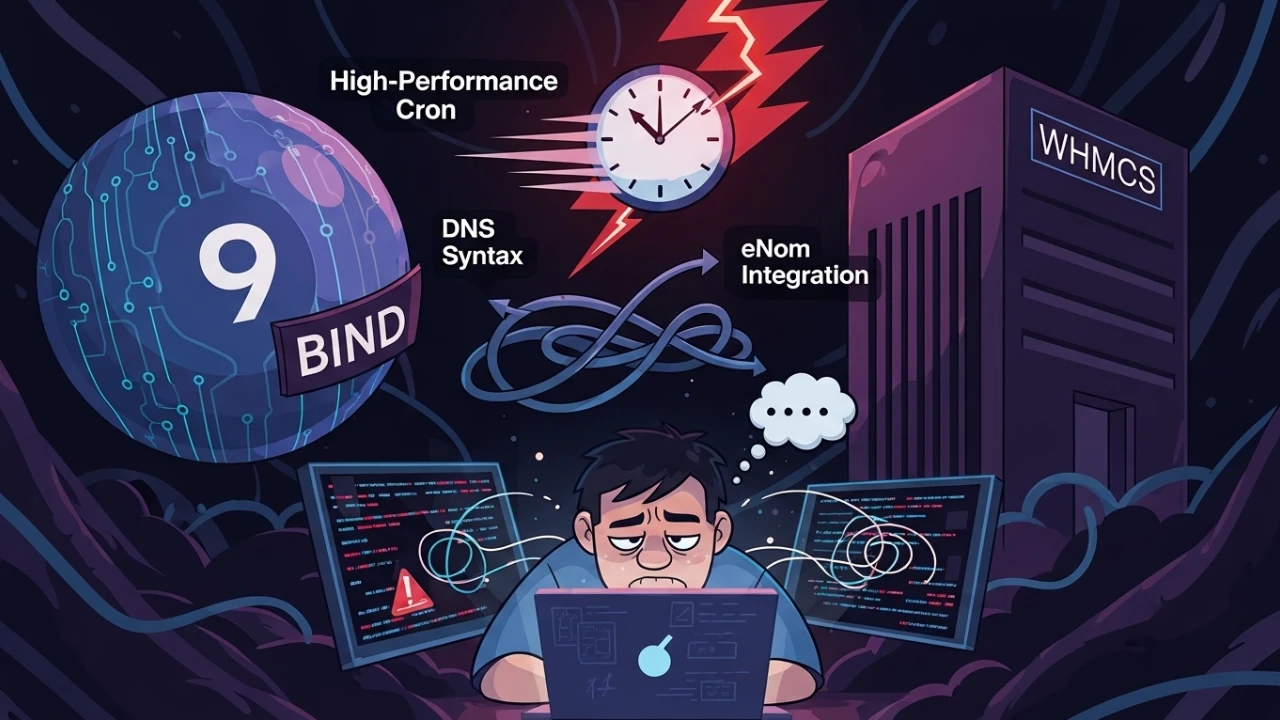
In this incident response, I addressed three interconnected layers within a managed hosting stack: a critical configuration syntax failure in BIND9, a miscalibrated WHMCS cron schedule causing task overlap, and a security-focused audit of the eNom registrar integration.
The initial DNS failure reported was a standard but lethal parsing error:
missing ';' before 'deny'From this starting point, I executed a comprehensive workflow involving forensic diagnosis, remediation, security hardening, and end-to-end acceptance testing to stabilize the authoritative DNS, billing automation, and domain registration pipeline.
1) BIND9: backup, diagnosis, and safe recovery#
Any changes made to production DNS servers require strict contingency plans. A corrupted configuration file can cause a complete outage of name resolution services.
1.1 mandatory preventive backup#
Before modifying any configuration files, save a security snapshot of BIND9's directories:
# Complete BIND9 directory backup (configurations and zones)
sudo tar czf /root/bind-backup-$(date +%Y%m%d-%H%M%S).tar.gz /etc/bind/

# Simple backup of the main named.conf file
sudo cp /etc/bind/named.conf /etc/bind/named.conf.bak.$(date +%Y%m%d)

# Backup of the zone subdirectory
sudo cp -r /etc/bind/zones/ /etc/bind/zones.bak.$(date +%Y%m%d)/ 2>/dev/null || true
1.2 evidence collection and status check#
Identify parsing and runtime issues from system daemon logs:
systemctl status bind9 --no-pager
journalctl -u bind9 -n 50 --no-pager
(Note: on Red Hat/CentOS systems, replace bind9 with named).
1.3 validating configurations with named-checkconf#
A common pitfall is validating an isolated file with named-checkconf /etc/bind/named.conf. If your configuration includes nested imports (like named.conf.options or named.conf.local), errors inside those files might be missed.
# List all configuration files imported inside named.conf
grep -r "include" /etc/bind/named.conf

# Recursively validate ALL configurations and imports (recommended)
named-checkconf

# Validate a specific configuration file
named-checkconf /etc/bind/named.conf
1.4 fixing the syntax#
The syntax error occurred because BIND9 requires a semicolon terminator on every entry inside options arrays. In BIND9, the allow-recursion directive accepts IP address match lists and standard ACLs (such as localhost and localnets), restricting recursion strictly to declared sources:
Incorrect Pattern (Missing Semicolon):
allow-recursion {
    127.0.0.1
};
Corrected Pattern:
allow-recursion {
    127.0.0.1;
    ::1;
};
2) BIND9 hardening: zone transfers, reverse zones, and logging#
2.1 zone transfer security (allow-transfer)#
By default, if left unrestricted, BIND9 may permit external entities to query all records inside a zone using full AXFR requests. Secure your zones by restricting transfers:
options {
    directory "/var/cache/bind";

    # Disable zone transfers globally by default
    allow-transfer { none; };

    # Or restrict to trusted secondary DNS servers only
    # allow-transfer { 192.168.0.5; 192.168.0.6; };
};
2.2 configuring structured logging channels#
To maintain security auditing and simplify debugging, define dedicated logging blocks inside named.conf.options:
logging {
    channel default_log {
        file "/var/log/named/default.log" versions 5 size 10m;
        severity info;
        print-time yes;
        print-severity yes;
        print-category yes;
    };

    channel query_log {
        file "/var/log/named/query.log" versions 5 size 50m;
        severity info;
        print-time yes;
    };

    category default { default_log; };
    category queries { query_log; };
    category security { default_log; };
};
Create the path directory and set ownership to the daemon's user:
sudo mkdir -p /var/log/named
sudo chown bind:bind /var/log/named
2.3 DNSSEC validation explained#
The dnssec-validation auto; directive tells BIND to resolve queries using root zone trust anchors (managed keys) for cryptographic validation of DNSSEC-signed records.
- Operational Verification:
  # Check status of managed validation keys
  sudo rndc managed-keys status
If your resolver lacks external access to retrieve update hints, DNSSEC resolution may fail. For troubleshooting, it can be bypassed with dnssec-validation no; (never recommended for production).
2.4 setting up reverse zones (PTR records)#
Mapping IP addresses to hostnames (PTR) is critical for mail servers to avoid being flagged as spam.
Declare the reverse zone inside named.conf.local:
zone "0.168.192.in-addr.arpa" {
    type master;
    file "/etc/bind/zones/db.192.168.0";
    allow-query { any; };
};
Create the zone file /etc/bind/zones/db.192.168.0:
$TTL 86400
@   IN  SOA ns1.domain.local. admin.domain.local. (
        2026061501  ; Serial (YYYYMMDDNN)
        3600        ; Refresh
        900         ; Retry
        604800      ; Expire
        86400       ; Negative Cache TTL
)
    IN  NS  ns1.domain.local.
10  IN  PTR web.domain.local.
20  IN  PTR mail.domain.local.
2.5 clearing DNS cache (flushing)#
After updating zone records, flush BIND9's memory cache to ensure the resolver serves fresh records immediately:
# Clear all resolved caches
sudo rndc flush

# Flush cache for a specific domain only
sudo rndc flushname example.com

# Write memory statistics to log files
sudo rndc stats
3) Network auditing and core operations#
3.1 firewall and port auditing#
DNS services utilize port 53 over both UDP (fast resolution) and TCP (zone transfers and large packet replies):
# Check if BIND is listening on target ports
sudo ss -lntup | grep :53

# Verify UFW firewall rules
sudo ufw status | grep 53

# Or check raw iptables rules
sudo iptables -L -n | grep 53

# Open ports if blocked
sudo ufw allow 53/tcp
sudo ufw allow 53/udp
Test DNS resolution externally:
dig @IP_OF_DNS_SERVER example.com A +short3.2 standard procedure for adding new zones#
Follow these steps to safely register new zones inside BIND9:
- Create the zone database file: write SOA, NS, and A/MX records inside
/etc/bind/zones/new-domain.com.db. - Register the zone: declare it in
named.conf.local:
   zone "new-domain.com" {
       type master;
       file "/etc/bind/zones/new-domain.com.db";
};- Run validation checks:
   sudo named-checkconf
sudo named-checkzone new-domain.com /etc/bind/zones/new-domain.com.db- Reload service safely:
sudo rndc reload4) WHMCS cron optimization and contention prevention#
Running the WHMCS cron.php automation file every minute leads to CPU overhead and DB transaction locks if jobs overlap.
4.1 calibration of scheduling intervals#
Reschedule the automation to run every 5 minutes using absolute paths:
# Standard High-Performance cron scheduling
*/5 * * * * /usr/local/bin/php -q /home/user/whmcs/crons/cron.php
4.2 overlap prevention via file lock (flock)#
To ensure a new cron instance does not start while the previous one is still executing, wrap the call with flock:
# Lock wrapper to prevent concurrent executions
*/5 * * * * /usr/bin/flock -n /tmp/whmcs-cron.lock /usr/local/bin/php -q /home/user/whmcs/crons/cron.php
4.3 cron monitoring and diagnostics#
Trace execution loops and check system health:
# Monitor WHMCS cron execution logs
tail -f /home/user/whmcs/crons/cron.log 2>/dev/null || true

# Monitor system PHP error logs
tail -f /var/log/php-fpm/error.log

# Check for active running instances of the cron
pgrep -af "whmcs/crons/cron.php"

# List user crontabs
crontab -l -u user
5) eNom API integration hardening#
Provisioning domains automatically through the eNom registrar requires robust authentication and connectivity steps.
5.1 validating credentials and gateway connectivity#
Test API responses directly from the host server before enabling WHMCS hooks:
# Query account balance from eNom sandbox gateway
curl -v "https://reseller.enom.com/interface.asp?command=GetBalance&uid=USER&pw=PASSWORD&ResponseType=XML"
5.2 reviewing module and connection errors#
If domain orders fail to register:
- WHMCS Module Log: Navigate to
Utilities -> Logs -> Module Loginside your WHMCS admin area and enable debug logging. This exposes the XML response payload sent by eNom. - System Logs: View activity and diagnostic logs in the WHMCS log directory:
tail -f /home/user/whmcs/downloads/gatewaylog.log 2>/dev/null || true6) Helper shell scripts#
BIND9 health diagnostics (diagnose-bind9.sh)#
#!/bin/bash
# diagnose-bind9.sh - Diagnostics script to check BIND9 service health
set -euo pipefail

echo "=== BIND9 Diagnostics ==="

# 1. Check Service
if systemctl is-active --quiet bind9 2>/dev/null || systemctl is-active --quiet named 2>/dev/null; then
    echo "✅ DNS Service is active."
else
    echo "❌ DNS Service is INACTIVE!"
fi

# 2. Check Configurations
if command -v named-checkconf &>/dev/null; then
    if named-checkconf >/dev/null 2>&1; then
        echo "✅ Syntax validation successful."
    else
        echo "❌ Syntax error detected! Details:"
        named-checkconf || true
    fi
fi

# 3. Check Ports
if ss -lntup | grep -q ":53"; then
    echo "✅ Port 53 is open."
else
    echo "❌ Port 53 is closed!"
fi

# 4. Resolve Test
if command -v dig &>/dev/null; then
    if dig @127.0.0.1 google.com A +short +time=2 +tries=1 >/dev/null 2>&1; then
        echo "✅ Local recursive DNS resolution works."
    else
        echo "⚠️ Local test resolution failed."
    fi
fi
BIND9 configuration backup (backup-bind9.sh)#
#!/bin/bash
# backup-bind9.sh - Complete backup tool for BIND9 configurations and zones
set -euo pipefail

BACKUP_DIR="/root/bind-backup-$(date +%Y%m%d-%H%M%S)"
mkdir -p "$BACKUP_DIR"

echo "Backing up BIND config directory..."
sudo cp -r /etc/bind/ "$BACKUP_DIR/config/"

if [ -d /var/log/named ]; then
    echo "Backing up service logs..."
    sudo cp -r /var/log/named/ "$BACKUP_DIR/logs/" 2>/dev/null || true
fi

tar czf "${BACKUP_DIR}.tar.gz" -C "$BACKUP_DIR" .
rm -rf "$BACKUP_DIR"

echo "✅ Backup successfully created at: ${BACKUP_DIR}.tar.gz"
Deployment and validation checklist#
- [ ] Security backup generated and stored at
/root/bind-backup-.... - [ ] Configurations and zone imports validated using
named-checkconf. - [ ] Zone transfer rules (
allow-transfer) restricted to prevent exposure. - [ ] Reverse zone entries (PTR) registered in BIND9.
- [ ] Port 53 open on TCP and UDP, and validated from an external source.
- [ ] DNS cache cleared with
rndc flushpost-deployment. - [ ] Zero-downtime reload completed successfully using
rndc reload. - [ ] WHMCS cron configured at 5-minute intervals with
flockprevention. - [ ] Cron output logs monitored in real time during testing.
- [ ] eNom API connectivity validated directly via cURL.
Was this article helpful?
Leave a quick reaction to help prioritize future technical guides:
See also



This post is licensed under CC BY-NC.
Comments
Join the discussion below.
0 comments